Author: Mariel Abamo

  • Pixelied Review: How Good Is This Online Image Editing Tool?

    Pixelied Review: How Good Is This Online Image Editing Tool?

    Online editing tools are becoming a staple in the blogging world.

    After all, it is highly useful for those who are not experienced with the likes of Photoshop and Illustrator, not to mention the costs you can save.

    Blogging will always be tied with photos. These visuals are important to attract readers and make a good impression. Plus, it can also be used to engage with them within the content.

    However, content writers are not necessarily great designers. This is exactly why online design tools like Canva have become a useful partner to copywriters, bloggers, and entrepreneurs.

    But in this post, we will talk about a rising online design tool called Pixelied* and how it can help you do quick edits and adjustments to any of your images.

    Pros

    • Beautiful ready-made templates
    • Drag and drop feature
    • Clear and straightforward interface
    • Extremely fast load time
    • Vector upload feature
    • Has a free subscription

    Cons

    • Limited background remover credits
    • Short supply of illustrations
    • Slow mockup saving time

    Pixelied is a good option for those who are new to the world of photo editing software or just want basic features. If you’re looking for something more comprehensive then this might not be your best choice but if all you really need is the basics, like creating featured blog images and social media posts, Pixelied does that well!

    Why use online photo editing tool?

    An online image editing tool is just how the name suggests – you can edit any photos just using your browser.

    If you want an easy way to remove background, add simple shapes, or adjust the brightness for a small cost, then online photo editors are the best choice.

    Image editors are not just used for convenience, but it has transformed to almost replace tools like Photoshop when it comes to stitching up and altering photos to be used on online platforms like landing pages, social media posts, and online banners.

    What is Pixelied?

    Pixelied is a robust online graphics editor that can help you produce high quality images that you can use for your business.

    It doesn’t matter whether you have experience in graphic design or not, its features are designed to help everyone who knows how to drag and drop.

    Aside from the hundreds of and ready-made template designs, you can also create your own original designs in a matter of minutes.

    The free plan still provides enough options to get started with photo editing right away. If you like it, you may subscribe monthly for $9.95 and get loads of additional features.

    To summarize, Pixelied offers a variety of basic tools to edit photos: crop, resize, rotate, adjust color balance or contrast, add filters, add shadows, and adjust the opacity.

    But these are just the basics. Let’s talk about how Pixelied is designed to cater to most of your brand design requirements.

    Pixelied Review

    Is Pixelied right for you?

    Let’s go over and have a look at what Pixelied offers to the table and whether it’s a good substitute for your trusted apps or even your own graphic designer!

    Ease of Use

    Upon logging in, you’ll be greeted with a bunch of templates tailored for specific channels. This makes it super easy for you to just select the platform, and the size is already provided.

    Comparing it with the tool I frequently use called Crello, Pixelied’s interface is more user-friendly, easy to navigate, and loads in a snap.

    Features

    There are four important features inside Pixelied that I’d like to focus on.

    1. Templates

    In the Templates tab, you can view all the channels, purposes, and sizes where done-for-you templates are available.

    There are built-in templates for the usual channels like Facebook, Instagram, and Twitter. What’s interesting is that they also included channels like Twitch, Etsy, and even Amazon Kindle book covers in the templates.

    The vast library of ready-made templates is all styled well for any occasion or purpose. All you have to do is adjust according to your liking, add in your logo, edit your font, and you’re good to download your image into either a JPG, PNG, PNG transparent, SVG, WEBP, and even PDF!

    2. Workspaces

    Each workspace comes with its own assets, designs, and team members which will keep things fresh for everyone involved! Workspaces have their own separate assets, designs, and team members to help you switch to various projects in a few clicks.

    Workspaces are extremely useful if you manage multiple brands that have their own sets of design requirements.

    3. Background remover

    Background remover is a nice to have feature especially since doing it manually using Photoshop is a tedious process. Pixelied makes it a one-click process and depending on the image size, it only takes 10-30 seconds to get your image ready.

    Here’s the sample image I took and used background remover. As you can see, it can remove the background and still keeps the quality the same.

    My only complaint is that I cannot see all the previous images that I used the background removal tool for in this dashboard view. I don’t know whether I’ve used them already or not which is not ideal since the background remover credits are limited.

    4. Illustrations

    Custom illustrations that can be used on any platform are readily available to be downloaded. This is what I appreciate with Pixelied as some online editors require you to place an illustration into a canvas first before you download it. But, what’s disappointing is that the designs are really limited.

    Value for Money

    The free version is already useful on its own and the monthly subscription for the number of features they offer is already a no-brainer!

    The ones we discussed are the main menus, but what about the actual image editor?

    Pixelied Image Editor Review

    Here’s what the Pixelied photo editor looks like! It’s really easy to navigate, so even if this is your first time, you’ll never get lost inside.

    Let’s go over the features inside!

    The stock photos are so-so. They only have what’s on Unsplash and Pixabay which are both pretty common. I was hoping I can get a little bit extra than those from these two websites.

    The pre-made text styles are all stunning but the options are pretty limited.

    The mockup menu is quite a surprise as I consider it a more advanced tool. It’s something that I don’t really see in other online photo editors. The only downside is that this is one of the slow-loading features of Pixelied.

    The vector upload is quite uncommon for an online design tool. Basically, your Photoshop or Illustrator SVG files are supported.

    The premium icons provided are really useful especially since they can be edited to your liking.

    The blend option, which I love, replaces the colors of the elements in my image and blends it using a set of color palettes. So, no need to think too much about whether my design colors complement each other, Pixelied can just suggest what’s best.

    Lastly, the light and dark themes are a nice touch as well!

    Pros and Cons of Pixelied

    Pixelied is very easy to use and the interface is really clean and user-friendly. If for some reason something doesn’t work or doesn’t make sense, they have comprehensive documentation that you can check out.

    Pros

    • Beautiful ready-made templates
    • Drag and drop feature
    • Clear and straightforward interface
    • Extremely fast load time
    • Vector upload feature
    • Has a free subscription

    Cons

    • Limited background remover credits
    • Short supply of illustrations
    • Slow mockup saving time

    If you’re looking for a more comprehensive photo editing software, then this might not be the best option for you.

    But, if your main purpose is to create featured blog images or social media posts, I can assure you that Pixelied is more than enough!

    Conclusion

    Pixelied Review: How Good Is This Online Image Editing Tool?

    • INTERFACE
    • USEFULNESS
    • USABILITY
    • EFFECTIVENESS

    Verdict

    It can be hard to find a good, free online photo editing tool. Pixelied is one of the few that offer basic features for users who are looking for an alternative program or those just getting started with image editing software for free.
    If you need something simple to get your feet wet without spending any money, we recommend giving Pixelied a try! And if everything suits your taste, just upgrade to get all the features they have to offer.
    4.1/5
  • What Makes an Ad Attractive and Have High Conversions?

    What Makes an Ad Attractive and Have High Conversions?

    There are thousands of brands competing with each other and all of them want to pull the attention of their target audience and get them to convert.

    If you’re reading this then you’re probably one of the advertisers looking to get a piece of that cake.

    With that said, how are you going to cut the line and be in front of your target audience?

    There’s another thing though. While we all want eye-catching ads, ultimately, it’s the conversions that matter.

    Creating ads is relatively easy, but an ad that converts is another discussion.

    There are many variables that make an ad a high converting one while keeping the costs at a minimum.

    Imagine selling a $500 product for an overall ad spend of $20. You can even go lower if you know how to make your ad attractive and put it out in front of the right people. 

    That’s always the dream. You want your ad to work for you.

    So how do you do that?

    In this post, we’ll talk about the key elements of what makes an ad attractive and have high conversions.

    Targets the ideal buyer

    Do you know who your real audience is? The easiest way to identify your target market is by going through your website’s Google Analytics (GA).

    GA will show you a sense of the demographic idea of who your audience is and what pages and products they frequent.

    You can gauge from this data the type of advertisement you should run that will work with the current audience that you have.

    However, if you don’t have this data yet, then what you can do is target a broad audience.

    While it may seem that a small target audience is the way to go, a broad audience can give you wider data that you can narrow down until you hit the right spot.

    This strategy will entirely depend on how much you are willing to spend. A broad audience may be a bit expensive, but this will let you look at all sides and learn that the audience that you aren’t even thinking of targeting are the ones who are the highest converters.

    If you have a limited advertising budget, you can always target a smaller audience and optimize along the way.

    Has a clear goal

    Identifying your goal and value proposition at the very beginning gives you an idea if the rest of the elements of your ad are really relevant to what you’re trying to happen.

    For example, if your goal is to get them to buy your custom t-shirt design, then the messaging of your ad should focus on getting the viewers to buy.

    You may add the pricing, the shipping details, the payment methods available, and a call-to-action telling them what to do next. Either to buy it now or to claim a coupon.

    In addition, there should be no confusion on the audience’s side. Make sure to have a clear and concise message that is easy for the reader to understand.

    Optimized ad format per channel

    There are various channels to advertise depending on what your goal is.

    Search Ads, Social Media, YouTube, and Email are among the most used channels for advertising but they also have some best practices that you need to follow.

    For instance, search ads should have short and concise texts and focus on the search terms of your audience while Instagram is mostly about images and short videos.

    Not only that. Your ads should be optimized to fit not only the formatting rules but also the audience that you’re targeting.

    If you have an online store, you can try Facebook Ads or Google Ads. And if your business is mostly for professionals, you can advertise on LinkedIn instead.

    Grabs attention

    As always, the more eyes to your ads the better!

    Your audience’s attention is constantly pulled in different directions, so you’ll have to stand out and catch their attention in a snap.

    How do you do that? Here are the three important elements of attention-grabbing ads.

    A stellar headline and ad copy

    Use catchy headlines that are interesting that make people want to read your ad.

    A little creativity goes a long way! If you’re struggling to come up with new ideas, there’s always a tool to help you.

    Anyword is an online advertising tool and its main purpose is to generate copies to help advertisers with landing pages, emails, product pages, and editorials to help with your ad campaign.

    Pros

    • Creates usable, one-click, AI-generated copy for your campaigns.
    • Polished UX makes creating AI copy a cinch!
    • Affordable pricing with generous word limit

    Cons

    • Limited industry options

    Anyword is an AI-powered copywriting platform that helps marketers tailor their messages to their ideal audience. It generates and evaluates copy for ads, social posts, email subject lines, landing page copy, and much more.

    Let’s try generating headlines using Anyword, an AI copywriting tool specifically for this purpose!

    Here’s a sample:

    Anyword can generate headlines for you on various channels. Facebook, Twitter, LinkedIn, and Google Ads headline are among the list and there are a few more for different purposes.

    What’s best is that they provide demographic data of the users who are more likely to engage with the ad copy.

    This way, you’ll have an idea if your ad copy has a chance of converting to eliminate the guessing game. 

    In the “Improve with AI” option, you can see the demographic data as you type the ad copy that you want to improve. You can also set the age and gender groups that you want to target.

    All you have to do next is click ‘generate more’ and you’ll have a list of copies that you can use!

    Aside from headlines, they also help you generate compelling descriptions or ad texts that go along with your ad.

    This helps you be more efficient as the research time will be reduced and you don’t have to scratch your head trying to come up with new ideas each time.

    Eye-catching visuals

    Great copies go hand in hand with striking visuals, so invest in images and videos too!

    There’s a psychology behind advertising–consumer psychologists exist for a reason.

    Here are some factors that influence the viewer’s buying decision.

    • Product and branding colors
    • Location imagery
    • Appeals to emotions
    • Famous personalities/influencers
    • Storytelling power
    • Fear of missing out (FOMO)
    • Background color

    Ultimately, your ad should focus on getting your viewers to convert. The way to do that is to understand that your target consumers all have different motivations. Your job is to identify that to your benefit.

    Click worthy call-to-action

    A well-crafted calls-to-action or CTA will help increase conversions and generate more revenue.

    Copywriters work hand in hand with marketers who know how and when to use the most effective CTA buttons and techniques in their online ad campaign.

    CTA is an action verb so it’s meant to persuade your viewers on what to do next. 

    If you’re telling them to contact you then you can say “Talk to Us”. If you want them to buy a product, you can either tell them to “Buy Now” or “Add to Cart”.

    Your CTAs should be relevant to what you’re offering while keeping your branding in mind.

    To know if your CTAs and the rest of your ads are effective, the next step is to evaluate and test them all.

    Evaluated and tested

    There are so many ways to advertise a website, but the only way to know which one would work best is to test and analyze them.

    Advertising is of course not a one-time thing. If you want to be successful in this field, then you’ll have to be prepared to constantly test and understand the key metrics that matter.

    Get a closer look at the performance of your ads. You might be wasting a huge amount of money on bad ads.

    Changes that may look small have a likelihood to be the one thing you might be missing so be sure to do A/B testing.

    For example, changing your call to action to “Book Now” instead of “Learn More” may surprise you with the results. Ad schedule may also be a factor.

    Simple changes like that have the potential to have a huge impact on your cost per conversion. This will also help you collect more information on what kind of ad will work on your next product or audience.

    So, test out different variations of your ads by changing things like colors, fonts, or headlines. Keep an eye on what works best with each audience you’re targeting so you can maximize each dollar you are spending.

    Put it all together!

    After putting these practices together, it’s mostly going to be waiting and optimizing game.

    When you find out which ad works best for you, all you have to do is to try to replicate it to your other products or make an even better version.

    A mere $100 ad budget can triple your revenue if you know how to optimize your ads to work for you.

    You have to remember that your target audience is exposed and bombarded with ads every single day. So, making sure that your ads are optimized and have the highest quality score at the very beginning will set you up for a fast take off.

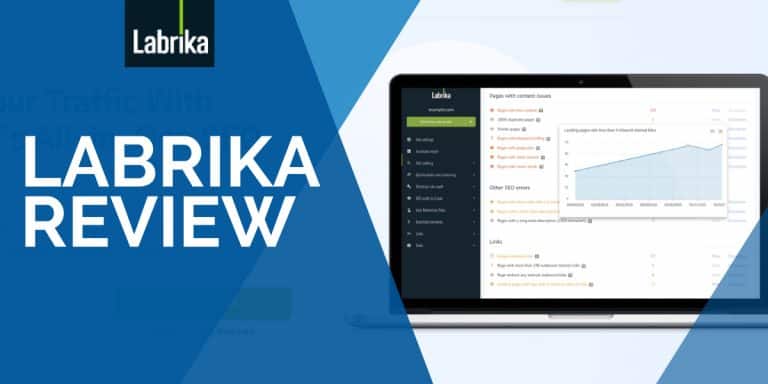
  • Labrika Review: The Next Big SEO Tool?

    Labrika Review: The Next Big SEO Tool?

    Looking to up your content optimization game?

    Labrika is one of the rising tools on the block that provides SEO audits, content optimization suggestions, site rankings, and white-label reports.

    Labrika boasts its own algorithm that can find multiple website errors that other tools don’t provide.

    Is it comparable to the SEO giants like Ahrefs, Semrush, and Moz? If it does what it promises, then Labrika is an ideal SEO tool for many businesses trying to beat the competition.

    Most of the focus of this review will talk about the features of Labrika that can really help out SEO professionals and website owners.

    If you’re looking for a perfect SEO partner, then let’s review if Labrika is the one for you.

    Pros

    • Ease of Use
    • Comprehensive data
    • Shareable reports with white labeling

    Cons

    • Limited language support
    • Unpolished search rankings results
    • No keyword research and backlinks

    Labrika is a very solid audit tool that gives you a full view of any site’s SEO performance. You can break down a site from how optimized its content is optimized to its technical SEO settings. There’s still a lot of room for improvement as far as UX and search result data are concerned, but Labrika is on the right track as far as being a cost-efficient SEO audit tool is concerned.

    What is Labrika? 

    labrika-review

    Labrika is said to be an all-in-one SEO tool that uses a machine-learning algorithm and analyzes important search engine ranking factors to get your website to the first page.

    In a nutshell, it checks what’s wrong with your website and gives you solutions to fix it. 

    With the competitive nature of ranking on the search engine, it’s really best for a business to have a tool that will help identify problems and solve them.

    However, SEO is quite a complicated digital strategy. You’ll find possibly hundreds of reasons why your website is ranking or not ranking well.

    And finding those data requires a ton of time. So that’s what Labrika tries to solve.

    It saves time and provides actionable data that’s essential to ranking on Google.

    Labrika Features

    Labrika is divided into seven main sections that each answer to a particular SEO need.

    • Site Rankings
    • Optimization and Keyword Grouping
    • Technical Site Audit
    • SEO Audit & Crawl
    • User Behavior Data
    • Essential Elements (Competitor Analysis)
    • Links

    You can do a lot with Labrika, but would you need all of them?

    In SEO, there are a bunch of tools that promise to do everything, however, all these tools mostly have certain features that will stand out more than the others. Those other features can be good to have but you most likely won’t use them.

    In this Labrika review, I’d like to focus on where I think Labrika can really help in optimizing content that can rank on Google. 

    There’s two features that stood out for me: Optimization and Keyword Grouping and Full Website Audit.

    There’s another good feature called Links that can be really helpful too.

    That said, I’ll review each of these three features and how SEO specialists, writers, and website owners can utilize them.

    Let’s head over to what Labrika brings to the table.

    Full Website Audit

    The full website audit includes both SEO and technical site audit.

    As always, a comprehensive audit of the site is always required to check the website’s health. This part will tell you what’s wrong with your site, what errors you need to prioritize, and which areas are in good standing.

    I’ve personally used a lot of SEO audit tools so seeing Labrika’s dashboard is a refreshing change.

    Labrika’s UI is quite straightforward so it’s really easy to know where I need to go at first glance. All that’s left for me to do is input the domain I’m going to audi and add in important details so Labrika can get to work.

    Start audit

    It will ask what kind of report you want to process. I’d suggest doing a full website analysis so you’re getting all that you need in one go.

    Note that Labrika only shows data from Google so other search engines which is a bummer if you’re also looking to optimize on other search engines like Bing and Yahoo.

    What I like about their search audit is that aside from adding your target country, you can also set your website’s target region, city, or state. This helps a lot if you’re trying to rank a local business.

    Here’s how the SEO audit looks like.

    The SEO Audit and Crawl section checks for the content’s optimization such as meta tags, plagiarism, content quality, and list of competitors.

    It took about 10 minutes for Labrika to process the report and show the full website analysis. Now, that’s quite a long waiting time as the website I added is fairly new with just over 50 published pages.

    While the waiting time is quite decent compared to SERPstat, it’s not as fast as SEMrush or Ahrefs. But that may change depending on the size of your website.

    The technical audit, on the other hand, checks for technical data like errors, broken images, duplicate pages, sitemap, page speed, and canonicals.

    As shown above, there’s a ton of data Labrika can tell you. The description button explains what the data is about which is really useful especially if you’re not used to specific terms in the SEO field.

    Content Optimization

    In optimizing content, Labrika will analyze your website along with your top competitors.

    For example, if the top 10 results of your keyword all have 1000-1500 word page content, Labrika will recommend the same number of words for your content. 

    But before you analyze all of your site’s content, make sure to check the Exclusion of Competitors menu first. This will show you all the websites that target the same seed and long tail keywords (similar to the ones found on Long Tail Pro) as yours. In my case, there are 103 total competitors that Labrika was able to gather.

    Labrika will automatically group the relevant keywords uploaded on the site as well as the relevant URL of the page the keywords connect to.

    However, it doesn’t always work like that.

    I used a different website and I still had to input the relevant URL to check its content. While it’s easy to simply copy and paste all my URLs on each keyword grouping, it’s not efficient to do so if I have hundreds of pages on the line.

    There are two main features in this section that I want to focus on: Text Optimization and Content Optimization

    Text Optimization

    • Labrika shows page optimization recommendations based on competitor analysis. In this part, you can see some technical analysis of your page’s H1, description, number of words, latent semantic or LSI, and essential keywords.
    • This is what you can refer to when you’re trying to optimize your content directly on your site.
    • The exported content brief is one of the best I’ve seen. Even a new SEO writer can easily understand the content requirements of each brief.

    Content Optimizer

    • Labrika provides a content editor so you can directly revise your content and adjust according to Labrika’s optimization. 
    • The editor highlights words in three colors to identify whether they are good, have errors, or needs improving.
    • Results are real time so after you’re done implementing recommendations and are satisfied with the scores, you can simply copy and paste the final content to your site.
    • You can also use a custom link for your writer so they can directly revise and optimize the content.

    The content optimization feature has become a favorite feature of mine. What I would love to be able to do is to manually add specific competitors in the list.

    While they do have a comprehensive list of competitors, the competitors that I’d like to use are not in the list.

    It would also be nice to have a WordPress integration so I can simply edit my content and hit publish.

    Both internal and external links are necessary to increase SEO scores to your content and your site’s overall SEO status.

    What I like here is that it shows me all of the links I used in one simple page so it’s really easy to scan through all of them.

    If there’s one link that I want to investigate, I can simply click the “Show All” button to show me which page I used the link for. However, some links will also include that category and author URLs which aren’t really necessary.

    The only downside here is that it only focuses on internal links, so if you want to check your backlinks, you’ll have to find another tool like Ahrefs.

    Labrika Review: Pros and Cons

    As with many other tools, Labrika has its good and bad sides. Here’s a closer look at its pros and cons.

    Pros

    • Ease of Use – Labrika also has bits of explanations on most, if not all, of the tools they have. Labrika eliminates the need to use other supporting tools like GTmetrix and simplifies SEO auditing in just one dashboard.
    • Comprehensive data – All Labrika’s features are packed with comprehensive data that are really useful and easily digestible.
    • Shareable reports with white labeling You can add your name, contact details, and logo on all the downloadable reports, a cool feature for agencies and freelancers with various clients. Most features also provide a shareable custom link that can be shared with anyone for up to 30 days.

    Cons

    • Limited language support Labrika only fully supports websites in English while Spanish, French, and German languages are all in beta phases. 
    • Unpolished search rankings results – Labrika’s site rankings are not close to real-time data. After entering custom keywords manually, the rankings all show 50> even if the manual checking results are higher. Keyword suggestions upon set up are also not useful or sometimes irrelevant to the site.
    • No keyword research and backlinks – Both of these features are really necessary for websites to push their website to the top. If it doesn’t have a keyword research function and backlinks checker (like what Serpstat has), it’s not really an all-in-one SEO tool as it claims to be.

    Conclusion

    Labrika Review: The Next Big SEO Tool?

    • INTERFACE
    • USEFULNESS
    • USABILITY
    • EFFECTIVENESS

    Is Labrika the right SEO tool for you?

    My best answer is: it can be.
    There are many useful features in Labrika and while that gives you the best value for money, I find it confusing what Labrika can really do best. But right now, it’s all the two main features I’ve talked about above: full website audit and content optimization.
    My verdict is that Labrika is a great tool for SEO specialists, agencies, and even new website owners who want to understand what’s happening with their website SEO wise. 
    I hope this Labrika review provided some insights one what you can and cannot do with it.
    While there are other powerful tools that can do better, Labrika can serve as a great addition to help improve your website’s on-page optimization.
    4.0/5