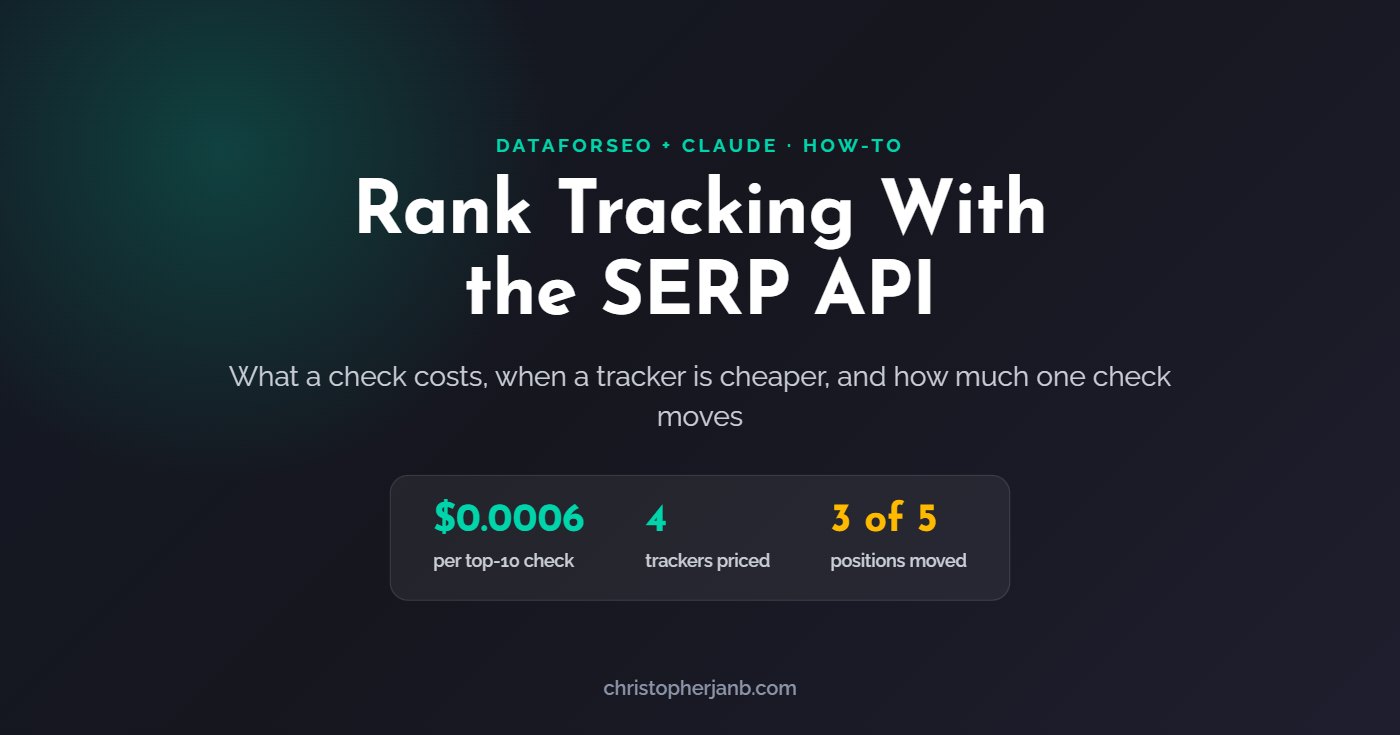
You can track rankings with the DataForSEO SERP API by checking each keyword on a schedule and recording where your site appears. A top-10 check costs $0.0006 on the standard queue, which is cheaper per check than the four rank trackers I priced. Checking the top 100 in live mode costs $0.02, which is more expensive than all four. And one check is not a ranking: in my test, 3 of 5 positions changed between two checks run 2 minutes apart.
Disclosure: links marked “affiliate link” in this post go to DataForSEO and SE Ranking. If you sign up through them, I may earn a commission on every successful sale, at no extra cost to you.
How does rank tracking with a SERP API work?
A SERP API returns Google’s results for a keyword as data. Rank tracking means repeating that request on a schedule, finding your domain in the results, and storing its position each time.
DataForSEO (affiliate link) offers three speeds. The standard queue is cheapest and returns results after a delay, so it suits scheduled checks run from a script or an automation tool. Live mode returns results at once and costs more. The DataForSEO MCP server, which connects Claude to the API, uses live mode, because you are waiting in a chat.
How much does a rank check cost with DataForSEO?
One top-10 check costs $0.0006 on the standard queue, $0.0012 on priority and $0.002 live. Each extra 10 results adds the same amount again, so the top 100 costs ten times as much.
| Setup | Per check | 500 keywords daily, per month |
|---|---|---|
| Top 10, standard queue | $0.0006 | $9 |
| Top 10, live | $0.002 | $30 |
| Top 100, standard queue | $0.006 | $90 |
| Top 100, live | $0.02 | $300 |
Rates are DataForSEO’s list rates from 27 October 2026. Depth and speed are the two settings that move the bill, so decide both on purpose. My pricing post shows how this fits into 30 days of real spend.
Is DataForSEO cheaper than a rank tracker?
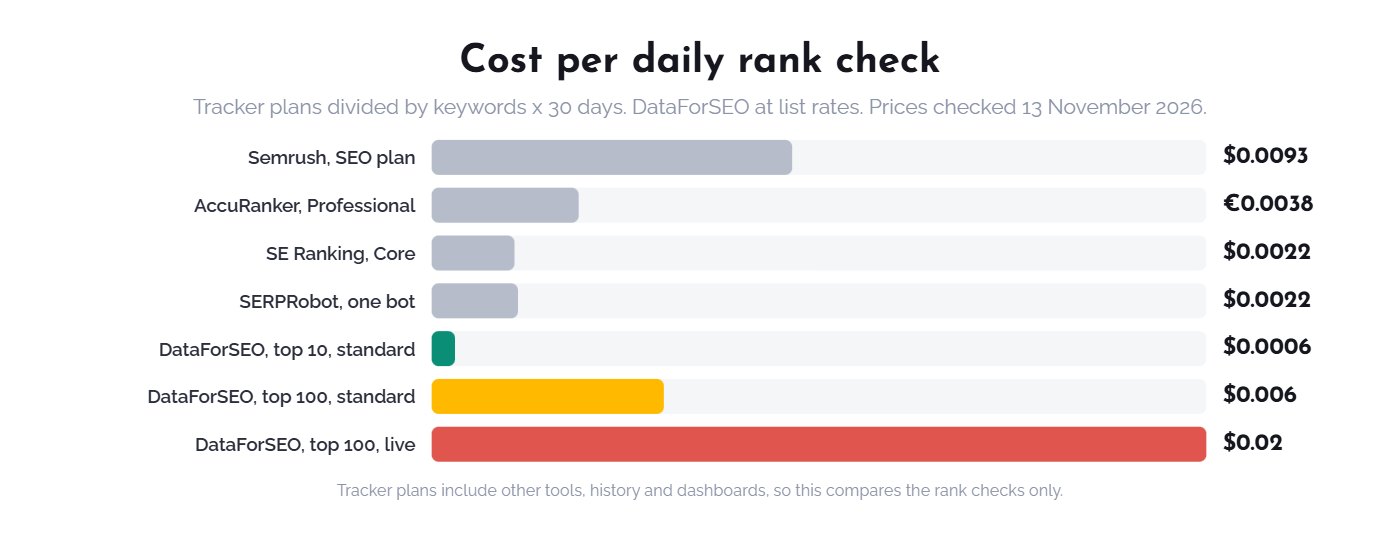
DataForSEO is cheaper per check if you only need the top 10 on the standard queue. For the top 100, or for live checks, the rank trackers I priced cost less per check.
| Option | Monthly price | Keywords checked daily | Cost per check |
|---|---|---|---|
| SE Ranking (affiliate link), Core plan | $129 | 2,000 | $0.0022 |
| SERPRobot, one bot | $4.99 | 75 | $0.0022 |
| AccuRanker, Professional | €229 | 2,000 | €0.0038 |
| Semrush, SEO plan | $139 | 500 | $0.0093 |
| DataForSEO, top 10, standard queue | Pay per use | Any | $0.0006 |
| DataForSEO, top 100, standard queue | Pay per use | Any | $0.006 |
I took each tool’s cheapest paid plan with rank tracking from its pricing page on 13 November 2026, using monthly billing, and divided the price by its daily keyword limit times 30 days. This compares the rank checks only. The tracker plans also include history, dashboards, alerts and other tools, and SE Ranking and Semrush plans cover much more than rank tracking. Other SERP APIs advertise lower rates than DataForSEO, but I have not tested them.
At 2,000 keywords a day, the top 100 on DataForSEO’s standard queue would cost about $360 a month, against $129 for SE Ranking’s Core plan. The API wins when your list is small, your depth is shallow, or you check weekly instead of daily.
How stable is a single live rank check?
A single live check is not stable enough to report on its own. I checked 10 keywords for this site twice, about 2 minutes apart, and 3 of the 5 found positions changed.
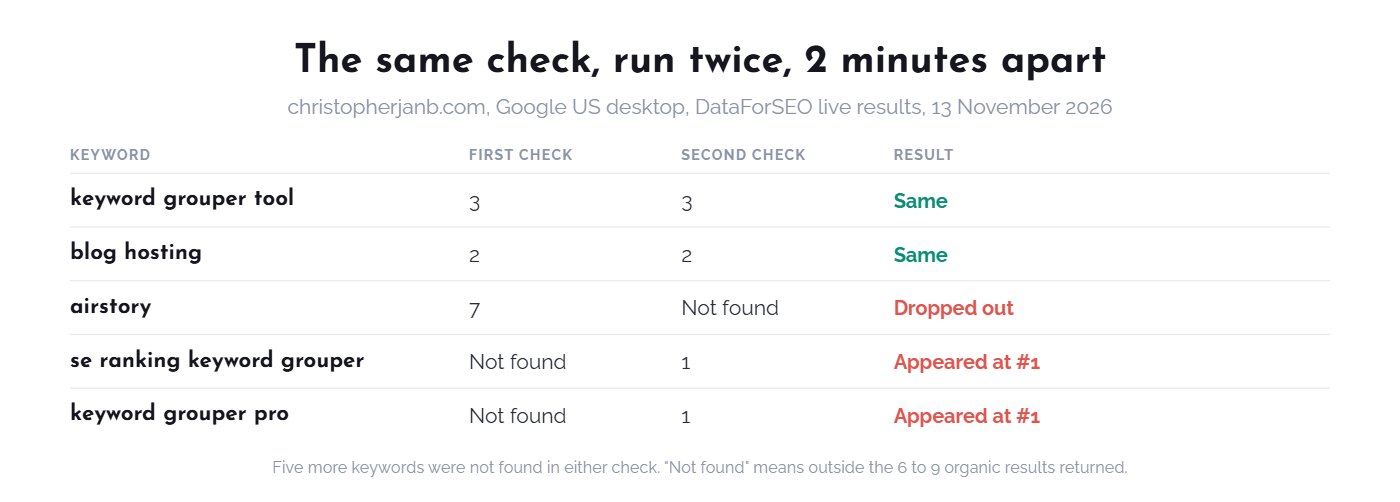
The test ran on 13 November 2026 against Google US desktop, using DataForSEO live results. Two keywords held their positions, at 3 and 2. One page dropped from position 7 to outside the results. Two keywords went from not found to position 1, and both times it was the same page, my keyword grouping guide. The other sites in the top results also moved: across the 10 keywords, the two checks shared between 0 and 6 of the same top results.
This matches an earlier test, where the same keyword pulled twice within half an hour shared as few as 0 of 9 pages with itself. I do not know whether the variation comes from Google or from how the results are collected. Either way, a tracker’s daily number deserves the same caution. On one client account, a tracked term swung between 3 and 19 on alternate checks.
How do live checks compare with Search Console?
Search Console reports an average position over every search, while a live check shows one search. They often disagree, so use Search Console as the steadier second source.
| Keyword | Search Console, 28-day average | Live checks, 13 November |
|---|---|---|
| keyword grouper tool | 23.5 | 3, then 3 |
| se ranking keyword grouper | 16.7 | Not found, then 1 |
| blog hosting | 9.2 | 2, then 2 |
| airstory | 7.5 | 7, then not found |
The Search Console figures cover all countries and devices, while the live checks were US desktop only. That difference explains part of the gap. It is also the point: a single check answers a narrower question than most reports assume.
What should you check before trusting the data?
Check the result depth you actually received, and how the response identifies sites. Both caught me out in this test.
- Depth is not the same as pages. I asked for a depth of 100, but each call returned only the first results page, 6 to 9 organic results. To go deeper, set the number of pages to crawl as well, and confirm the charge in your usage statistics. A “not found” in my test means outside those first results, not outside the top 100.
- The domain field can be a redirect. Every organic result in my test listed google.com as its domain, with a redirect link. The real site was in the breadcrumb field, so match your site there.
- Some results have no address at all. For Reddit, YouTube, LinkedIn and similar results, the breadcrumb showed a line such as a comment count. Identify those by the site name instead.
- Your page may appear outside the organic list. In two checks, my page appeared only in the images block. Decide whether that counts as a ranking for you.
How do you track rankings with Claude and DataForSEO?
Keep the keyword list short, check weekly, run each keyword more than once, and report only movements that persist. Claude builds the position table and writes the summary.
- Connect the data. Follow my DataForSEO MCP setup guide.
- Pick the keywords that matter. Twenty money keywords checked weekly cost less than a dollar a month in live mode at top-10 depth.
- Ask for repeat checks. Try: “Check these keywords for [domain] in the United States, twice each. Match my site on the breadcrumb. Report both positions and the median.”
- Compare with last week. Try: “Compare with last week’s table. Flag a keyword only if it moved more than three places in both checks, and compare it with Search Console.”
- Save the table. Keep each week’s results as a file in the project folder, so the next run has a history to compare against.
For daily checks on hundreds of keywords, a scheduled script on the standard queue or a dedicated rank tracker will cost less than live checks in a chat.
Should you use a rank tracker or the API?
Use a rank tracker for daily, deep tracking with history and alerts. Use the API for a short list, a custom report, or checks you want inside your own workflow.
- Choose a rank tracker if you track hundreds of keywords daily to the top 100, or need ready-made dashboards for clients.
- Choose the API if you track a few dozen keywords weekly, only care about page one, or want positions inside a report Claude writes.
- Use both if you already pay for a tracker and want to double-check the moves that matter before telling a client.
My free Claude SEO skill pack uses DataForSEO for market and position checks inside a monthly report, and my guide to automating SEO reporting shows where positions fit. If you need the data, open a DataForSEO account (affiliate link). More guides are in the DataForSEO + Claude hub.