Author: Christopher Jan Benitez

  • The Only Best SEO Writing Tools I Use for Writing Content that Ranks!

    The Only Best SEO Writing Tools I Use for Writing Content that Ranks!

    Providing “high-quality,” “actionable,” and “error-free” content won’t cut it anymore. It’s because everybody offers the same promises to clients.

    That’s why I approach writing differently compared to others:

    I ensure that all my articles are maximized to rank on Google for their target keywords.

    By getting more clients to appear on top of search engine results pages (SERPs), the happy they are, the more work I get, and the more money I can spend on new Nintendo Switch games!!

    But I digress.

    To help me create content that clients will love, I use search engine optimization (SEO) writing tools to make my job much easier.

    There are many excellent SEO content writing tools, but below are some of the best ones I’ve used so far and are part of my SEO content creation process.

    #1 – LowFruits

    Perfect for: topic and keyword research

    Your target keyword is crucial to the success of your SEO content.

    It won’t rank on Google search if it’s not optimized for keywords with high search volume and low competition.

    That’s why you need to find such keywords to help position your content to rank on the first page of Google search results when people search for them.

    Using tools like Google Keyword Planner and Ubersuggest, while helpful to some extent, falls short of providing you with more detailed information about a search phrase.

    In particular, both tools don’t show how easy or difficult it is to rank for the keyword, what the intent of each term is, and other factors.

    As a result, you have no idea which queries to target in your content!

    To help you develop a low-hanging fruit keyword, use a keyword research tool like LowFruits*.

    It’s a tool similar to Keyword Chef in a lot of ways. You can find tons of long tail keywords you can target in your content from a seed keyword.

    LowFruits then provides various filters to help you find search terms relevant to your writing goals.

    But before I get ahead of myself even further, let’s start at the very beginning:

    Perform Traditional Keyword Research

    You can sign up for a free account and gain a limited number of daily searches.

    However, if you purchased credits to your account (more on this later), you will be able to unlock the true power of LowFruits.

    Go to KWFinder on the left dashboard. This loads the page where you can enter your seed keyword and extract hundreds and thousands of keywords.

    lowfruits keyword finder

    You can also use the wildcard search operator on the search bar to help you find more precise keywords, similar to what Keyword Chef allows you to do.

    Also, enter the correct country and language for your query for accurate results in the report.

    Give the tool time until it finishes organizing the data for you.

    The next page will show the number of keywords the tool extracted.

    From here, click “Access” to show you these keywords.

    LowFruits analyzes the first few keywords for free. Here, it shows you the search volume, SERP features, and, most importantly, the Weak Spots.

    If you want to extract the other keywords in the list, click on the check box just below the Weak Spots button on the menu. These are mostly long-tail keywords with specific intent and low KD, which you want to target in your content. Another tool that can help you find these is Long Tail Pro.

    LowFruits then asks you to select all keywords on the page or the entire selection.

    Once you’ve chosen the keywords you wish to extract data for, click on the “SERP Extr.” button so the tool can analyze them.

    Wait for a bit before you can see the results.

    Identify Low-Hanging Fruit Keywords

    We need to go back and talk about the Weak Spots feature, as it’ll play a vital role in your keyword research process.

    It works like the Keyword Difficulty metric, which tells you how difficult ranking for the search term is.

    However, it shows you different-colored fruit icons to indicate keyword competitiveness.

    A green icon means that the keyword has a site on the top ten of search results that’s not strong. The tool measures this by looking at the site’s Domain Authority. 

    The green icon indicates that the site has low Domain Authority (DA), which makes ranking over them much easier.

    The lower the score is (on a scale of 0-100, 0 being the lowest), the easier it will be to leapfrog over them on SERPs simply by writing great content.

    On the other hand, a blue icon under the Weak Spots column means the site ranking on the top 10 of SERPs for the term is a forum site. 

    Historically, you can easily outrank forum sites since the information isn’t as organized adequately as an article or blog.

    From here, a keyword can have a mix of blue and green fruit icons. 

    And if the keyword shows ten green fruit icons under the Weak Spots column, you should target the keyword to rank on top of its search results!

    Filter Keywords Based on Your Needs

    While targeting low-hanging fruit keywords is essential to increase your organic traffic, you must approach your keyword research more strategically.

    In this case, knowing the search intent for a keyword allows you to create topical authority by creating content users want to read for that specific keyword. 

    This allows you to rank on top of organic search for your keywords and attract more organic traffic!

    To know the kind of content you have to create, you must know the different intent your keywords may have.

    For example, you want to find a mix of informational and transactional keywords to target in your upcoming SEO campaign.

    The informational content sets the stage for you to showcase your expertise. 

    Once you’ve earned their trust, it’ll be much easier to lead them down your commercial pages, where they can purchase the product or service you’re recommending.

    Going back to LowFruits, you can filter the keywords based on intent by clicking on the Intent button on the menu.

    All the keywords you can filter here have commercial or transactional intent. However, you can organize them based on whether the user is still considering purchasing or has bought the product already.

    This can be valuable to your keyword research since you want to create content that satisfies people at various stages of your sales funnel.

    But if you want to beef up your content at your funnel’s ToFu stage, the People Also Ask (PAA) filter comes in handy.

    Click on it to open a small window allowing you to filter the result to show only PAA keywords or remove them from the list.

    These filters allow you to analyze highly targeted keywords for your SEO content writing research.

    For instance, you can target PAA keywords with low competition based on LowFruits’ analysis and write about it in your blog. It’s that simple!

    Pricing

    Unlike most SEO tools, LowFruits has a credit-based subscription.

    Basically, you buy credits from the site. Each keyword analyzed by the tool costs one (1) credit. That includes the search volume, Weak Spots, and other factors.

    The cool thing about LowFruits is that the credits don’t expire until the following year (365 days after purchase). That means you can still use your purchased credits over the next few months.

    Not to mention, the credits aren’t costly by standards, especially if you just occasionally search for content ideas.

    LowFruits also offers a subscription-based payment ideal for power users, particularly for niche site owners who need thousands of keywords every month to power their blogs.


    #2 – SE Ranking

    Perfect for: Clustering new keywords

    SE Ranking is an SEO tool that lets you monitor your keyword rankings. It can also let you analyze website competitors, perform on-page SEO analysis, and can even help you find related keywords to optimize for your topic.

    However, I primarily use the tool for its Keyword Grouper feature. This is where you export the keywords extracted from your keyword tool and cluster similar terms.

    As a content writer, I love this feature for helping my content increase its chances of ranking for multiple keywords instead of one.

    As you should know by now, a page can rank for multiple keywords simultaneously. This is true even if you target a single keyword in your content.

    At this point, it’s a matter of identifying which keywords to target in your content and why

    Thankfully, you don’t have to overthink it because SE Ranking will do the heavy lifting for you.

    Before we begin, download the keywords you’ve gathered from your keyword tool.

    Using LowFruits, you can check the boxes of keywords you want to export and click on “Export” to download them as a list in an XLS file.

    Now, click on More > Keyword Grouper from your SE Ranking dashboard to access the feature.

    On the next page, enter the name of the report. Then determine the accuracy and method by which the tool will group the keywords.

    By default, SE Ranking will group keywords that share three (3) similar URLs on the first page of SERPs with the chance that it might group irrelevant terms into a cluster.

    You can change the settings before you begin the clustering process. For now, we’ll leave the settings as is.

    Next, scroll down to find where to include the keywords you want to group. Copy and paste your list on the text box or upload the keywords sheet.

    Keep in mind that each keyword requires you to pay outside of your subscription with SE Ranking. 

    Granted, the rate isn’t very high, but the amount may pile up if you have thousands of keywords you wish to group. You can, however, lower the cost by not including the volume check from the research.

    If you’re all set, click “Start grouping.” Wait for a few minutes or hours before you get access to the report.

    Once you do, you should see something similar to the one below:

    It shows you the number of clusters grouped by the tool. For each cluster, you can see how many keywords it has and its total search volume.

    Click on each group to unfurl the results and show you the keywords grouped into which group.

    As mentioned, there may be irrelevant keywords lumped into the clusters. So, you must review the clusters first and take out the unrelated terms before optimizing for each one.

    From here, you can decide which keyword groups to target as a content writer for your site or client based on the metrics provided.

    If you want, you can run the cluster using LowFruits again to determine which among the keywords have the best Weak Spots, i.e., lots of low-quality sites ranking for the terms.

    This way, you can further refine your cluster by targeting only low-hanging fruit keywords!

    Other features include competitor research, page monitoring, and more.


    #3 – Google Search Console

    Perfect for: Clustering keywords to optimize for old content

    Among the free SEO writing tools, Google Search Console (GSC)  may be the most indispensable.

    Initially, it helps you monitor your site’s search performance based on multiple SEO factors.

    For content writers, you can use this to identify which pages are getting the most clicks and impressions.

    First, you must install GSC’s code into your site months before doing the steps below. If you’re working for clients, ask them to give you access to their GSC account. 

    Also, your site should be generating a modest amount of traffic. If not, it won’t gather any data for you.

    Now that’s settled, log in to your account, choose the site you wish to analyze, and click “Performance” on the left sidebar.

    Scroll down the page and click on the Pages tab.

    This should show your sites’ top pages based on clicks and impressions.

    From here, identify pages that have low clicks and high impressions.These pages may be ranking for multiple search queries but not high enough to get clicked on.

    Once you’ve clicked on a page to analyze, click on the Query tab to show the queries that your page appeared on SERPs.

    Use the information here to research which keywords here you should target when re-optimizing the page.

    If you scroll up the page, you should also see the average ranking of the page for all the terms combined.

    This could be useful if you want to identify pages that are ranking outside of the first page of Google.
    So, by optimizing your content (which we’ll get to later on), you can raise its ranking for these keywords and generate even more organic traffic!


    #4 – ChatGPT

    Perfect for: Content brainstorming and ideation

    A lot has been said about ChatGPT over the past few weeks as of writing that others have said everything I could be writing about it in some shape or form.

    Instead, I’ll let the tool do the talking for itself:

    Cool. How about an example?

    Keep in mind that ChatGPT only took seconds to generate the text above.

    However, as mentioned in the subheading above, it’s a great content brainstorming tool.

    That means I use it to help me build the ideas I’ll write in certain sections of my article.

    I don’t publish the text generated by ChatGPT as is. I make sure I edit it first and confirm if what the text says is true.

    Whatever people may say about the tool, it’s still not powerful enough to write content on its own.

    It still needs a real human to verify the information it’s saying and edit the piece to make it sound more personal.

    That said, it’s simply one of the best free content writing tools you’ll find right now.

    Take advantage of ChatGPT while it’s still available and find more use cases for your writing needs.


    #5 – SurferSEO

    Perfect for: content optimization

    Once you have chosen the keywords for your content, you need to strategize how to write it with SEO in mind.

    It’s not as simple as mentioning the keyword on the title, meta description, subheadings, and various parts of the article.

    There’s a good chance that all your competitors are doing the same thing now. So, it would help if you did something else to help you stand out from the pack.

    To help you set your content apart, use SurferSEO*, a tool that lets you observe the best content optimization practices for your web pages.

    You will be optimizing your content for your keyword and getting insights on which on-page factors you need to prioritize in your content.

    Analyze SERPs

    Upon signing up for an account, enter the keyword on the search bar so the tool can analyze the pages ranking for it on Google and determine the factors that need your utmost attention.

    Once the results pop up, you will see a graph showing the factors that potentially affect SERPs, such as keyword density, site speed, headings, meta tags, and more.

    For this example, here are the results for the keyword “content marketing:”

    In the graph, you will see the graphical representation of the number of words for every ten results (or every page) of search results.

    The overall results from the first page have over 4,000 words. The graph trends downward as you move to the following ten results and so on.

    On the left of the screenshot are the different ranking factors. You will see some of the elements in green.

    It means those factors bear the most relevance in the ranking of the pages. In the example you just saw, you need to optimize your content based on the number of words, keyword density, and character count, among others.

    To make the factors appear on the graph, check the boxes. Below is what the chart will look like after you do it:

    You must choose the best factors to include in the graph to make it readable. At this point, the discrepancy between the number of characters of each post and the others is too wide. As a result, it renders the entire graph unreadable.

    This content optimization software helps you identify which factors to optimize in your post.

    The idea is to stick with the figures of the first ten results for the keyword.

    The SEO content writing software helps you associate your post with the page ranking on the first page. By sheer association, you increase your chances of ranking for your target keyword.

    Also, it prevents you from over-optimizing your content for factors that don’t bear any relevance in SERPs.

    This enables you to avoid antiquated “tactics” like keyword stuffing in your content to ensure that you only include the best possible information about the topic in your articles.

    In fact, SurferSEO works even better if you want to analyze your published posts concerning pages that are ranking for their respective keywords!

    When you’ve analyzed the keyword you want to optimize your content for, type in the URL of your page on the “Enter custom URL *” entry. You can do this even if your page is ranking for this keyword or not.

    surferseo custom url

    Once you have added your post, click on the Audit button on the right to view a brief report of your page.

    surferseo audit

    Before running through the report, familiarize yourself with the keyword’s most critical factors in green. It shows you what you need to edit and improve on optimizing your content.

    Click the “Show details” button for more information about the suggestion so you can make an informed decision instead of just implementing the changes.

    Optimize Content for Your Target Keywords

    Aside from using the SERP Analyzer, you can skip the steps above and use Content Editor instead.

    It’s an SEO content optimization tool that uses natural language processing (NLP) to gather related keywords about the search phrase you want to optimize your content for.

    Once the keywords have been processed, you must mention the terms in your content to increase your score.

    To use it, go to the Content Editor and enter the keywords you want to optimize for your content.

    Remember the keywords you clustered a while back? Well, you can enter them here and optimize for them simultaneously!

    However, you can only enter a maximum of twenty (20) keywords into the Content Editor. So, be sure to include the very best keywords here.

    Once Surfer SEO has analyzed the keywords, open the Content Editor to see something like this:

    The goal is to create optimized content as measured by the Content Score indicator on the right sidebar. 

    The best way to do this is by including the words and phrases found on the lower-right side (the NLP keywords) in the article.

    These keywords have a close relationship and correlation with the keywords you’re optimizing for. 

    So, by including them in the content, you increase its topical relevance to your target keywords, thus increasing your score.

    And the higher your content’s score is, the higher its chances of ranking on top of search results!

    Also, a Chrome extension lets you show the Surfer Content Editor sidebar on Google Docs. This is great if you prefer creating content on this writing platform.

    The Content Editor is very similar to SEMrush’s SEO Content Template and SEO Writing Assistant (I’ve discussed this feature of SEMrush comprehensively in this post).

    Cluster Keywords Automatically

    As one of the best content writing tools for SEO, Surfer SEO allows you to cluster keywords as well, albeit differently than the process above.

    Using the tool’s Keyword Research feature, enter your seed keyword.

    Once the results come in, you will see keyword clusters, their respective monthly search volumes, and keyword difficulty.

    Click on a cluster to see the keywords included in each.

    Once you’ve chosen cluster you want to work on, click “Create Content Editor” so you write content for it,

    Identify Existing Content to Re-optimize

    What makes Surfer SEO the only SEO content writing tool you’ll need is that it also identifies which content to optimize for your site.

    To do this, click on Domain Planner and enter your domain URL on the text bar.

    In the results, you’ll see the pages ranking for keywords and their respective Content Scores.

    The goal is to identify which pages are not drawing enough clicks from SERPs based on the keywords they’re ranking for.

    To help you identify these pages, flip the Low Hanging Fruit switch to show pages with an average position between 10 and 20.

    From here, you should be able to identify which pages to prioritize optimizing first.

    You can also use its other filters to narrow down the pages to your specified metrics.

    The Domain Planner is a great feature for content writers who would like to offer this as a service to clients.


    #6 – Quillbot

    Perfect for: content paraphrasing

    Here’s an issue that content writers face regularly:

    They’ll find themselves repeating the same thing over and over again.

    This happens if they’re writing about the same topics and covering the same headings in all their articles.

    This is also an issue that bloggers and even niche site owners deal with on a daily basis.

    They can use ChatGPT to help break the monotony by asking the tool to write it. However, given the tool’s free nature, it’ll be only a matter of time before you have to pay for it.

    So, to help you get ahead of the curb, use the content paraphraser Quillbot.

    What it does is reword a sentence or paragraph into a unique passage that you can use in your content.

    Let’s say you’re writing a roundup post about the best content optimization tools.

    And part of the task is to describe what the product is and what it does.

    For this, head on to a site like GetApp and find the tool there. Then click on the App Info to show you its description. Copy the text you’ll find there.

    Paste the text on Quilbot to paraphrase it.

    Choose from different modes how you want the tool to paraphrase your content.

    Once you’re happy with the paraphrased text, you want to ensure it’s grammatically correct.

    If so, paste the text onto the tool’s Grammar Editor and fix all the errors the tool spots.

    Once done, the last thing you want to do is use Quillbot’s Plagiarism Checker.

    Since you copied the text from an existing page, there’s a chance that search engines may flag the text as duplicate content.

    But by using the Plagiarism Checker, you can identify which passages in the text Google can detect. This way, you can manually edit them to avoid further detection. Another tool you can use to ensure content uniqueness is PlagiarismCheck.org.

    Keep in mind that Quillbot provides you with a limited number of pages to analyze using this feature, even for paid subscriptions.

    Also, one (1) page is equivalent to 250 words. So, an article worth 1,100 words will be considered five pages off your credits (5 x 250 =1,250) even if you didn’t maximize the last page credit.

    So, be smart when analyzing text so you don’t burn through your credits.

    Quillbot still requires manual intervention on your part (what SEO writing tool doesn’t need one?). Nonetheless, more than half of the job is done for you. 

    All you must do here is edit the page in a few minutes based on the plagiarized text the tool detected, and you’re good to go!


    #7 – Grammarly Premium

    Perfect for: editing and proofreading

    What makes content SEO-friendly is how grammatically and structurally correct it is. 

    It doesn’t matter how valuable your content is. Nobody wants to read incoherent content filled with basic errors. 

    And you won’t create clients if you keep publishing articles that aren’t optimized for humans to read.

    To help you clean up your text, run Grammarly*.

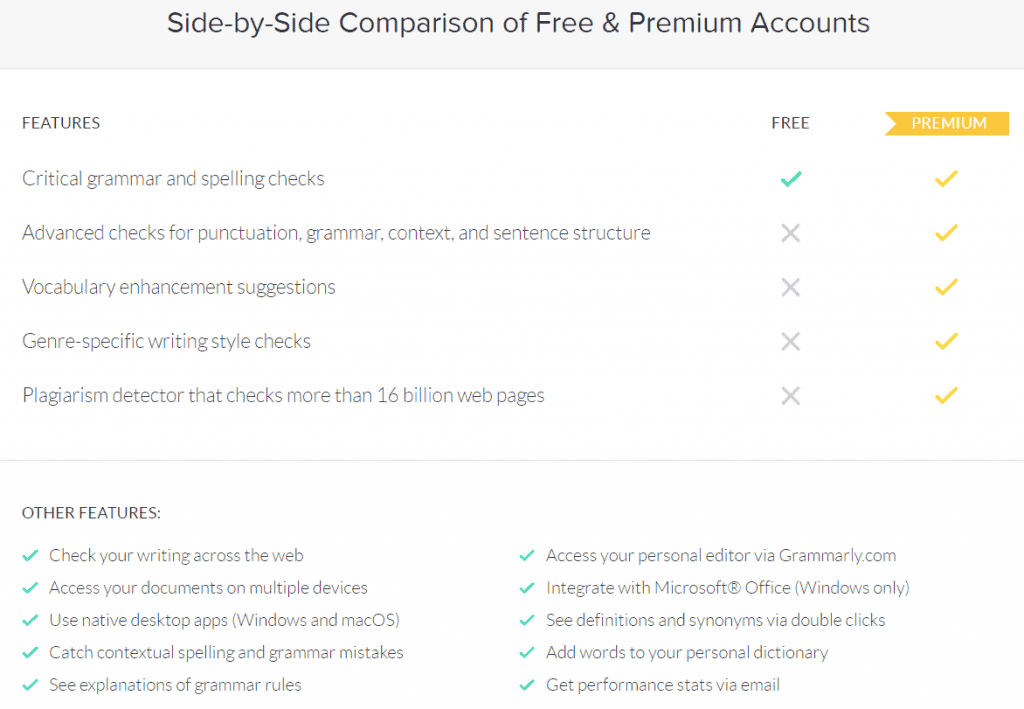
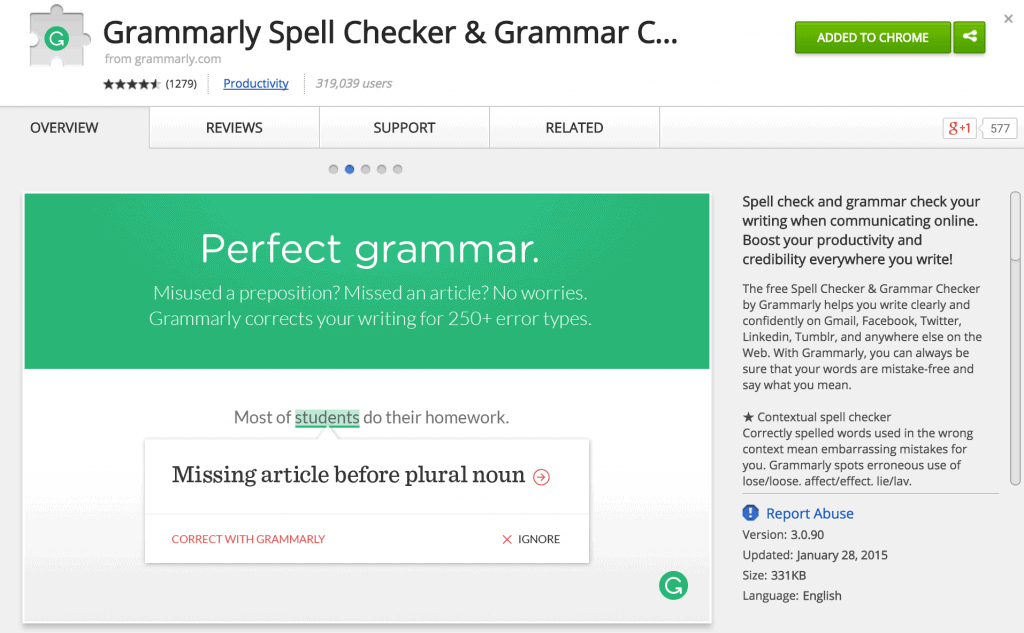
    The free tool lets you download the Chrome extension to edit the post as you write whenever the tool spots an error. 

    The free account lets you fix major errors, but you need to subscribe to the premium plan for minor mistakes and suggestions to make your content much better.

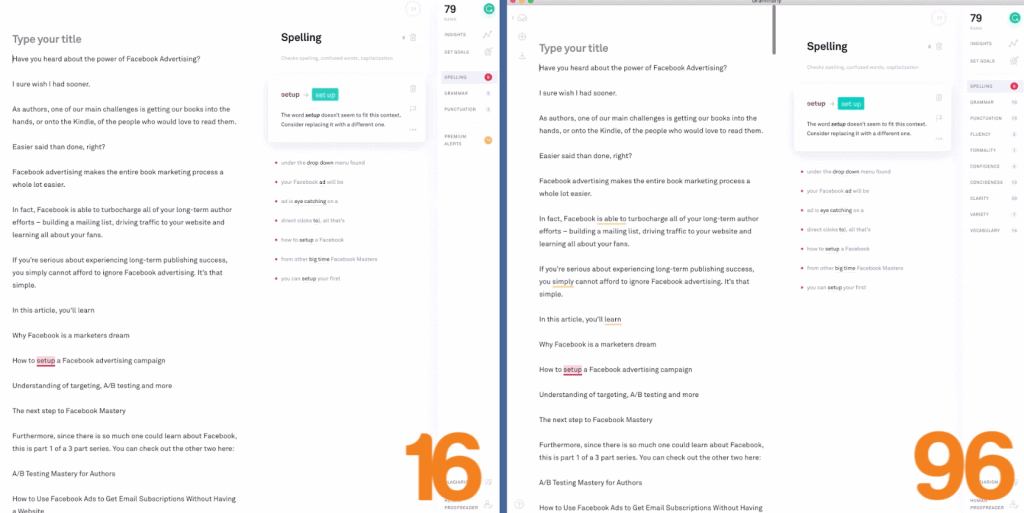
    Grammarly Premium scores your content out of 100. While striving to get a perfect score is ideal, you don’t have to. To be honest, having a score of over 90 is good enough for me.

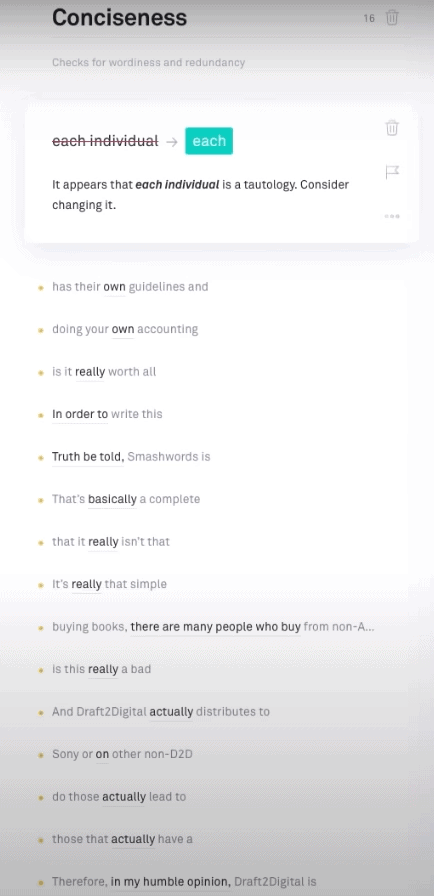
    Aside from detecting over 250 grammatical errors, it identifies plagiarism for you. 

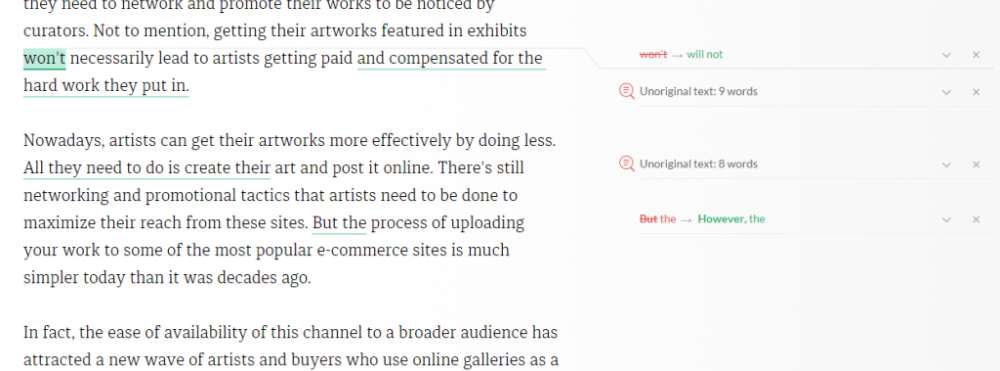
    Run the plagiarism checker to ensure that your post doesn’t have identical blocks of text found on published pages. 

    Search engines frown on duplicate content, and by keeping your post unique, you increase its chances of ranking for your keyword.

    You’re missing out on a lot if you’re not subscribed to Grammarly Premium as a content writer! 

    The tool checks over 250 common grammar mistakes and belts out suggestions on correcting them in your article with just a few clicks of a button.

    Otherwise, the free content writing software version of Grammarly is good enough to detect significant errors that make your content difficult to read. You can even integrate it with Google Docs to simplify your workflow further.

    So, at the very least, give its free version a shot.


    BONUS: Optimize your titles using this headline analyzer tool

    Creating a great headline is a craft. It may sound easy to write a headline but coming up with one that generates enough CTR is not easy.

    isitwp headline analyzer

    This is where a Headline Analyzer tool by IsItWP comes in to help you create enticing headlines. This tool helps you drive clicks and traffic by analyzing the headline based on word count, sentiment, power words, search preview, and six more factors to suggest an overall score.

    The best they suggest is getting a 70 or above!

    Thanks to ReviewsXP for making this article possible.

  • How to Increase Your SEO Score in 2026 (Step-by-Step Guide)

    How to Increase Your SEO Score in 2026 (Step-by-Step Guide)

    Your SEO score is a snapshot of how well your website is optimized across four areas: technical performance, content quality, on-page signals, and authority. To increase it, you need to fix crawlability issues, strengthen your content for both humans and AI systems, pass Core Web Vitals, and build topical authority over time. This guide walks you through exactly how to do each one, in order of impact.

    I’ve been doing SEO for over a decade. I’ve seen the game shift from keyword stuffing to helpful content to AI-generated answers. What I’m sharing here reflects what actually moves the needle in 2026, not what worked three years ago.

    What Is an SEO Score (and Why You Should Take It With a Grain of Salt)

    An SEO score is an aggregate metric that tools like Semrush, Ahrefs, SE Ranking, and SEOptimer use to grade your site’s overall health. These tools crawl your pages and assign a score based on factors like broken links, missing meta tags, page speed, and on-page optimization.

    Here’s the thing though: your SEO score from a third-party tool and your actual Google rankings are two different things.

    I’ve seen sites with a 95/100 tool score sitting on page 4. And I’ve seen sites with a 62/100 generating thousands of organic visits a month. The score is useful as a starting diagnostic, but it does not directly tell Google where to rank you.

    What does matter is fixing the underlying issues those tools are flagging. The score goes up when the site improves, and the rankings follow when the improvements are meaningful. That’s how I use it.

    The Four Pillars of a Strong SEO Score

    4 SEO pillars

    Before diving into fixes, it helps to understand what actually drives the number. Every legitimate SEO audit tool measures some combination of these four areas:

    Technical SEO covers crawlability, indexing, site speed, mobile usability, and Core Web Vitals. If Google can’t access and understand your pages, nothing else matters.

    On-page SEO covers title tags, meta descriptions, header structure, internal links, and keyword optimization. This is where most beginners start and where most basic issues live.

    Content quality covers search intent alignment, depth, freshness, and E-E-A-T signals. Google’s Helpful Content updates made this the most important factor on the list.

    Authority covers backlinks, brand mentions, and how well your site is recognized as a trusted source in your niche. This is the hardest to build and the slowest to move.

    Let’s go through each one.

    Step 1: Fix Technical SEO First

    Technical issues are the easiest to identify and the most urgent to fix. A single crawl error on an important page can wipe out months of content work. I’ve put together a detailed technical SEO site audit guide if you want to run through the full process step by step.

    Run a Google Search Console Audit

    If you have not connected your site to Google Search Console yet, do that today. It is free and it is the only tool that shows you exactly what Google sees when it crawls your site.

    Once you are inside, check three things immediately:

    Go to Pages under Indexing. Look for pages marked “Crawled, currently not indexed” or “Discovered, currently not indexed.” These are pages Google found but is not ranking. Common causes are thin content, duplicate content, or a noindex tag you forgot about.

    Go to Core Web Vitals. This report shows your LCP, INP, and CLS scores based on real user data. Any pages flagged as “Poor” need attention before anything else.

    Go to Manual Actions. If Google has penalized your site for any reason, this is where it will tell you. Most sites have nothing here, but it is worth checking.

    Fix Your Core Web Vitals

    Core Web Vitals

    Core Web Vitals are three metrics Google uses as ranking signals. As of 2026, the three are:

    LCP (Largest Contentful Paint) measures how fast the main content of a page loads. Your target is under 2.5 seconds. The most common culprit on WordPress sites is unoptimized hero images. Compress your images with a tool like ShortPixel and implement lazy loading on anything below the fold.

    INP (Interaction to Next Paint) replaced FID in 2024 and measures how quickly your page responds to user interaction like clicks or taps. Your target is under 200ms. Bloated JavaScript and too many third-party scripts are usually the problem here. Audit your plugins and remove anything you are not actively using.

    CLS (Cumulative Layout Shift) measures how much your page visually jumps around while loading. Your target is under 0.1. Always define dimensions for your images and avoid inserting ads or banners that push content down as the page loads.

    Run your pages through Google PageSpeed Insights to get specific recommendations per URL. It is free and gives you both mobile and desktop scores.

    Check Crawlability and Indexing

    A few quick things to verify:

    Make sure your XML sitemap is submitted in Search Console and does not include pages you have marked noindex. Contradictory signals confuse crawlers.

    Check your robots.txt file. I have seen sites accidentally block Googlebot from crawling entire sections of their site. Visit yourdomain.com/robots.txt and confirm nothing important is blocked.

    Fix broken internal links. A tool like Screaming Frog (free up to 500 URLs) will crawl your entire site and flag any 404 errors. Each broken internal link wastes crawl budget and kills user experience.

    Step 2: Sharpen Your On-Page SEO

    Once your technical foundation is solid, on-page optimization is where you can move fast.

    Title Tags and Meta Descriptions

    Your title tag is the single most important on-page SEO element. Every page should have a unique title that includes the primary keyword close to the front and stays under 60 characters.

    Do not write your title for Google alone. Write it for the person deciding whether to click your result over the ten others on the page. Ask yourself: would I click this?

    Meta descriptions do not directly affect rankings, but they absolutely affect CTR. A compelling meta description at position 12 can outperform a lazy one at position 8. Keep it under 155 characters, include your keyword, and end with something that makes the reader feel like they need to click.

    Header Structure

    Every page should have one H1 that matches the intent of the target keyword. Your H2s should cover the main sub-topics of the page. H3s go under H2s for more specific points.

    I see a lot of writers using bold text or random caps for subheadings instead of proper header tags. Google cannot parse those as structure. Use actual H2 and H3 tags in your CMS.

    Internal Linking

    Internal links are how you pass authority from one page to another within your site. They are one of the most underused levers in SEO.

    Every time you publish a new piece of content, go back through your existing posts and add contextual links to it from relevant pages. Use keyword-rich anchor text, not “click here” or “read more.”

    Your most important pages, pillar guides, service pages, and high-converting posts should have the most internal links pointing to them. This tells Google which pages matter most.

    Image Optimization

    Every image on your site should have a descriptive alt text that includes a relevant keyword where natural. File names matter too. “how-to-increase-seo-score-google-search-console.jpg” beats “image1.jpg” every time.

    Compress everything before upload. A 3MB hero image is one of the fastest ways to tank your LCP score.

    Step 3: Create Content That Actually Ranks

    This is where most SEO advice from 2020 falls apart. Google has fundamentally changed how it evaluates content since the Helpful Content Update rolled out in 2022 and continued through 2024 and 2025.

    Match Search Intent Precisely

    Before you write anything, search your target keyword and look at the top five results. What format are they using? What questions are they answering? What angle are they taking?

    If the top results are all step-by-step guides and you write a listicle, you are fighting the SERP instead of working with it. Google has already told you what it thinks searchers want. Give them that. My SEO content writing guide goes deep on how to read and match search intent for any keyword.

    Build E-E-A-T Into Your Content

    E-E-A-T stands for Experience, Expertise, Authoritativeness, and Trustworthiness. It is the framework Google uses to evaluate content quality, and it is now more important than any keyword tactic.

    Experience means showing that you have actually done the thing you are writing about. I do not just write about SEO in theory. I have been doing it for clients since 2013. When I mention that, and back it up with specific results or examples, it signals real-world experience to both readers and Google’s quality evaluators.

    Expertise means demonstrating deep subject knowledge. Go beyond the surface. Explain the why behind your recommendations, not just the what.

    Authoritativeness comes from external recognition. Being published on Search Engine Journal, Niche Pursuits, and Blogging Wizard builds this over time. Every byline you earn on a recognized publication reinforces your authority in the eyes of Google.

    Trustworthiness comes from accurate information, transparent sourcing, clear authorship, and a site that does not make people feel like they are about to get scammed. Author bios, testimonials, and privacy policies all contribute here.

    Keep Content Fresh

    Google rewards freshness, especially in competitive niches. If you have posts that have not been updated in two or more years, they are probably losing ground to newer content that covers the same topic.

    Refreshing content does not mean rewriting from scratch every time. Sometimes all it takes is updating statistics, removing dead links, adding a new section that covers something competitors have started covering, and changing the publish date.

    I check my top-performing posts at least once a quarter and update anything that has aged badly.

    Step 4: Build Authority the Right Way

    Authority is the slowest part of SEO to build but one of the highest-leverage. A single link from a high-DR publication in your niche can move a page more than dozens of on-page tweaks.

    Focus on Quality Over Volume

    The era of building hundreds of low-quality backlinks to rank is over. Google is significantly better at detecting and discounting manipulative link patterns. One link from Search Engine Journal carries more weight than a hundred links from random blog networks.

    The most reliable ways to build quality links in 2026 are guest posting on industry publications, creating original research or data studies that others want to cite, and digital PR that gets you mentioned in news articles and roundups.

    Reclaim Unlinked Brand Mentions

    This is one of the easiest wins most sites leave on the table. Search for your name and your site’s name on Google. Find any mentions that do not include a hyperlink. Reach out to the site owner and ask them to add one.

    These are warm outreach targets because they already know who you are. Conversion rates on unlinked mention outreach are typically 20 to 30 percent.

    Build Topical Authority

    In 2026, Google rewards sites that comprehensively cover a topic over sites that have one great post surrounded by unrelated content. This is the whole argument for pillar content and content clusters.

    If your site covers SEO and content writing, every supporting post should connect back to your pillar guides through internal links. The cluster of related content tells Google that your site is a serious resource on the topic, not just a collection of random posts.

    Step 5: Optimize for AI Search (GEO)

    Generative Engine Optimization is not replacing SEO. It is extending it into a new channel. AI Overviews appear in a significant portion of Google searches. ChatGPT and Perplexity are now referral traffic sources for many sites. Getting cited in these systems requires a slightly different approach to content structure.

    Lead With Direct Answers

    AI systems pull content from the opening section of your page when generating answers. If your first paragraph is a story or a hook, you miss the citation window. Put a concise, direct answer to your target question in the first 60 to 80 words of every post.

    Add FAQ Schema

    FAQ schema markup tells Google exactly what questions your page answers and in what format. AI systems use structured data to identify authoritative answers. Add five to eight Q&A pairs to your most important posts using FAQ schema.

    Every FAQ question should mirror the conversational phrasing people use when asking AI assistants. “What is an SEO score?” gets you further than “SEO score definition.”

    Include Citation-Worthy Data

    Research shows that AI systems preferentially cite content that includes statistics from credible sources, expert quotes, and original data. Include at least one cited statistic per major section of your content. Link to the primary source, not an intermediary article.

    Tools to Measure Your SEO Score

    You do not need to pay for six tools to track your SEO health. Here is what I actually use:

    Google Search Console is free and the most accurate source of truth for how Google sees your site. Use it to track impressions, clicks, CTR, average position, Core Web Vitals, and indexing issues.

    Google PageSpeed Insights is free and gives you Core Web Vitals data per URL with specific improvement recommendations.

    Semrush or Ahrefs for a comprehensive site audit score, backlink tracking, and keyword rank monitoring. Either one is worth the investment if SEO is central to your business.

    Screaming Frog (free up to 500 URLs) for crawling your site to find broken links, missing meta tags, duplicate content, and redirect chains.

    You do not need all of these on day one. Start with Search Console and PageSpeed Insights. Add a paid tool when you are ready to go deeper on backlinks and keyword tracking.

    SEO Score Improvement Checklist

    SEO Score Checklist

    Use this to work through your site systematically. Start from the top and move down.

    Technical SEO

    • Connect site to Google Search Console and review index coverage
    • Check Core Web Vitals report and fix any “Poor” pages
    • Run site through PageSpeed Insights for mobile and desktop scores
    • Fix broken internal links with Screaming Frog or a similar crawler
    • Verify XML sitemap is submitted and does not include noindex pages
    • Confirm robots.txt is not blocking important pages

    On-page SEO

    • Every page has a unique title tag under 60 characters with primary keyword
    • Every page has a unique meta description under 155 characters
    • One H1 per page that matches the target keyword intent
    • H2 and H3 tags used for all subheadings (no bold text substituting for headers)
    • Internal links added from related posts to each new piece of content
    • All images have descriptive alt text and compressed file sizes

    Content quality

    • Each post directly matches the search intent of its target keyword
    • Author bio is present with credentials and experience
    • Content includes first-hand examples, personal experience, or original data
    • Statistics are cited with links to primary sources
    • Posts reviewed and refreshed at least once a year

    Authority

    • Backlink profile checked for any toxic or spammy links
    • Guest post strategy in place targeting industry publications
    • Brand mentions monitored with Google Alerts
    • Internal links funnel authority to pillar pages and key service pages

    GEO

    • First paragraph of each post includes a direct, extractable answer
    • FAQ schema added to pillar guides and high-traffic posts
    • Content tested manually in ChatGPT, Perplexity, and Google AI Overviews
    • AI referral traffic tracked in Google Analytics 4

    Improving your SEO score is not a one-time project. It is a system you build and maintain. Fix the technical issues first because those are the foundation. Then sharpen your content to match what searchers and AI systems are actually looking for. Then build authority through links and brand recognition that compounds over time.

    I have been doing this for clients and for my own site for over a decade. The fundamentals have not changed that much. What has changed is the bar. The sites winning in 2026 are the ones that do all of it well, not just one part of it.

    If you want help with any of this for your own site, my SEO audit and content reoptimization services are a good place to start.

  • The Beginner’s Guide to Using Natural Language Generation to Scale Content Marketing

    The Beginner’s Guide to Using Natural Language Generation to Scale Content Marketing

    Content is a pillar of digital marketing.

    No matter what you want to achieve, you need some kind of content in order to attract and engage your audience – be in a newsletter that will inform them about your latest features, or a how-to video that solves a particular issue, or an educational blog post. Even a product description on an e-commerce web page also qualifies as a piece of content.

    In other words, content is a building block of your overall marketing strategy.

    But the problem is you need a lot of it. And what’s even more important, it has to be superb. Long story short, it takes a great deal of time, effort, and resources to come up with all the content you need.

    Technology has been tackling this challenge for quite some time, and natural language generation (NLG) seems to be a solution for scaling your content marketing.

    WHAT IS NLG?

    Natural language generation is a branch of artificial intelligence whose primary purpose is to produce verbal or written content consisting of meaningful words and phrases in a human-like manner. In other words, this advanced technology uses vast amounts of data and translates them into stories with the help of powerful algorithms.

    It’s worth mentioning that NLG can write, but it can’t read – that’s the role of another similar branch of AI called natural language processing (NLP). Its role is to analyze unstructured data and turn it into numbers that will be fed to NLG and out of which human-readable text will be produced.

    In a nutshell, what we have here is artificial intelligence, which is an umbrella technology encompassing a wide variety of different subset technologies such as NLP, NLG, neural networks, and others.

    The main use case of AI is processing and analyzing massive sets of both structured and unstructured data, and interpreting their meaning at an immense speed. So, it’s clear that such data-driven machines can analyze and produce content for different purposes in no time.

    Note

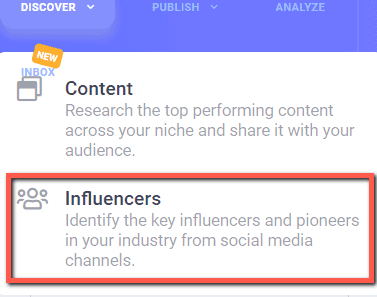
    Before you go crazy with natural language generation, you need to focus on creating great content first. That means researching about and finding influencers who are knowledgeable about the topic. ContentStudio not only makes these processes much easier for you, but you can also schedule them for social media promotions.

    Click here to read my review of this tool.

    WHAT ARE THE BENEFITS OF NATURAL LANGUAGE GENERATION?

    data

    This brings us to our first question – how to produce a lot of relevant, personalized, and engaging content relatively quickly?

    Natural language generation has been commercially implemented, meaning that there are tools capable of generating content for various digital marketing purposes.

    Some of them include:

    A predictive typing feature that offers smart suggestions and corrects typos and grammatical errors is an example of partial automation. It eliminates repetitive writing and helps users draft their copy faster. This AI-powered functionality has been available in Gmail through its Smart Compose, and it learns from your preferences when picking from one of its available suggestions. The synergy of NLP and NLG technology is capable of reading your emails while you’re writing and predicting what you want to say next, based on the context in real-time.

    Some major publications, including The Washington Post, the Associated Press, and Bloomberg, have been using NLG for some of their reports and short articles. For example, Bloomberg News leverages Cyborg, an AI-powered system, to produce thousands of company earnings reports. Similarly, the Washington Post has its own proprietary robot writer, Heliograf, to churn out high school football league reports. Such intelligent machines allow writers to focus on more important stories that require critical thinking, creativity, and literary craftsmanship.

    Conversational AI or chatbots automate customer interactions and provide 24/7 customer support by answering questions and helping website visitors find what they’re looking for. These smart algorithms are capable of mimicking human communication, thus engaging customers. In other words, conversational chatbots can be configured more intelligently so that they don’t only generate already predefined and canned phrases, but converse on an almost human level. However, for an effective enterprise chatbot implementation, a detailed strategy has to be put in place.

    E-commerce stores need well-optimized product pages in order to attract the right audience. This means coming up with unique product descriptions, which can be a repetitive, tiring, and time-consuming task. NLG can harvest all the relevant product information and generate different description versions for products that are almost identical. Besides, big stores can have catalogs containing tens of thousands of items that need descriptions – and NLP can produce this gargantuan amount of content very quickly.

    HOW TO GET STARTED?

    While this technology is revolutionary and game-changing, it still has some limitations. This means that it’s essential to do your research and consider whether NLG is the right thing for scaling your content marketing.

    Here are some factors to take into account before you embrace this sophisticated tech:

    • Do you have a use case? As helpful as this technology is, at the moment, it can be used only for data-driven content. You can’t expect it to produce a regular blog post, which is the result of a creative process based on critical reasoning. NLG works only if you provide it with cold, hard data that it can make use of and transform into a narrative. So, if you’re publishing reports, summaries, or fact-sheets, then this technology can be beneficial for your business. If your content doesn’t heavily rely on facts, figures, numbers, and repetitive structures, then NLG isn’t the right fit.
    • Is your data structured? NLG needs structured data in order to be able to produce content. This means having well-organized CSV files, with impeccably structured columns and rows. For this technology to deliver value, you should clean up your data before feeding it to the NLG system.
    • Calculate your ROI. NLG is a sophisticated technology that takes time to set up and configure. If we bear in mind that you have to pay for it, it’s logical that you should assess the value you’ll get by implementing it. Analyze how long it takes you to produce your reports and articles at the moment, and establish how much time an NLG system would trim and whether you would benefit from this acceleration.

    Natural language generation has immense potential to disrupt content marketing, although it’s still in its infancy. If you identified one of the use cases discussed in this text as being important in your business, it’s a good idea to give this technology a thought as its benefits can be immense.

    If you like the article, please share it on social media using the buttons below!


    Michael Deane

    Michael Deane

    Editor and Marketing Manager

    Michael has been working in marketing for almost a decade and has worked with a huge range of clients, which has made him knowledgeable on many different subjects. He has recently rediscovered a passion for writing and hopes to make it a daily habit. You can read more of Michael’s work at Qeedle.

  • 19+ Best Places to Share Your Blog Post for Maximum Traffic

    19+ Best Places to Share Your Blog Post for Maximum Traffic

    Successful blogging takes more than just writing great content. Even if you have a top-quality blog, you can’t expect everyone to come unless you promote your content and build a following.

    The trick is knowing is finding the right channels that will help you reach the most people.

    But before we begin, let me explain the concept behind how each of the sites featured below works.

    Digital marketing has evolved throughout the years.

    The tactics of yesteryears no longer work today because marketers nowadays focus on providing value to their audience.

    By giving their audience what they want, marketing will capture their interests and get viewers to visit their websites and commit to their calls to action.

    The keyword here is reciprocity.

    Putting this concept into content marketing:

    Some of the sites mentioned below also work under the principle of reciprocity.

    To promote your content on these sites, you have to help others promote their content as well!

    By promoting the content of others, you can generate points that you can use to create your campaign for content you want to promote!

    content promotions

    Ultimately, these sites will teach you how you should put your interests aside and prioritize the needs of your audience.

    According to the premier SEO Company in Chandigarh, you must share relevant content from other sites that your readers will find valuable. Doing so on a consistent basis, they will view you as an authority within your niche. Also, they will figure out that you are not here to merely promote content from your site, but from other authoritative sources as well.

    All these factors help build trust between yourself and your readers. As a result, you will be able to command the attention of your readers and get them to read your content.

    Now that we have established that:

    Below are the best places to share your blog post so you can drive more traffic to it!

    Vocal

    Vocal Media

    Vocal is a platform where creators can publish stories on topic-specific communities and earn money based on the engagement their stories get. Users earn each time their posts are read, and can also collect one-off tips from their readers. It’s free for anyone to join and start earning, but there are also paid membership options to help you earn even more.

    Sharing your blog on Vocal is a great way to expand your current audience and develop your blog.

    First, Vocal has a simple-to-use editor that helps make your stories look polished and professional, and you can embed all types of rich media with just a URL—so unlike a personal blog or domain, there’s no coding necessary at all. 

    Vocal’s community sites are also SEO-friendly, and they have 9 million monthly readers who come to the site and visit the communities they’re interested in.

    This means it’s easier to get a story to rank on Google, and it’s easier to get your post seen by people who will be interested in it instead of getting lost or bogged down amidst less relevant content.

    Overall, it takes a lot of the guess work out of designing, monetizing, and audience-building that comes along with traditional blogs.

    Viral Content Bee

    ViralContentBuzz ~ Where You Can Promote Your Blog Post

    Keep in mind that social media is the primary channel for attracting a crowd with your content promotions. It also offers an opportunity for your content to go “viral” and reach a ton of people in a short amount of time. This is the ultimate goal of Viral Content Bee, a free platform where you can tap into the social reach of real influencers.

    Just like CoPromote, Viral Content Buzz will work if you’re also willing to share the content of other bloggers. However, remember content quality is a deciding factor when it comes to the ultimate shareability of your content. Though your blog post will be shown to a vast network of influencers, it is their discretion that determines whether they will share your post or not.

    Empire.Kred

    empire-kred

    One of the things that make Empire.Kred unique is that the platform “gamifies” cross-promotion. It is a living, breathing market of influencers that help each other to reach a large following. Once you activate and personalize your profile, you can buy social stocks and set social missions, which involves the discovery of other content and influencers.

    Another advantage of Empire.Kred is that it encourages you to learn more about brands and influencers that matter to you. Be it a musician, charity, sport, or industry—you are capable of discovering great content you can enjoy.

    BizSugar

    bizsugar

    BizSugar is another business portal where bloggers and online marketers can share and spread content. Just like Kingged, this platform has a unique “Sugar” system to improve the credibility of a particular post. After posting your article, other users can add “Sugars” to your content and leave comments to start a discussion.

    Aside from written content, BizSugar allows you to post videos, which is a distinct advantage for creative bloggers who want to explore other content options. And just like other blogging communities, it is somewhat limited to specific industries—namely finance, marketing, management, technology, and running startups.

    Blokube

    blokube

    Blokube is another portal wherein you can submit and promote your content. However, one of the features that make it unique is the emphasis on ranking content according to relevance. It works via a voting system that propels the top-rated content on the front page while pushing “thin content” to the bottom.

    This feature poses a challenge for new bloggers who want to make a name for themselves in the blogging community. But once you win the audience’s trust, it’s difficult for you to be knocked off the top spot. That said, being recognized in Blokube is a substantial accomplishment and deserves to be on any blogger’s to-do list.

    Blog Engage

    Blog Engage is a sister site of Blokube. However, it focuses more on giving bloggers feedback for their written works rather than ranking them and solidifying their authority. Once you submit your content, other users may choose whether to like or dislike your content. They can also leave a comment, save, and share your content for added exposure.

    Memberships, RSS, Blog Engage

    To have a good start with Blog Engage, make sure you join the right groups that will expose you to the primary influencers in other bloggers in your niche. Another advantage of using Blog Engage is the number of syndication options that help you manage which posts are visible on your page. You could also benefit from features such as live chat, groups, private messaging, and the occasional contests that let you win freebies.

    Memberships, RSS, Blog Engage

    AmplifyBlog

    AmplifyBlog is a great place to contribute to the blogging community and be shared with a larger audience. Of course, your reach is directly proportional to your activity and the quality of your submissions. Once you set up your professional profile, you can start publishing posts from your blog for instant visibility. You can also link to your social media accounts to attract new followers from the platform.

    Amplify Blog

    Aside from being a place to share your articles, AmplifyBlog will also provide you with the latest information in the ever-evolving world of blogging. From blogging tools to new marketing trends—if it is relevant, then someone in the community is bound to write about it. All you have to do is bookmark the site and frequently check the “Home” and “New” sections to learn something new.

    Scoop.it

    scoop-it

    Scoop.it a content curation tool that allows influencers and bloggers alike. It’s all about “scooping” new articles, adding your perspective, and spreading it to build your authority in your niche. You can easily use the platform to showcase your curated content in different channels such as email, Facebook, LinkedIn, and Twitter.

    With Scoop.it, you can showcase your collection of curated content and build a readership from there. If you continue to provide useful insights to the topic at hand, then you’re well on your way to thought leadership.

    Shared Pinterest Boards

    Pinterest is one of the most populous social media networks, making it a great avenue for bloggers when it comes to building a social presence. It is an image-sharing site that allows users to create “boards” and build a following. Today, you can find big name brands, and a myriad of influencers share content such as infographics, recipes, quotes, and product images.

    While you have the option to start from the ground up and create your board, you can also join an existing board. Doing so allows you to get in touch with the social community around your niche. To look for specific boards you can join, you can use a tool like PinGroupie.

    Type the keyword of your topic or niche, and PinGroupie will show you to most relevant boards that you can join.

    PinGroupie Search

    Once you find a suitable board to join, make sure you learn the rules set by the board administrator and promptly ask for an invite.

    Blogging Pros Group Board on Pinterest

    You can receive this invitation via email or through a built-in notification, depending on the system implemented by the board owner.

    Facebook Groups

    As the biggest social media network in the world, of course, there should be room for Facebook in everyone’s social media marketing strategy. As a blogger, using Facebook is a great way to keep in touch with a broad audience and build a loyal following along the way.

    In addition to optimizing a page for your blog or brand, you also need to learn how to use “groups” and expand your reach through active participation.

    For bloggers, it pays well to be in touch with a social network of professional bloggers. Doing so will enable you to find people who are open to guest blogging or co-blogging opportunities. All you need is to find the right groups that encourage this kind of collaboration.

    LinkedIn Groups

    Promoting your content on LinkedIn is somewhat similar to other networks such as Facebook and Google+. The main difference, however, is that you’re now catering to the professional crowd. If you usually produce informative blogs that can aid said professionals, you should be able to spread your content with ease through LinkedIn Groups.

    Once you find an appropriate group that relates to your niche, you can start sharing content that can help these professionals grow in their careers. Just remember to diversify your content strategy and use tactics that improve the communication and retention of information such as using infographics, slideshows, and podcasts.

    Reddit

    Promoting your content on Reddit is like throwing yourself into a den of wolves. They either hate you and tear your brand apartwith love you and drink from every word in your blog posts. Keep in mind that the Reddit community or “Redditors” hate self-promotion. You have to be very careful in letting your brand into the mix.

    A rule of thumb is to stay relevant and focus on what’s useful for your audience. Look for the right subreddits to find people who will be genuinely interested in what your blog has to offer. Also, remember that there’s no room for subpar content, so be sure you only share your best-written pieces.

    Quora

    quora

    Linking to your blog in Q&A websites is one of the oldest strategies for bringing traffic to your content. Unfortunately, sites like Yahoo! Answers are no longer viable since outbound links are actively deleted. That said, it’s best to turn to Quora, which is currently receiving a ton of traffic from people who need answers to their questions.

    An advantage of using Quora—or any other Q&A site for that matter—is the intent of users to find solutions. Just stick to being helpful and focus on the solution rather than your brand to avoid sounding “sales-y.” A good strategy is to simply use your blog post as a reference while providing a concise, yet helpful answer to the original question.

    QuuuPromote

    quuu promote

    Quuu Promote is a paid platform where you can share your blog posts straight to your audience. It allows you to create customized messages on Facebook, Twitter, Google+, and LinkedIn to compel users to visit your blog post.

    However, what makes Quuu Promote different from any content promotion channels is the ability to choose a specific group of influencers who you want to share your blog post. For example, if your post is about SEO, it will only be shared by the top SEO influencers in social media. The influencers who share your posts will likely come from Quuu users.

    While Quuu Promote is a paid promotion platform starting at $40/month with one (1) promoted article, you can only track the number of shares and clicks of your promoted post. Therefore, you need to ensure that your post is high-quality and the social media copy is impeccable to increase its ROI. Also, Quuu Promote reviews each content you want to promote before it is approved. If it doesn’t meet their standards or if it too promotional, they won’t enable the post for sharing on their platform.

    Growth Hackers

    growth hackers - best places to share your blog

    Like Inbound.org is to marketers, Growth Hackers is an online community that caters to growth marketers. Aside from being able to share posts, you can also answer questions, spark discussions, collect growth ideas, and more!

    When sharing posts, however, you need to make sure that it is relevant to growth hacking. Anything that is not about the topic will be removed and could risk suspending your account there.

    Mix

    stumbleupon

    Formerly known as Stumbleupon, Mix is a platform you can leverage to increase your blog traffic. For users, it is used to “stumble” on high-quality pages related to your interests. For publishers, you can submit your posts to the platform so people interested in your blog’s topic could stumble upon your post. Sometimes, all it takes is just one view from a user before your post spreads like wildfire.

    However, for your efforts on Mix to work, you need to be active in discovering content and sharing the works of others. You need to be active on the platform by commenting on pages you stumble upon, like pages, and others. Doing so allows you to generate a substantial following so you can get more people to view the posts you submit.

    Follow me on Mix!

    Flipboard

    flipboard

    Flipboard lets you create and organize magazines according to specific topics under your account. It is similar to Scoop.it in which you can curate great content about a particular topic. However, for Flipboard to be an effective promotion channel, you need to build a following so more people can view the latest added posts in your magazines. If done correctly, you can enjoy lots of blog traffic coming from this channel.

    Follow me on Flipboard!

    DoSplash

    dosplash

    DoSplash is another place to promote your blog posts about almost anything. However, unlike other sites, registering for an account is done manually. It might take time for your account to be approved as well. This is a good thing to prevent riff-raffs from spamming the site with low-quality content.

    Follow me on DoSplash!

    Zest.is

    Zest.is: a Community for Digital Marketers that Matter

    I have extensively written about Zest.is in this post. In a nutshell, Zest.is delivers digital marketing news straight to your Google Chrome upon opening it. You no longer have to visit to get your fix on the latest marketing news. Submitted content from Zest.is immediately shows on your open Chrome window. You can filter the news according to clicks and comments. The platform allows you to filter news from a specific category so you get targeted content based on your interests.

    You can submit your posts here, but the process of approval so far is manual. It might take time for your posts to get approved.

    Conclusion

    Finding readers for your blog is never easy. The tricky part is getting the online community to trust you and being connected to the right people—a problem that the sites above can help you solve. If you know how to unlock the channels that will expose your brand to the right audience, then it’s only a matter of time before you become a thought leader yourself.

  • 5 Ways AI Is Redefining The Creation Of Online Content

    5 Ways AI Is Redefining The Creation Of Online Content

    Depending on whom you ask, artificial intelligence (otherwise known as AI) is one of many things: a silver-bullet solution for the troubles and trials of the digital age, a portent of eventual human extinction, or nothing more than a trumped-up parade of smoke and mirrors. In reality, it’s probably none of these things, with an answer far more mundane (even disappointingly so).

    AI as we refer to it now is a tool with significant applications for some tasks but minimal use for others. And rather than involving any actual intelligence (or even trying to approximate it), it merely involves the use of computer systems capable of adapting to the data provided to them. This process is obviously less hypeworthy, but in practice it can be tremendously valuable.

    One field in which this variety of AI is having an impact is content creation. In this piece, we’re going to look at five ways in which content AI is changing how online content is made. Let’s begin:

    It’s making research easier

    The world of online content is both broad and deep, containing work of so many different types: everything from thin 200-word blog posts to painstakingly-researched 4000-word guides to key topics. And while pieces like the former don’t generally require research, that can’t be said of high-value tentpole content, as the target keywords must be carefully selected to maximize ROI.

    AI tools can help with this.

    Keyword tools abound, offering functionality such as saving time manually going through autocomplete suggestions or even analyzing the highest-ranking content for particular terms to see which commonalities can be found. You can then use such analysis tools to review your drafted content and determine how well it meets its goals.

    Think about how Yoast’s SEO plugin and SEOPressor have become an industry standard for the writing and release of WordPress blog posts. It takes a topic that can be awkward to address practically and makes it as simple as following the guidelines: do that, and you’ll avoid many of the most common SEO mistakes

    Technical SEO audit is also made much easier, thanks to AI-assisted insights generated by tools like Ahrefs Webmaster Tool or Screaming Frog. Use this information to guide your upcoming SEO efforts.

    It’s helping with personalization

    Personalizing content is an integral part of making it more appealing and engaging, particularly in a time when brands have access to so much valuable customer data. It isn’t just about names and locations now: it’s also about which products someone has bought before when they prefer to place orders, and what topics they’ve expressed interest in.

    AI tools are ramping up the use of personalized elements and making the implementation hugely simpler. If you’re engaging in email marketing, you can have personal details automatically inserted. If you’re offering live chat, you can use an automated system to point people towards the content most useful for their needs. If you’re trying to refine your product pages, you can throw in an auto-populating box of dynamic recommendations.

    It’s automating very basic copy

    I mentioned thin blog posts earlier, the kind that people with no imagination or enthusiasm use to update their websites (usually just acknowledging industry updates but providing no insight or even commentary). They’re often essentially worthless, but not always. In some situations (client reports, for instance), dry pieces of content are entirely necessary.

    reports using content ai

    Suppose you were running an SEO company and working with a client that required weekly progress updates concerning everything from the number of backlinks earned to the average session duration. While some SEO tools provide report templates, you could use AI-driven tools like Quill to automatically generate statistic-heavy summaries that read like natural language.

    This frees up time to spend on the kind of content that actually demands human intervention: the kind with spirit and invention and creative freedom. It’s more valuable than any other form of content (whether short or long), and it also happens to be much more fun to write (bonus points).

    It’s improving targeting options

    Creating content for everyone is still viable, but being able to engage in highly-specific targeting is showing just how much value there can be in creating content for niches. If you’re trying to sell to people between 40 and 50 with jobs in the tech field and interest in the movie industry, for instance, you can do it using platforms like Facebook Ads.

    There’s also the growth of programmatic advertising which sees ads automatically selected for placement through AI-driven buying and selling of ad space. This is great for marketers because it lets them spend less money to get their ads seen, giving them more resources for working on making those ads as effective as possible.

    It’s damaging and protecting authenticity

    Granted, the ability of AI tools to generate convincing copy is currently quite limited, but basic blog posts are entirely doable (and those limitations won’t be in place forever, as improvements are being made all the time). This has notable implications when it comes to content authorship and brand authenticity, with the latter being particularly meaningful today.

    Now that people know content can be procedurally generated, it’s diluting the value of a basic blog post, as people may well assume that it wasn’t written by a person. Indeed, this doubt can shape the perception of every brand. How will people know when they’re reading work written by robots? That said, the overall effect is actually one of protection.

    Here’s why: just as NLP tech can generate real-sounding language, it can detect fake language very effectively. This means that AI is the key to curbing its own threat. Soon enough there will be tools capable of gauging (with a fair amount of accuracy) whether a given writer wrote something or whether it was done artificially. This is sure to be great for legitimate businesses (and copywriters) all across the globe.

    Are you ready to embrace content AI?

    Content creation is a core part of a flourishing digital marketing strategy, and it needs to be handled with as much ingenuity and craft as possible to get the most value from it. In all the ways we’ve looked at here, AI is vital for that process. I strongly recommend considering how you can use it for your content marketing, and looking out for industry updates to see what comes over the horizon.

  • Respona Review: Personalize Your Outreach The Right Way

    Respona Review: Personalize Your Outreach The Right Way

    In this Respona review, you will learn if this brand-new outreach tool will help you build relationships online much more effectively.

    Because, let’s face it, you can’t build links or generate website traffic if you don’t know how to engage with your audience like a human being.

    There’s only so much that writing SEO-friendly content and sharing it on social media could do!

    So, let’s get on with the show and see if Respona is something you can use in your marketing strategy.

    What is Respona?

    respona homepage

    Respona is an outreach platform build by Visme, a visual content creation tool, in the vein of Ninja Outreach.

    Due to the stiff competition from Canva and Prezi in 2013, Visme needed an ace up its sleeve to get more than a slice from the pie.

    The brand turned to blogger outreach to generate buzz about their tool. After trying out different tools to develop and launch outreach campaigns, Visme decided to create a tool of their own. Hence, Respona was born.

    The key to this marketing tactic is personalization. Blogger outreach entails you to send bulk emails to site owners. As a result, some of the emails lose their personal touch because they try to cater to all recipients.

    With Respona, Visme was able to maintain a personal approach in their emails despite reaching out to hundreds and thousands of site owners.

    Using its in-house tool, Visme cut 80% of its outreach costs and multiplied its team’s productivity tenfold!

    The brand’s success using Respona encouraged it to launch the tool as a stand-alone product.

    How does Respona work?

    As with most blogger outreach tools, Respona helps you reach out to journalists and bloggers about your business in a personalized way while cutting down on costs.

    Instead of manually finding prospects and sending out emails to each, you can do all that with a few clicks of a button using Respona.

    First, sign up for an account to to create a campaign. For example, I want to generate backlinks to my review about Serpstat, an SEO tool.

    create a new campaign using respona

    Next, you must choose how you want to find prospects for your campaign.

    There are two choices: Content Based or Import.

    how to find prospects using Respona

    The former allows you to use its built-in search feature to find the right people who will receive your outreach email. It will also take care of finding the emails, setting up the drip sequence, and personalizing the emails for you.

    If you want to use your list of prospects you exported using a different tool, you can do that as well.

    For this campaign, I will be using Respona’s Content Based prospect search.

    Then, you need to enter a keyword or topic that you want Respona to search online.

    respona review search

    You can use search operators to narrow down your search.

    Entering the right topics and keywords to search for is crucial in the success of your outreach campaign. It depends on what the purpose of your campaign is.

    Going back to my example, what I can do is search for a topic that best describes Serpstat. In this case, I will enter “best seo tool.”

    Once you see the result, you can also filter them accordingly.

    respona filters

    You can see different factors for each result to help you determine which ones to reach out to first.

    page result factors on respona

    Click the box of pages that you want to reach out for your outreach campaign.

    Choose content that features similar or identical information. This way, you can send them personalized emails using the same template. For the other articles, you can create a brand new campaign to send out a different email

    Moving on to the next step, you need to choose which template to send your contacts.

    templates in respona

    You can check out the template by hovering over it and clicking on the eye icon.

    I chose the Content Promotions template because I want to get a link for the Serpstat review I wrote.

    Here’s what the template looks like:

    respona drip campaign

    Once you’ve chosen the template, you need to edit it before sending them out.

    The great thing about Respona is it gives you an idea on how users will respond to your email.

    edit email template in respona

    It helps you improve your email to increase deliverability and conversion rate when editing.

    Also, make sure to edit out the text in brackets and fill out your info there.

    You can also insert variables that you want to include in the email.

    Here’s the template I came up for the campaign:

    custom email template on respona

    Also, don’t forget to edit the follow-up email and their subject lines.

    follow-up email edit on respona

    If you plan on creating your drip campaign from scratch, you can save the emails as a template and use them again on a different campaign.

    Next, Respona will help you find the contact details of the page’s author.

    What it does is search social media for the author’s profile. You then need to choose which among the profiles with the same name is the real author.

    For this, you need to cross-reference the author image in the article to verify which ones in the results is the writer.

    Then, click on “Get Contact.” The tool will find the email and verify to ensure deliverability.

    adding contact using respona

    If the color of the dot is green, it means that the email is accurate. If in red, the email is not accurate.

    Be wary of this when assigning the recipients of your email campaign. You don’t want to send the email to incorrect emails because it will lower your deliverability rate. If all your emails keep bouncing back, your campaign will eventually go to the recipient’s spam folder.

    Also, depending on your plan, each email you assign will take away a point from your total credits.

    respona credits

    Before moving to the next step, you need to find emails on all the pages you listed as prospects. If you can’t find the contacts of the person, you can delete the page from your list.

    The final step before sending the email is further personalizing your emails.

    Respona lets you do this by listing down excerpts of the author’s article.

    email personalization using respona

    Set the cursor in the email and click “Copy Excerpt” to insert the text there.

    Use this feature if you want clarification about a particular line they wrote in the article or maybe discuss a point in relation to the excerpt.

    The point is you want you use the Excerpts to customize the emails further. This way, it shows to recipients that you read the article and didn’t just send the email because you want a backlink.

    Once you finish, click “Launch Campaign” to send the emails.

    Over time, you can check out the performance of your campaign in the Reports section.

    Reports Tab for respona campaign

    Another cool feature of Respona is the ability to automatically rake in opportunities for your campaign.

    respona opportunities

    Using this feature allows you to add prospects in your campaign automatically so you don’t have to.

    creating a new automation using respona

    However, the key here is tracking the right keywords to include in your campaign. There may be times that the opportunities don’t match because you used the wrong topic or keyword.

    Pricing

    respona pricing

    Respona costs $95/month (paid annually). Or you can pay monthly for $145/month.

    The plan gives you 50 content searches, 10 backlink checks per result, and 100 email sent in a day.

    If that’s not enough, you can choose the Custom plan instead starting at $245/month (paid annually). This gives you more than enough juice to supercharge your outreach campaign.

    respona features

    Respona review: Verdict
    Respona joins the blogger outreach market by providing users an easy way to manage their outreach campaign.

    To be honest, the tool isn’t much different than the others out there. It lets you find contacts from within and send emails automatically using the available templates that you can edit and tweak.

    However, I do appreciate the Opportunities feature that allow you to passively gather contacts of people whom you can reach with your campaigns. That’s a very convenient way to run Respona in the background while you focus on growing your business.

    Also, Respona seems to be geared towards being a link building tool bevause it shows SEO metrics of prospects. No longer do you have to do extra research as to which one has more traffic and higher Domain Authority.

    Regardless, I’d recommend Respona even to people who want to expand their business’ reach by forming relationships with influencers. Try Respona for free by clicking here or on the button below.