
You’re publishing content. But is it actually working?
If you’re like most marketers I’ve worked with, you’re probably creating content without a real plan. A blog post here. A social update there. Maybe a newsletter when you remember.
That’s not a strategy. That’s random acts of publishing.
In this guide, I’ll walk you through how to build a content strategy that actually drives results. We’re talking goals, audience research, content pillars, ideation systems, and everything in between.
No fluff. Just the stuff that works.
- What Is Content Strategy?
- Setting Content Goals
- Understanding Your Audience
- Defining Content Pillars
- Content Ideation
- Content Types and Formats
- Editorial Calendar vs. Content Calendar
- Content Workflow and Production
- Content Audits
- Measuring Content Performance
- Content Repurposing
- Content Strategy Checklist
- What’s Next?
What Is Content Strategy?
Content strategy is the planning, creation, and management of content to achieve specific business goals.
That sounds fancy. But here’s what it really means.
Strategy answers the “why” and “what.” Tactics answer the “how.”
Without strategy, you’re just throwing content at the wall and hoping something sticks. With strategy, every piece of content serves a purpose.
Strategy vs. Tactics
Let me break this down simply.
Strategy is your long-term plan. It defines your goals, audience, themes, and how you’ll measure success.
Tactics are the day-to-day execution. Writing, publishing, promoting.
Here’s why this matters. A good strategy makes tactical decisions easier. When someone asks “should we write about X topic?” you already know the answer because it either fits your strategy or it doesn’t.
The Business Case for Content Strategy
I’ve seen the stats. And I’ve lived them.
About 70% of marketers actively invest in content marketing. But here’s the kicker. Companies with documented strategies are 3x more likely to report success.
Why? Because content without strategy wastes resources on topics that don’t move the needle.
Strategic content builds compounding assets. A well-optimized guide I wrote years ago still drives traffic today. That’s the power of doing this right.
Setting Content Goals
“Create more content” is not a goal.
Your goals need to connect content efforts to actual business outcomes. Otherwise, you’re just busy, not productive.
Start with what the business needs. Then work backward to content.
Aligning Content to Business Objectives
Different goals require different content approaches.
Brand awareness: Content that introduces your brand to new audiences.
Lead generation: Content that captures contact information.
Customer acquisition: Content that converts prospects into customers.
Customer retention: Content that keeps existing customers engaged.
Thought leadership: Content that positions you as an industry authority.
Which one matters most right now? That’s where you start.
SMART Goals for Content
You’ve probably heard of SMART goals. Let me show you what they look like for content.
Specific: “Increase organic traffic to blog” beats “get more visitors.”
Measurable: “Grow organic traffic by 30%.”
Achievable: Based on your actual resources and realistic growth.
Relevant: Connected to business outcomes.
Time-bound: “Within 6 months.”
Here’s a real example. “Generate 50 marketing-qualified leads per month from blog content by Q3.”
That’s a goal you can actually work toward.
Choosing the Right Metrics
Not all metrics matter.
Traffic metrics: Sessions, pageviews, organic traffic growth.
Engagement metrics: Time on page, scroll depth, pages per session.
Conversion metrics: Email signups, lead form submissions, purchases.
SEO metrics: Keyword rankings, backlinks earned, domain authority.
Pick 3 to 5 metrics that directly connect to your goals. Ignore the rest.
Vanity metrics feel good but don’t pay the bills.
Understanding Your Audience
You can’t create effective content without knowing who you’re creating it for.
I know that sounds obvious. But you’d be surprised how many businesses skip this step.
Audience understanding informs everything. Topics. Tone. Format. Distribution channels. All of it.
Creating Audience Personas
A persona is a representation of your ideal reader or customer.
Include the basics. Name, role, demographics. But don’t stop there.
Goals: What are they trying to achieve?
Challenges: What problems do they face?
Information sources: Where do they consume content?
Objections: What might prevent them from buying or engaging?
Here’s my rule. If a detail doesn’t change your content, remove it. Keep personas actionable, not academic.
Sources for Audience Research
Where do you find this information?
Customer interviews and surveys are gold. Talk to actual customers.
Sales and support team conversations reveal what people actually ask about.
Social media listening shows what questions come up repeatedly.
Google Analytics gives you audience demographics.
Reddit, Quora, and niche forums are where real people ask real questions.
Review sites and testimonials tell you what matters to buyers.
Don’t guess. Research.
Mapping Content to the Buyer Journey
Different content serves different stages.
Awareness stage: Educational content addressing problems. Guides, explainers, how-to tutorials.
Consideration stage: Comparison content exploring solutions. Reviews, comparisons, alternatives.
Decision stage: Conversion content building confidence. Case studies, demos, pricing.
Check your content library. Do you have content for each stage?
Gaps in the journey lose potential customers.
Defining Content Pillars
Content pillars are the 3 to 5 core themes that all your content should relate to.
Think of them as buckets. Every piece of content you create should fit into one of these buckets.
Pillars provide focus. They prevent random topic selection and keep your site topically relevant.
How to Identify Your Pillars
Start with your products or services. What problems do they solve?
Then identify topics where you have genuine expertise. What does a content writer do that provides unique value? That’s the question.
Map audience pain points to potential pillar themes.
Check competitor coverage. What themes do they own? Where are the gaps?
Narrow to 3 to 5 pillars you can realistically cover in depth. More than that and you’ll spread yourself too thin.
Example: Content Pillars for an SEO Agency
Let me show you what this looks like in practice.
SEO fundamentals: Basics for beginners entering the field.
Technical SEO: Advanced implementation for practitioners.
Content strategy: Planning and creating content that ranks.
Link building: Acquiring backlinks and building authority through guest posting and outreach.
Case studies: Proof of results and methodology.
Everything the agency publishes fits one of these themes.
Balancing Evergreen and Timely Content
Not all content ages the same way.
Evergreen content stays relevant for years. Guides, tutorials, how-tos.
Timely content is relevant now but expires. News, trends, annual roundups.
Aim for 70 to 80% evergreen, 20 to 30% timely.
Evergreen builds compounding traffic. Timely drives spikes and social engagement.
You need both. But evergreen should be your foundation.
Content Ideation
Ideation is generating topic ideas that align with your strategy.
Good ideation balances three things. Audience needs. Business goals. Search demand.
The goal is to build a backlog of validated ideas so you’re never scrambling for topics.
Sources for Content Ideas
Where do good ideas come from?
Customer questions. What do sales, support, and social teams hear repeatedly?
Competitor content. What topics drive their traffic? Tools like Semrush and Ahrefs reveal this.
Industry news. What’s happening that you can comment on?
Internal expertise. What do your subject matter experts know that others don’t?
Content gaps. What questions aren’t being answered well?
Repurposing. What existing content can be updated or reformatted?
The best content ideas come from listening, not brainstorming in a vacuum.
Using Data for Ideation
Data removes the guesswork.
Google Search Console shows what queries bring traffic. What related terms appear?
Analytics reveals what existing content performs best. Can you create related pieces?
“People Also Ask” shows what questions appear for your target topics.
Reddit and Quora show what real people actually want to know.
Understanding keyword intent helps you create content that matches what searchers actually want.
Validating Topic Ideas
Not every idea is worth pursuing.
Ask these questions.
Does this align with a content pillar? If not, skip it.
Is there search demand? Check keyword volume.
Can we provide unique value? Experience, data, a fresh angle?
Does it serve a stage of the buyer journey?
Do we have the expertise to create quality content on this?
Score ideas on these criteria. Prioritize your backlog based on the scores.
Building a Content Backlog
Maintain a list of 20 to 50 validated topic ideas.
For each idea, track the topic, target keyword, content type, pillar, buyer journey stage, and priority.
Review and refresh quarterly. Remove stale ideas. Add new ones.
Never run out of ideas. Ideation should happen continuously, not just when you need a topic.
Content Types and Formats
Different goals require different formats.
Don’t default to blog posts for everything. Consider what actually serves the audience best.
Written Content Types
Blog posts: Standard articles, typically 1,000 to 2,500 words.
Long-form guides: Comprehensive resources, 3,000 to 6,000+ words.
Listicles: Scannable lists of tools, tips, or examples.
How-to tutorials: Step-by-step instructions.
Case studies: Results and methodology from real projects.
Comparisons: Product or service comparisons for commercial intent.
Each format serves a different purpose. Use the right tool for the job.
Beyond Blog Posts
Sometimes text isn’t the answer.
Infographics: Visual representations of data or processes. Here’s why infographics are effective.
Videos: Tutorials, interviews, demos, behind-the-scenes content.
Podcasts: Audio content for audiences who consume while commuting.
Templates and tools: Downloadable resources that provide immediate value.
Interactive content: Calculators, quizzes, assessments. Check out how interactive content can boost engagement.
Email newsletters: Direct distribution to engaged subscribers. Learn how to make email newsletters that people actually read.
Choosing the Right Format
How do you decide?
Check what format ranks for your target keyword. Google shows what users prefer.
Consider your audience’s content consumption habits.
Match format to complexity. Simple answers need short posts. Complex topics need comprehensive guides.
Factor in your resources. Video requires more production than text.
Test different formats. Let performance data guide decisions.
Editorial Calendar vs. Content Calendar
They serve different purposes. Using both creates a complete system.
These terms get confused constantly.
Editorial Calendar (Strategic)
This is your high-level, long-term view. Quarterly or annual.
It shows themes, campaigns, and content pillars by time period.
It aligns content to business goals and marketing initiatives.
Share it with stakeholders outside the content team.
Update it monthly or quarterly.
Content Calendar (Tactical)
This is your day-to-day production schedule.
It shows specific pieces. Titles, deadlines, assignees, status.
It tracks content through the production workflow.
The content team uses it primarily.
Update it continuously as content progresses.
What to Include in Your Calendars
Editorial calendar:
- Monthly or quarterly themes
- Key campaigns and launches
- Content pillars focus
- Target personas
- High-level goals
Content calendar:
- Content title and topic
- Target keyword
- Content type and format
- Assigned writer or creator
- Due date and publish date
- Current status (drafting, editing, scheduled, published)
- Distribution channels
Both calendars work together. The editorial calendar sets direction. The content calendar manages execution.
Content Workflow and Production
A documented workflow ensures consistent quality and predictable output.
Without process, content production becomes chaotic. Deadlines slip. Quality varies.
Workflows also scale. What works for one writer works for ten.
Standard Content Workflow Stages
Here’s what a typical workflow looks like.
- Ideation: Topic selected and validated.
- Brief creation: Outline, target keyword, angle, requirements defined.
- Drafting: Writer creates first draft.
- Editing: Editor reviews for quality, clarity, accuracy.
- SEO review: Optimization check using SEO writing tools.
- Design: Images, graphics, formatting added.
- Approval: Final stakeholder sign-off.
- Publishing: Content goes live.
- Promotion: Distribution across channels.
Every piece moves through these stages. No exceptions.
Creating Content Briefs
A good brief sets writers up for success.
Include the target keyword and secondary keywords.
Define search intent and content type.
Provide a suggested outline with headers.
Set a word count target.
Include competitor analysis. What ranks now?
Define the unique angle or value-add.
List internal links to include.
Specify the CTA and conversion goal.
Briefs take time upfront but save time in revisions.
Managing the Production Pipeline
Use project management tools. Asana, Trello, Monday, Notion. Pick one and commit.
Set realistic deadlines. Account for editing and approval time.
Batch similar tasks. All briefs at once. All editing at once.
Build buffer time. Content should be ready before the publish date.
Track bottlenecks. Adjust your process accordingly.
Content Audits
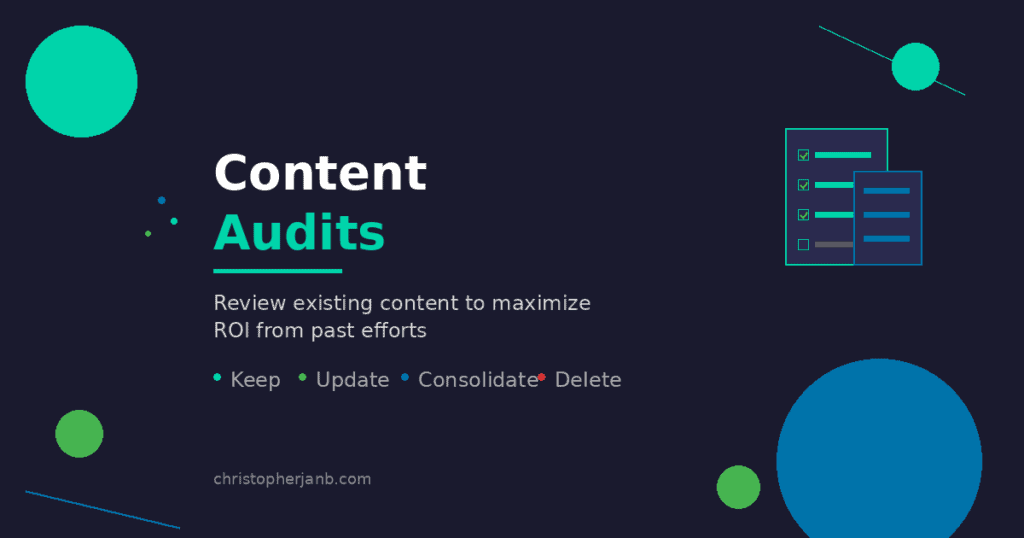
A content audit reviews existing content to identify what to keep, improve, consolidate, or remove.
Audits prevent content decay. They maximize ROI from past efforts.
Perform comprehensive audits annually. Mini-audits quarterly.
When to Audit Your Content
You need an audit when traffic is declining across multiple pages.
Or when your site feels cluttered with old, thin, or duplicate content.
Before a site redesign or migration, definitely audit.
When shifting content strategy or target audience, audit first.
If you haven’t audited in 12+ months, it’s time.
The Audit Process
Follow these steps.
Inventory: List all content. Use Screaming Frog or export from your CMS.
Gather data: Pull traffic, rankings, backlinks for each piece.
Categorize: Sort content by pillar, format, and age.
Evaluate: Score each piece on traffic, quality, relevance.
Decide: Keep, update, consolidate, or delete.
Execute: Make changes and redirect removed URLs.
Document: Track decisions for future reference.
Audit Decisions
Every piece gets one of four labels.
Keep: Performing well, relevant, no changes needed.
Update: Outdated information, declining traffic, can be improved.
Consolidate: Multiple thin pieces on similar topics should merge into one comprehensive guide. This helps build an effective content hub.
Delete: Off-topic, no traffic, no backlinks, beyond saving. Set up redirects.
Be ruthless. Thin, outdated content hurts your entire site.
Measuring Content Performance
What gets measured gets improved.
Track metrics that connect to business goals. Ignore vanity metrics.
Review performance regularly. Adjust strategy based on data.
Key Performance Indicators (KPIs)
Traffic KPIs: Organic sessions, total pageviews, new vs. returning visitors.
Engagement KPIs: Average time on page, bounce rate, scroll depth.
Conversion KPIs: Goal completions, email signups, lead form submissions.
SEO KPIs: Keyword rankings, organic CTR, backlinks acquired.
Revenue KPIs: Attributed revenue, customer acquisition cost from content.
Pick the KPIs that matter for your goals. Track them consistently.
Tools for Measurement
Google Analytics 4: Traffic, engagement, conversions.
Google Search Console: Rankings, impressions, CTR, indexing.
SEO tools: Keyword tracking, backlinks, competitor comparison. How to use Semrush effectively matters here.
CRM integration: Track content’s influence on sales pipeline.
Reporting Cadence
Weekly: Quick check on recent content performance.
Monthly: Full traffic and conversion report. Identify trends.
Quarterly: Strategy review. Audit underperforming content. Adjust goals.
Annually: Comprehensive audit. Strategy refresh. Goal setting.
Consistency matters more than frequency.
Content Repurposing
Create once, distribute many times in different formats.
Repurposing extends content ROI without creating from scratch.
It’s not lazy. It’s smart.
Repurposing Strategies
Blog post turns into social media snippets. Key takeaways, quotes, stats.
Blog post becomes an email newsletter summary.
Long-form guide becomes an infographic.
Blog series becomes an ebook or downloadable guide.
Webinar becomes a blog post summary plus video clips.
Podcast becomes a blog transcript plus audiogram clips.
Customer interviews become case studies plus testimonials.
One piece of content can fuel an entire week of distribution.
When to Repurpose
Repurpose content that’s performing well. Maximize its reach.
Repurpose evergreen content that remains relevant.
Repurpose complex topics that benefit from multiple formats.
When entering new channels, repurpose existing winners.
Updating old content gives you a fresh version to repurpose.
Content Strategy Checklist
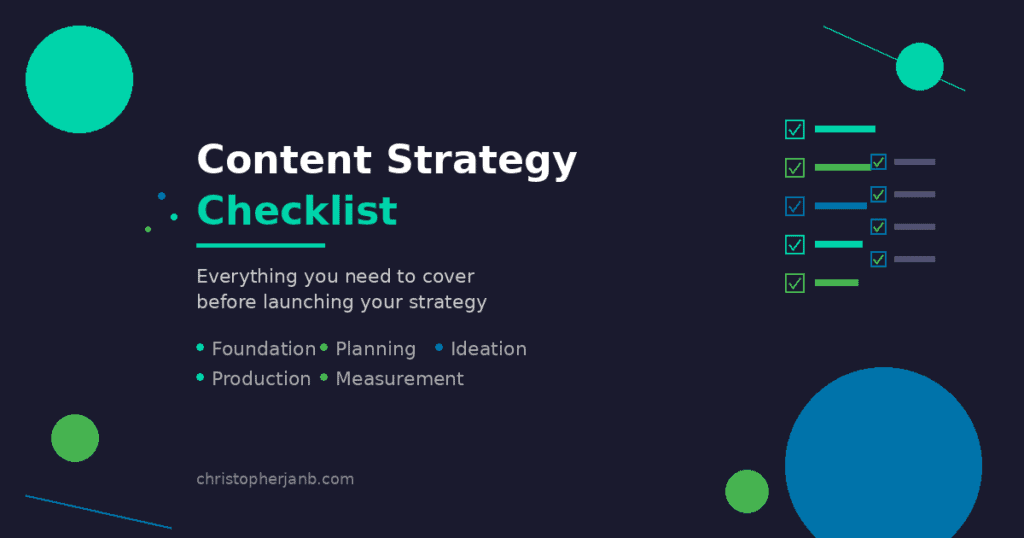
Use this to make sure you’ve covered everything.
Foundation
- [ ] Business goals defined and documented
- [ ] Target audience personas created
- [ ] 3 to 5 content pillars identified
- [ ] Success metrics and KPIs selected
Planning
- [ ] Editorial calendar created (quarterly or annual view)
- [ ] Content calendar set up (production tracking)
- [ ] Content workflow documented
- [ ] Brief template created
Ideation
- [ ] Backlog of 20+ validated topic ideas
- [ ] Multiple ideation sources identified
- [ ] Regular ideation sessions scheduled
- [ ] Topic validation criteria defined
Production
- [ ] Workflow stages defined with owners
- [ ] Project management tool selected
- [ ] Publishing cadence established
- [ ] Quality review process in place
Measurement
- [ ] Analytics and tracking set up
- [ ] Reporting cadence established
- [ ] Content audit scheduled
- [ ] Performance review meetings scheduled
What’s Next?
You now have a framework for building a content strategy that actually works.
But strategy is just the first step.
You still need to research keywords, write content that ranks, and optimize for search.
That’s where execution meets strategy.
Need help with the content side? Check out my content writing services or content strategy services to see how I can help.
Or explore more content marketing resources to keep learning.
The best time to build your content strategy was yesterday. The second best time is now.