
Author: Christopher Jan Benitez

  • CoSchedule Review: The Marketing Calendar That Your Blog Needs?

    Lowdown

    • Using CoSchedule is a breeze from the get-go. The tool is simply the best editorial calendar in the market, with loads of flexibility and options to help you organize your tasks. The myriad of integrations also helps you tie up all your tools into a single place.
    • Content development and sharing are much easier using CoSchedule and lets you save up more time. My only gripe is the social media feature, which, while serviceable in its own right, could be much better.
    • I strongly feel that CoSchedule works best for blogs with multiple contributors and users. Single bloggers, they might want to test out other project management and social media tools that do more or less the same things (if not more) as well before subscribing to CoSchedule.

    Should You Get It?

    As it stands, I won’t be using CoSchedule to help me manage my blog for the time being.
    Given that I believe CoSchedule’s strengths lie in its ability to keep you and your contributors in check with your tasks for the blog and that I do not manage contributors, there is no reason for me to use the tool.
    Also, its social media features need more tinkering so it can fully help bloggers build a more vibrant following to whom they can promote their content.

    As a blogger, I am always searching for ways to simplify my tasks to get more things done. Part of a successful blogging process are:

    • brainstorming for content ideas
    • developing and posting content
    • promoting content on different channels
    • tracking and measuring results

    I hold these pillars to be the foundations of my blogging strategy. And to make it more convenient for me to do my job, I am always on the lookout for tools to help work faster and better.

    Blogging productivity is something that I feel strongly about. As much as I want to focus on just writing a post, my attention is also dedicated to promoting and analyzing the posts so I can strategize for the next blog content I will write. With the many tasks I need to do, I devised a system that allows me to keep up with all my blogging tasks.

    While my system works well enough for me, my desire to get things done faster compelled me to try out CoSchedule. Given the many things people are saying about this tool, I want to see if CoSchedule will help me achieve my goals.

    Before we proceed with the CoSchedule review…

    Disclaimer

    All of the links from this page to CoSchedule are referral links.  If you subscribe to a CoSchedule account from any of my links, I will receive a 10% discount on my account. Therefore, if you want to use CoSchedule for your blogging needs, I suggest you read the entire review and click on the CoSchedule link at the bottom of the page. I would appreciate it!
    Also, this review may grant me a 50% discount from CoSchedule for an entire year. However, I assure you that the CoSchedule review is as objective and unbiased as possible to help you make an informed decision about the tool.

    Criteria for reviewing Coschedule

    Since we have already seen CoSchedule in action, below are the factors that will help me determine if CoSchedule is really something that I will use for my blogging activities:

    • User interface – Is the tool easy to navigate and use? Is there a learning curve that users will have to anticipate when using CoSchedule?
    • Productivity – How much time would I get to save when using this tool? Does CoSchedule make my job as a blogger easier?
    • Cost – Do the features justify the price of the tool?

    What is CoSchedule?

    CoSchedule is described as “all-in-one marketing calendar that brings your content and social media in the same place.”

    CoSchedule-Homepage

    Upon signing up for an account, you will be able to access its dashboard:

    CoSchedule-UserDashboard

    You will see the following:

    • Notifications – comments made by other users on assigned posts
    • My Upcoming Posts – posts that are scheduled to be published on your blog
    • Top Posts – posts with the most social shares
    • My Tasks – things within each assigned post that you need to do

    The dashboard provides you with a summary of things that may need your immediate attention to keep you up to speed.

    Below we deal with the other features of CoSchedule; let us jump first into its core function — the editorial calendar.

    CoSchedule-Calendar

    From the calendar, you can manage the posts to be published on your blog. CoSchedule’s drag and drop technology let you quickly move the content to the dates when they should be on the calendar.

    CoSchedule-Drag_Drop

    If you have contributors working with your blog, you can assign them the topics on the drafts so they can write the blog post beforehand.

    Within each post in the calendar, you can assign tasks the contributors need to do for the post. They can tick off the checkbox if they are done with the task.

    CoSchedule-CreateTasks

    If you want to inform your contributors about updates and they want to ask questions about the tasks, you can easily leave comments.

    CoSchedule-Commenting

    If you are looking for drafts assigned to an author or which posts have been published or not, you can filter the search to find what you are looking for.

    CoSchedule-Filters

    For example, finding the author within CoSchedule will show you all the assigned drafts that s/he has written, published or not.

    CoSchedule-Drafts

    Clicking on a post will show you the total number of social media shares it has received so far.

    CoSchedule-EditPost

    Regarding shares, you can schedule social media messages about your post on CoSchedule. You can set a message that will be shared on Facebook, Twitter, Google+, LinkedIn, and Pinterest at specific times (whether it is after publishing, a day after, a week, or a month).

    CoSchedule-Social-Queue

    CoSchedule also lets you promote your old blog posts to drive more traffic to each and boost your content’s ROI.

    CoSchedule-Share-Old-Posts

    As a WordPress plugin, you can also access CoSchedule straight from your blog’s dashboard.

    CoSchedule-WordPressCalendar

    This is perfect for seasoned WordPress users who are already comfortable with using the blogging platform and do not want to move to another one.

    CoSchedule-WordPressEditPost

    CoSchedule is available for a 14-day trial period. During this period, you can use all the premium features of the tool so you can a better feel on how it can help you with your blogging task. If you are interested in taking CoSchedule for a test drive, please click here and sign up for an account.

    Click Here Sign Up for Your 14-Day Trial of CoSchedule

    How I use CoSchedule to maximum effect

    There are good reasons why CoSchedule is not simply regarded as an editorial calendar. Below are different ways that I use the tool to increase my productivity as a blogger.

    Upload document files from the cloud to CoSchedule

    If you or your contributors write your posts on Evernote or Google Drive, you can upload them on your WordPress blog through CoSchedule.

    Evernote Integration ~ CoSchedule Review
    For Evernote, you need to you integrate it with CoSchedule to access the notes in your account.

    Go to the Calendar page and add a content note on a day of your choice. Once you have created the Title for the content, you can easily upload the document from Google Drive or note from Evernote to the tool’s text editor.

    CoSchedule Calendar ~ Creating a Post

    Once you have uploaded the file on the tool, you can convert the file into WordPress for it to become a blog post.

    CoSchedule Calendar ~ Convert to WordPress

    Once the conversion is complete, you can edit it like you would a WordPress post.

    CoSchedule Calendar ~ Convert to WordPress Complete

    This is a handy feature especially due to malicious attackers stealing your data and corrupting your site.

    Usually, I write blog posts straight to WordPress, and I do not save my posts in a separate file (although I do use a backup plugin to keep my file safe). CoSchedule encourages me to use cloud apps, so I can store a copy of your post from a secure location and just upload them onto my CoSchedule plugin without formatting them.

    Drive more social shares to underperforming (or new) posts

    CoSchedule provides you insights into your blog and allows you to leverage your findings into more shares or traffic to your underperforming blog posts.

    The Top Posts page gives you an overview of the best-performing posts for a period based on social shares.

    Once you determine the post with the most shares, you can dig up an old but relevant post related to your most shared one.

    You can then find the people who shared your post on social media using BuzzSumo, get their Twitter handles, and tweet them a message about the related post that is not as shared but just as compelling.

    CoSchedule does not provide the Twitter share count. Since BuzzSumo gives you access to users who have tweeted your post, you can pick off any top post from the list to analyze.

    BuzzSumo Most Shared Content

    Checking out my currently most shared post, there are 111 Twitter shares that I can tap into to help me share my old posts related to Thanksgiving and/or digital marketing. Click on the View Shares to see who these users are.

    Sharers for What Are You Thankful for in Digital Marketing This 2015

    You can create a master list on BuzzSumo of these contacts that you want to share your related posts.

    Looking back at your Top Posts page, scrape the bottom of the barrel to see posts that have low social shares but are related to your top post.

    I boxed in red potential posts that I could share to Twitter users who shared my best performing posts.

    All I need to do now is tweet them with a link to the post from CoSchedule.

    Top Posts ~ Twitter Sharing

    If you look closely at my link, I use Bit.ly to shorten my links and track the CTR of the links from this channel. This allows me to determine how effective my social media and blogger outreach strategy is. It is not just sharing your content and driving up their share count that’s important — it is also how you get people to click to your post and turn them into avid readers or subscribers.

    Also, if you want to get the most out of your social shares, you need to schedule your posts during times when your fans and followers are most active. To find out the times in a day when your Twitter followers are online, use Followerwonk. For Facebook, you can check Facebook Insights for the best times to post your status updates so more of your fans will see it.

    Or if you want to schedule other posts on your social media, you can also do that here! Just find content that your audience will like (use Social Animal to find the best and most shared posts in your niche) to diversify the posts you share on your channels.

    At the moment, I do not accept guest posts and contributions on my blog. But if I do, I can imagine CoSchedule to be a really valuable tool in keeping track of the posts and see if they meet the editorial standards I have set for their content. You can create tasks on the CoSchedule dashboard that can serve as your checklist to see if they meet the requirements you have set for the guest posts. If not, you can return the post back to the contributors to edit until they get it right.

    As mentioned earlier, this is a great tool to use for keeping up with the tasks and responsibilities of your team, if you are collaborating on a blog with different writers. Instead of using a separate project management tool, you can consolidate all information about your editorial calendar on CoSchedule.

    PROS and CONS of CoSchedule

    Pros

    • Simplifies social sharing of your blog posts
    • Organizes tasks for blog, perfect for collaboration

    Cons

    • Lacking in social media features
    • Not very handy if you blog alone

    PROS: Simplifies social sharing of your blog posts

    While sharing posts on social media, bloggers will normally have to go to the social media platform and post the custom message and link from there. The problem with this process is that you have to undergo multiple steps before being able to post your updates on social media.

    Some are diligent enough to use a social media management tool to share and schedule the posts on certain dates to maximize the content ROI. However, you would still have to open a new window to get this done. Not to mention, you need to pay for most management tools in order to use their advanced features liked scheduling an unlimited number of posts for promotion.

    However, CoSchedule takes away the chore from sharing your blog content by being able to schedule the social media posts even before they are published! Social sharing is not limited to your latest posts — you can re-promote your older posts on social media from CoSchedule to drive more blog traffic.

    Sharing the posts is easy because you won’t have to open a new window from your browser to use this feature. Just open the post from CoSchedule and scroll down to the bottom of the page to be able to share them at will.

    Social sharing is a time-consuming activity that blogger worry about. With CoSchedule, sharing becomes a breeze!

    PROS: Organizes tasks for blog, perfect for collaboration

    If you get the schedule of your blog posts mixed up or forget to follow up on tasks for your authors and collaborators, then CoSchedule is the tool for you.

    Its core product, the editorial calendar, allows you to see the tasks assigned to each writer to develop and schedule on your blog.

    Create an item from the calendar.

    CoSchedule Calendar ~ Creating a Post

    You can color-coordinate and categorize your tasks by type (note, blog post, social media message, analytics, etc.) if you want to organize each for your personal reference.

    CONS: Lacking in social media features

    I admire the ability to “set and forget” your social media messages on CoSchedule promoting your blog post even before it gets published. It helps you save more time and allows you to focus on creating content instead of marketing them. Also, re-promoting your older posts to increase their ROI and further boost their social shares is a handy feature to have.

    However, if you are already using a social media management tool like HootSuite or Buffer like I do, then CoSchedule’s social media features become redundancies.  The only advantage CoSchedule has over these platforms is being able to manage content creation and promote in a single place. Other than that, social media management tools offer more features that can help you build a following that will allow you to promote your content much more effectively.

    Suggestion

    If there’s any change that CoSchedule could make to make its social media features much better, it is the ability to curate content from the platform. Since users can already schedule their blog posts on social media from the tool, why not allow them to publish related content from other sites as well? This could help them diversify their content promotions by sharing posts from your blog and building trust and authority in their respective fields.

    CONS: Not very handy if you blog alone

    As the sole publisher of my blog, I do not need to use CoSchedule for managing my tasks. As mentioned earlier, I have developed a personal system that allows me to organize my blogging tasks so I can attend to them efficiently and effectively.

    However, I use different tools to complete my tasks, whereas CoSchedule offers me the convenience of handling all my blogging responsibilities in one place, which is a big advantage. Nonetheless, I believe in the saying, “If it ain’t broke, why fix it?” Not only does my system works, but it doesn’t cost me a cent to use the tools already at my disposal.

    Suggestion

    Given that other seasoned bloggers plan on using CoSchedule to improve their productivity, it would be great if the tool could work together with popular project management tools like Trello and Asana. These have a built-in calendar that is used by bloggers for scheduling and organizing their tasks. While CoSchedule works with Google Calendar, more choices for integration, especially with other productivity platforms, would be much appreciated. It would even convert someone like me, an avid Trello user.

    On a related note, I am not too crazy about its pricing.

    Below is the pricing for the solo calendar.

    CoSchedule Pricing for Solo ~ CoSchedule Review

    Below is the pricing for the team calendar.

    CoSchedule Pricing Team ~ CoSchedule Review

    I can see the appeal of the team calendar since managing many people can be a pain, and CoSchedule helps mitigate that problem. But for the solo calendar, other tools provide the same feature (if not more) at a lower price.

    This is not to say that CoSchedule is a waste of your money because that is far from the case. As a productivity tool, CoSchedule lets you save time, which you can use to earn more money.  This rings especially true if you are a beginner and want to proceed with blogging in the most convenient way possible.

    Still, CoSchedule looks like an unnecessary tool for seasoned bloggers who know their way into developing and promoting content effectively.

    Click Here Sign Up for Your 14-Day Trial of CoSchedule

    Verdict

    Pros and Cons of CoSchedule

    In conclusion, using the criteria I mentioned above for judging CoSchedule, below are scores I will give this tool:

    CoSchedule

    Christopher Jan Benitez

    User interface
    Productivity
    Cost

    Summary

    I would recommend CoSchedule to bloggers who are having difficulty managing their blog posts and keeping their focus. Bloggers with a fixed system of collecting and organizing their blog tasks may be reluctant to switch to CoSchedule because it may not deliver enough to justify the price. Ultimately, the decision is up to you.
    Thankfully, CoSchedule offers a 14-day trial period for those interested in at least acquainting themselves with the tool and deciding based on their experience. The timeframe should be enough to help you test the features and see if it works in your favor. Just click here to sign up for an account and test CoSchedule now.

    4.3

    Video created using InVideo.

  • 5 Sites to Republish Blog Content for More Traffic

    5 Sites to Republish Blog Content for More Traffic

    Promoting your blog post is never a one-and-done deal.

    That’s why you need to find places to syndicate your content!

    Here’s the thing about content:

    As long as their information remains relevant, you can promote them to different online channels to drive more blog traffic.

    Marketing your blog content on social media and online communities are good places to start. However, where else can you push your content on channels where your readers are?

    Here’s the thing about syndicating content

    Content republishing has been around for quite some time now.

    In fact, it was once considered an illegal tactic due to the reproduction of duplicate content.

    By publishing the same blog post on different sites, you risk your site from getting penalized on search results. If not get outranked, sites like Google and Bing will only index content and deindex pages with the same content.

    As a result, there is a chance that your blog post might get deindexed even if you wrote and published the post.

    However, content republishing has been used to great effect by bloggers. Both have addressed that republishing your blog content on different platforms will not hurt your blog’s search rankings, but only if this is done to reach out to your audience and not spam-related.

    The pros and cons of republishing blog posts

    PROS and CONS of CONTENT REPUBLISHING

    As mentioned, republishing your original content on Web 2.0 platforms is a great way to drive more traffic. If people like your content, they can visit your blog to read related posts.

    Also, this tactic is a great method to increase awareness about your blog by tapping into existing readers from these platforms. But we will discuss this in depth later.

    Lastly, you can link back to the original post to inform search engines that the content has indeed been republished. Consider this as a way of building backlinks to your blog, which is a valuable factor in determining your search rankings. However, keep in mind not to abuse this feature to prevent Google and Bing from penalizing your blog.

    On the downside, content republishing can drown out your blog, especially if you are just starting out. By republishing your blog content on established sites, search engines may disregard your post and rank sites where you syndicated your post instead.

    Jumping headfirst into content republishing can be a perilous thing. Before, before we begin, make sure that:

    • Your blog has enough authority to proceed with content republishing – While there is no way to measure this, just make sure that your blog has some Domain Authority of at least 20 to prevent other sites from outranking yours. DA is indicative of your blog’s performance over time, which is a big factor in determining your search rankings.
    • You have promoted your blog content on social media and online communities – The idea behind content repurposing is to get more audience to your blog. Therefore, you want to inform your existing readers from the aforementioned channels that your post is available for viewing.
    • You published the post at least seven days ago – Again, no data supports this claim. But a one-week window is enough for search engines to collect information about your blog content to index it for search. This way, the content you’ll publish on your site won’t be picked up by tools like PlagiarismCheck.org as plagiarized content.

    That said, these drawbacks shouldn’t prevent you from building a content syndication strategy aimed at increasing the visibility of your posts!

    Below are content syndication networks where you can republish your blog content.

    1. Medium

    Why? Medium is a unique blogging platform because it does not focus on statistics and data. Instead, it encourages users to tell stories that people will read. If your post communicates something useful and different to Medium readers, then consider republishing your content on the site.

    Sign up for an account and click on New Story.

    Editing Untitled

    You will be brought to the text editor of the site. Just copy and paste the text from your blog onto the editor. Medium will apply the same formatting to your blog’s, but you will have to run through the content just to be sure.

    Before you publish, make sure that you link back to the link where the blog content was first published to ensure proper attribution.

    Republishing Blog Content on Medium

    Once the content is ready, click on Publish and share the post on Twitter and Facebook.

    You can track who read your story and the site that referred them to the story.

    Medium Referrers

    2. LinkedIn

    Why: LinkedIn allows users to create content that will appear on the notification of your connections.  The more connections you have on LinkedIn, the more chances they will read your post and become more aware of your blog.

    Sign in your LinkedIn account and click “Write an Article” from your dashboard.

    LinkedIn Dashboard

    You need to upload a featured image that will introduce readers to the post.

    LinkedIn Feature Image

    Copy and paste your blog content on the text editor area. The images won’t be included once you paste the article, so you need to upload them one by one.

    Create a New Post

    Again, make sure that you attribute the post to your blog.

    Once you click “Publish,” it will ask you to include a maximum of three tags to your post. The tags will help make your article searchable on LinkedIn.

    LinkedIn tags

    The benefit of republishing your blog content on LinkedIn is that your connections will receive a notification about your LinkedIn article. If they are not following your blog, this is a great way to introduce the kind of content you produce and encourage them to visit your blog.

    LinkedIn notification

    Therefore, it would really help if you have lots of connections on LinkedIn. The more professionals you are connected with, the more they will click and read your post from their notification page.

    Kingged.com

    Why: Kingged.com is a social networking site for business where users can share and syndicate their posts and comment on what other people shared. The site is also a great place to interact and collaborate with influencers within your industry so you can build and leverage relationships in the future. For this to happen, you need to syndicate your best posts.

    Sign in your account and click on “Syndicate Your Post.”

    A text editor will show on a window where you can enter your post. Copy and paste the post on the body, select the appropriate category, and enter the most relevant tags.

    kingeed dot com text editor

    Since the editor will ask for the URL of the post you want to syndicate, you do not need to attribute the post within the content of the republished on.

    Make sure that the images are not more than 600px in width to maintain the layout and appearance of the post.

    Over time, you can expect people to “king” your post and receive comments from them.

    15 Dead Simple Tips for Writing Powerful Web Content - kingged

    Update: Users can no longer syndicate their content on Kingged.com. The site is now a blog about financial tips.

    3. WordPress.com

    Why: Don’t confuse WordPress.com with the self-hosted WordPress. This is the online version of this blogging platform. You have access to users where you can follow, like, and reblog their posts. What we want to achieve here is to reach out to like-minded users and republish our blog content here so we can build a dedicated following of your blog.

    I am referring to the WordPress.com free account. If you do not have an account yet, you can create one now.

    After logging in, write a blog post.

    Copy and paste the article on the text editor. Upload the image and enter the proper attribution within the content.

    Wordpress dot com text editor

    Before publishing, connect your social media accounts to your WordPress’ so you can automatically share the post on those channels upon publication.

    You can check out the republished blog content here.

    If your post is good, different users will like and/or reblog it.

    wordpress liked post

    If your post is really good, some will even follow your blog!

    wordpress followed post

    4. Tumblr

    Why: While Tumblr caters to a younger audience, it is still a valuable place where you can republish your post and get found easier online, which could lead to more blog traffic.

    Log into your account and create a text update.

    Tumblr create text update

    If you have the HTML copy of the post you want to republish, you can select HTML as your text editor.

    Tumblr HTML

    Make sure to revert back to Rich Text to edit and check if the formatting is correct.

    Link back to the first article within the post and include tags to make your post searchable within Tumblr.

    You can check out the republished blog content here.

    5. Quora

    Why: Quora is the premier online Q&A site. With its blogging function, Quora aims to help users impose their knowledge on particular topics instead of just answering questions. By creating and writing on a Quora blog, they can build a following and refer more traffic to your actual blog.

    Log into your account and go to the Blogs page.

    Quora blog

    If you do not have a blog yet, you can create one from this post. Choose an available name for your Quora blog and it will used as your subdomain for creating posts using this platform.

    Quora create post

    If you have a blog already, create a post.

    It is best to copy and paste the post on your text editor and make the necessary edits.

    quora writing new post

    After linking to your initial article, choose the topics to categorize the post. Choose topics with thousands of followers to increase your reach.

    quora choose topic

    You can check out the republished blog content here.

    Final words about the places to syndicate your content

    Content syndication can be a time-consuming activity. However, making it part of your digital marketing strategy will grant you rewards later. As shown in the examples above, you can build a following of your target audience, which you can later engage further with more republished posts from your blog.

    This will lead them to visit your blog and read more of your great content!

    Also, you do not have to republish your blog content on these syndication networks. You can focus on republishing only the best content you have so you only deliver content your followers will love on these platforms. Play around with this tactic and see the results you can get from republishing your posts.

    I appreciate you reading through the entirety of the post. I hope you learned from the tactics I shared about syndication content and republishing. Also, please share this post if you find this post useful 🙂

  • How I Earned my First $1000 in a Month as a Freelance Writer

    How I Earned my First $1000 in a Month as a Freelance Writer

    It is hard to make a living as a freelance writer.

    To make good money as a hired gun, I believe to achieve the following:

    • build a reputation as an excellent writer
    • find ways to be found by your potential clients
    • turning clients into returning ones

    Just by missing any of the points above, you will find it much, much difficult to maintain a career as a freelance writer.

    Luckily for me, with hard work, perseverance, and lots of luck, I was able to teach myself how I became a freelance writer.

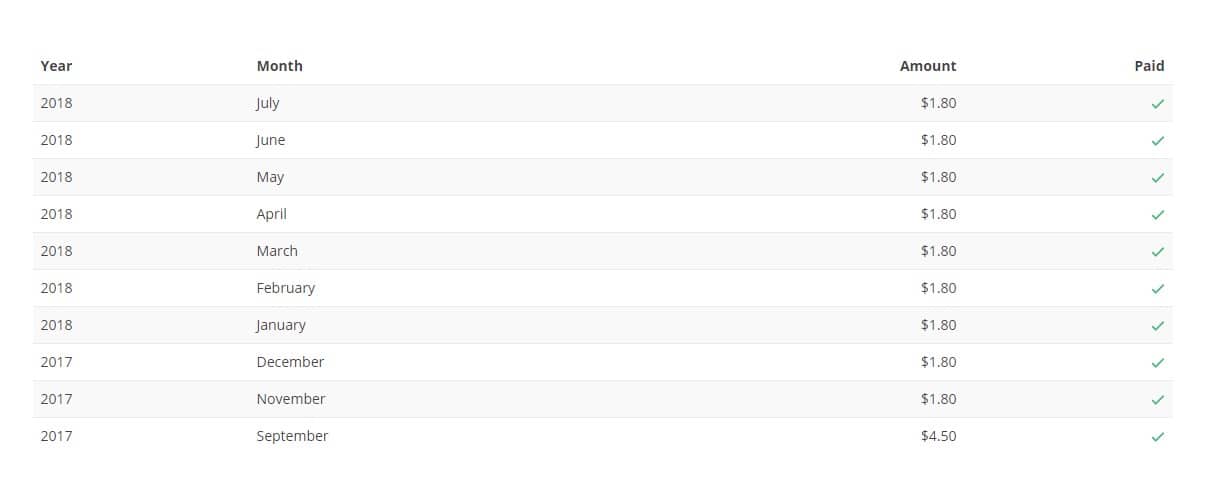
    In my case, I started earning $1000/month in December 2014.

    PayPal activity for 2014

    I started taking freelance writing seriously in July 2014. From that 5-month period, I was able to set up the three pillars of what I feel successful freelance writing is built on.

    But before I dwell on the success, I would like to share why I became a freelance writer.

    The Journey from Failure

    Before starting a freelance writing career, I worked as a virtual assistant for a Canadian client made up of two people. We began a professional relationship in 2012 when I used to work for them part-time to supplement my full-time earnings.

    It only took a year later for me to decide that I should work for them at home full-time since the pay was good and the tasks were up my alley. I managed the entire digital marketing campaign of the client, from developing and executing a content strategy to running lead generation campaign to hike up her sales.

    One of the pitfalls of freelancing is how you will manage when the client is unable to supply you the salary you are used to getting. Unless you have built up your funds for the rainy day, you will find yourself scrambling for sources of income to keep up with your lifestyle and expenses.

    My rainy day came around June of 2014 when my client was no longer able to pay me the amount we discussed before hiring me. It was a straight punch to the gut as I was banking on my work for them to sustain my finances for the family.

    While I did not hold any grudge against them, I was left disillusioned by the incident. They were my only client, and I did not have anything going for me outside the work they give me.

    So I decided to start back to square one.

    Instead of expecting the same fixed amount every month, I had to make do with $5 payouts from then-oDesk and Fiverr writing articles.

    My paused Fiverr page - How I Became a Freelance Writer ~ Christopher Jan Benitez
    My paused Fiverr page that landed me ZERO clients.

    During this period, I had to work twice as hard and long to receive around half of what I was used to getting. I was also working alone and did not have colleagues whom I can share my experiences.

    I also considered working again in an office full-time out of necessity. However, I was not able to get accepted for the positions I wanted, and other opportunities were hours away from where I lived.

    It was a necessary obstacle that I had to go overcome professionally.What made it worse was that my wife and I were expecting our first child in September that year. Without having saved enough money, I had to get help from my parents, which is something I have been trying to avoid.I want to do it on my own

    What made it worse was that my wife and I were expecting our first child in September that year. Without having saved enough money, I had to get help from my parents, which is something I have been trying to avoid.I want to do it on my own

    While I have been fortunately enough to have a great support system, I think everybody would agree that they want to take matters into their hands. I want to become independent of my parents and start living a life that I could call mine.

    Unfortunately, I was not able to do that at that time.

    So I decided to ramp up my efforts on getting more clients by pulling every trick out of my bag. I built better landing pages on my site, wrote content with the purpose of attracting customers, and applied to job posting sites, to name a few.

    Doing all these came at the expense of getting the usual $5 writing gigs, so it was a calculated risk on my part. If my strategy of getting clients does not pan out, I will not be earning as much as I wanted that month and all my efforts are in vain.

    With sheer luck, I finally got a better paying writing gig from the ProBlogger Jobs board and an email from my contact page.

    And for some strange reason, it snowballed to more opportunities for different clients.

    As the year came to a close, I was pretty sure that working as a freelance writer is what I was meant to do.

    And it showed in 2015.

    I was able to more than double my salary in December of 2015.
    I was able to more than double my salary in December of 2015.

    And things are looking up even better this year.

    I was able to earn $2,000 in a week!
    I was able to earn more than $2,000 in a week!

    I do not wish to gloat my earnings. But if you think freelance writing — or freelancing in general — does not work, this is proof that it does!

    Okay, so how did I do it?

    As mentioned, there are three factors that I believe lay the foundation to a fruitful and sustainable freelance writing career:

    1. Guest posting

    This tactic is the best and fastest way to build your reputation as a good writer.

    By writing for different online publications, you can showcase your writing to a different audience than where you usually write.

    If they like your writing, they will go to your site and read more. If they are potential clients, they will contact you for a job opportunity.

    The important thing to remember here is always to find sites where you can write for to grow your audience and attract leads that you can turn into clients later.

    I have covered guest blogging brief in this post to give you an idea on how you can proceed with your guest blogging strategy.

    Granted, writing for different sites may not get you paid. Think of this strategy as an investment to help you attract more clients to your writing services.

    2. Inbound marketing

    You need to stick your neck out to be found by your audience. Your products and services won’t sell themselves — you need to make an effort to be seen by people to make a sale.

    Old school marketing encourages you to go out there, talk to people, and pitch to them about your services.

    While that is a tactic that works for some, that was not my approach when promoting my freelance writing services.

    I always believe that, if people wanted to know more about you, they would find a way to make that happen.

    This is the principle behind inbound marketing, the philosophy behind HubSpot’s methodology.

    Inbound Methodology of Hubspot

    Instead of you going out of your way telling people why they should buy from you, you want them to go to you.

    This is part of what guest blogging does for me. They see my name on the sites I write for, and I get to nest in their heads like a debt that they cannot pay.

    To douse their curiosity, I built a site with all the information about my services so people will be compelled to reach out. I created different landing pages for each of my services to ensure that visitors will find the details they need to know about me. I am also currently following a content strategy of writing decent content on my blog to keep my site relevant on search results.

    This is the reason why I invested time in building a good-looking site and blog that you are reading now.

    And if you are indeed still reading this post, then it only goes to show how important inbound marketing is.

    Build relationships

    My rule here is simple: do not treat your clients as a dollar sign.

    My clients are just like me, people who want what’s best for themselves. They just happened to be people whose needs I can answer.

    I provide solutions for my clients, and my goal is to deliver the work that I promised.

    More importantly, treating people more than a job is crucial in getting them to order from them to order again.

    Going back to my previous Canadian clients, I still keep in contact with them. I have always made it clear that the lines of working again soon are always open. If they have questions on what they should do regarding particular tasks that I once covered for them, then I unhesitatingly give my advice.

    Same thing goes for my current clients. I strive to provide them with a more personal experience when ordering content from me. I do my best to answer every email and find a solution to every problem they encounter.

    At the same time, I become even well connected to the industry I am working in. As a writer whose feet are dug deep in digital marketing, I have come to know clients from different agencies, as well as influential bloggers from across the globe. Some of them were referred to me by my old customers, so building bridges with clients go a long way!

    Wrapping it up

    Freelance writing is a struggle, but you need to play your cards right to succeed. In this post, I have revealed my cards in my attempt to help you find your path to success. You can copy my process and build on it to achieve even greater success!

    I may not have fully revealed the entire process of how I build an excellent freelance writing career for myself. In the future, I promise to update you with comprehensive tips on how to do guest blogging, inbound marketing, and relationship building.

    Until then, I would like to hear from you by answering a couple of these questions:

    1. How is your freelance writing experience thus far? How can I help you?
    2. What are the obstacles that are preventing you from succeeding as a freelance writer?
    3. Are there strategies and techniques you used not mentioned above that made you a freelance writing success?

    Seriously, I would love to hear your thoughts about the questions above.

    SEND YOUR QUESTIONS HERE
  • How to Write a Great Blog Title that People Will Click on

    How to Write a Great Blog Title that People Will Click on

    Learning how to write blog titles is an art.

    Bloggers worldwide are vying for the short attention spans of their target audience.

    As a publisher, your priority is to grab the reader’s attention y getting them to at least land on your site pages to read your content.

    To achieve this, you need to learn how to write effective blog post titles, particularly click-worthy ones.

    Why “click-worthy” blog post titles?

    Why not the “best” or “the most awesome” headlines?

    This is a great question.

    To be honest, in the online world, having the most click-worthy headline is the best headline.

    Clicks serve as your currency in blogging. The more clicks you get, the more chances you can convert visitors into customers, if not loyal readers.

    This is particularly the case regarding search engines and social media shares.

    Both are neck and neck as the top channels for referral traffic online.

    As you compete for eyeballs, you need to make the most out of what is shown on search engines and social media with your headline. Coming up with the most compelling headline will get them to click on your page.

    Just a quick note: what you will not learn in this post are Viralnova and Upworthy types of headline that excite readers’ curiosity to get a click and end up under-delivering on the content side. While this is an efficient business model for all intents and purposes, there are two reasons why you shouldn’t approach writing headlines this way.

    • Your blog is not dependent on ads for income – What you, as a blogger and freelance writer, should be aiming for is a headline that delivers the promise in the content.
    • You are producing evergreen, sustainable content – Click-bait headlines work best on trending topics. Informative content does not have to resort to tabloid- and gossip-like headlines to receive clicks.

    Besides, there are excellent guides that discuss headline strategies using the click-bait approach, such as this post at Buffer.

    Types of click-worthy headlines

    How to Make Click-Worthy Headlines for Your Blog Posts

    There are many types of click-worthy headlines that you can utilize for your blog. However, I will distill all the types into five simple yet effective strategies you can apply to your posts.

    1. Enumerate them!

    There is a good reason why Listverse and, to a lesser extent, Buzzfeed use list posts as a headline strategy.

    What makes list posts effective is how they set reader expectations.

    For example, in the post “10 Games That Will Make You Nostalgic For The ’90s,” you are only familiar with six video games that make you yearn for the good old days. The post then serves to fill you in on the other four you are unaware of.

    (On a side note, I am not sure why Super Mario 3 is not included in the list. Blasphemy!)

    Now, suppose we take away the “10” from the title:

    “Games That Will Make You Nostalgic For The ’90s”

    …would the headline compel you to click on it? For all you know, the post only features the six games you already know. Thus, you will be just wasting your time clicking on the article.

    Another example: the post “12 Best Social Media Monitoring Tools Compared (2022)” I wrote is meant for businesses looking for tools to help them monitor their brand mentions on social media.

    More importantly, I compare these tools and give my opinion on what I feel are the best tools to help you accomplish this goal.

    From the examples above, great blog titles must deliver scalable information to readers. By introducing a set number of tips or advice in the headline of your content, readers will have all the details they need to decide whether to click on the post or not.

    Additional tips for writing list headlines:

    • Make the list as big as possible – The bigger the list, the better! Aim for lists bigger and better than your competitors. If they are publishing lists in the 20+, make yours at least 30+.
    • Settle for odd numbers in your list – A study suggests that odd-numbered lists outperform even-numbered ones. While this is not a rule of thumb, you should check if this applies to your blog.

    2. “What’s in it for me?”

    Readers are asking themselves this when browsing through headlines from search results and social media feeds.

    A simple formula to follow when writing a headline to answer their concern is this:

    Tip + benefit.

    I used this to create a nice title for my GetResponse post.

    7 Authority Hacking Tools To Quickly Grow Your Online Influence

    Whereas:

    Tip = 7 Authority Hacking Tools
    Benefit = Quickly Grow Your Online Influence

    When my target readers see the headline, the benefit of boosting their influence online should attract them to click on the link and learn more about the tools.

    Therefore, when coming up with an effective headline, you need to put yourself in your readers’ shoes.

    In fact, think of your readers like they are hostile, grumpy old men.

    "What's in it for me?" ~ How to Make Click-Worthy Headlines for Your Blog Post

    “Why should I care to read on click on your post?”

    “What exactly will I get from reading it??”

    “Who the hell are you???”

    I am exaggerating at this point, but you need to understand the importance of stating the benefit of reading your post to your audience.

    You want to write catchy blog titles that will encourage curmudgeons to give your article a chance by clicking on it.

    Additional tips for writing benefits in your headline:

    • Narrow down your target audience for your post – You need to zero in on the type of readers you want to attract. The GetResponse Blog covers topics from marketing, productivity, and automation. For my post on their blog, I focused on online marketers.
    • Provide solutions to a specific problem – As a marketer, I know how difficult it is to rise above other equally talented marketers. Therefore, the post was meant to help marketers increase their influence through the tools I featured. Always know the different problems your readers may be going through to make a click-worthy headline that addresses their needs.

    3. Use POWER words

    POWER of words ~ How to Make Click-Worthy Headlines for Your Blog Post
    “Words are free. It’s how you use them that may cost you.” -KushandWizdom (Click Here To Tweet!)

    I won’t indulge in this section of the post because there is an excellent resource that features a comprehensive list of power words that you can use to boost your headlines.

    If you have not read “Turbo-Charge Your Marketing With These 355+ Power Words” by Sumo, then it is high time you should.

    The post contains different words you want to use to invoke a certain response from readers. Knowing these words will help you frame your headline a certain way for maximum effect.

    Also, a list of 355+ power words is hard to top. But, again, this goes back to how much more effective your list post is if you have many items to feature in your content.

    Additional tips on how to use power words:

    Use these emotional words wisely. If you are tackling a complicated topic for your post, you would want to use powerful words that denote “simplicity” (stupid-simple, cheat-sheet, tweaks, and more) to encourage more click-through. The choice of power words on your blog post title depends on the topic, so use your best judgment.

    4. Mention exact figures

    Usually found in case studies, posts with exact numbers and statistics in their headlines should attract your readers to want to achieve the same results.

    Let us take a look at Brian Dean’s post “Viral Marketing Case Study: How a Brand New Blog Generated 17,584 Visitors In One Day.”

    Let me start by saying that 17,584 visitors in a day is an incredible number.

    It is a figure that most bloggers would dream of having in a month.

    Hell, I don’t think I ever had that many visitors.

    This is exactly why the figure is effective as part of the headline.

    It makes me want to know how he did it.

    So I click on the link to find out.

    Simple, right?

    Now that I have clicked on the article, I should expect that there is a step-by-step guide on how he did it.

    True enough, there is.

    The post runs through the entire process of how he achieved that number of website visitors, complete with screenshots of data and analytics.

    Viral Marketing Case Study post at Backlinko ~ How to Make Click-Worthy Headlines for Your Blog Post
    The post shares social proof that attests to the effectiveness of the applied viral marketing techniques.

    It is the kind of post that bloggers and site owners will read repeatedly so they can replicate the process on their own. Some will even share the post, link to it on the blog, and mention it in their newsletters.

    This would not have been possible without “17,584 visitors” in the headline.

    Additional tips on how to use data and statistics in your headline:

    • Deliver on your promise – When mentioning figures in your headlines, you can either share the process of how you came up with them or link to the post that says the figures. Make sure to touch upon the statistics in your blog post so readers will not be left hanging.
    • More extensive stats draw a better emotional response – Just like the example above, your headline should feature a huge number that will leave your readers breathless and encourage them to click on the post.

    5. Be controversial

    Controversial headlines are, well, controversial in and of themselves.

    A perfect example of this is when Neil Patel used the word “douchebag” in his headline and got some flack for it.

    neil patel article about successful people being douchebags

    It did get him a positive response from others, but you may not afford to lose readers or subscribers because of a controversial headline.

    However, when done correctly, controversy can skyrocket your traffic and ignite discussion.

    Returning to Brian Dean, who is known for developing The Skyscraper Technique, the same technique he used for the viral marketing case study featured above.

    It is a beloved technique because it works, plain and simple.

    Except for some cases.

    Ross Hudgens of Siege Media wrote “When the Skyscraper Technique Comes Up Short,” which details why the Skyscraper Technique doesn’t work.

    In a nutshell, the piece argues that the technique is ineffective because it’s a be-all-end-all approach to SEO. Not all websites need to produce Skyscraper content just for the sake of creating one.

    Even so, there are many things people get wrong throughout the process, i.e., content doesn’t match with keyword intent, bigger doesn’t always mean better, etc.

    However, the post ends by saying that the Skyscraper Technique remains an effective tactic when used correctly. So, the post doesn’t come off as controversial when all’s said and done.

    If anything, the controversial piece ushers intelligent discussion among marketers on how to use to technique to great effect.

    By using a controversial angle for your headline to get clicks, make sure that you have covered all your bases and use this opportunity to open up the ground for discussion.

    Additional tips on how to use controversy in your headline:

    • How much risk are you taking? No matter how careful you may be with your controversial headline, there is a risk that some of your readers would react negatively. Make sure you are prepared for the worst and know how to manage it properly.
    • Be respectful – From the post to the comment section, always conduct yourself professionally. If you are willing to write a controversial headline and post, make sure you can roll with the punches.

    6. Brainstorm with Tools

    In today’s digital age, coming up with catchy blog titles doesn’t have to be a hair-pulling experience. AI-powered tools can significantly streamline your brainstorming process, helping you generate creative and click-worthy headlines in seconds. One such powerful tool is Canva’s Magic Write™.

    Leveraging Canva’s Magic Write™ for Blog Titles

    Magic Write™, powered by OpenAI, is an AI text generator integrated into Canva’s platform. It’s designed to help you quickly draft various types of content, including blog titles. Here’s how you can use it to your advantage:

    1. Quick Idea Generation: Input a brief description of your blog post topic, and Magic Write™ will generate multiple title options. This can kickstart your creative process and provide ideas you might not have considered.
    2. Customizable Output: While Magic Write™ generates titles based on your prompt, you can still refine and personalize the results. This ensures that the final title aligns with your brand voice and style.
    3. Time-Saving: Instead of spending hours brainstorming, you can generate dozens of title ideas in minutes. This leaves you more time to focus on writing your actual content.
    4. Keyword Integration: When using Magic Write™, include your target keywords in your prompt. This will help generate titles that are not only catchy but also SEO-friendly.
    5. Diverse Styles: Magic Write™ can generate titles in various styles – from listicles to how-to guides, questions, and more. This variety can help you experiment with different title formats for your blog.
    6. Overcome Writer’s Block: When you’re stuck, Magic Write™ can inspire you to move forward with your content creation.

    How to Use Magic Write™ for Blog Titles

    1. Open Canva and start a new design or document.
    2. Click the Canva Assistant button or “/” to open the shortcut.
    3. Enter a prompt describing your blog post, such as “5 tips for effective time management for entrepreneurs.”
    4. Hit Enter and watch as Magic Write™ generates title suggestions.
    5. Review the generated titles, select the ones you like, and refine them to fit your content perfectly.

    While AI tools like Magic Write™ are beneficial, they should be used as a starting point. Continually review and edit the generated titles to ensure they accurately represent your content and align with your brand voice. Combine the power of AI with your creativity and knowledge of your audience for the best results.

    More tips to help you write good blog titles

    • Write multiple blog titles – Don’t be satisfied with writing just one article title for your post, no matter how good it may be. Instead, you need title brainstorming using different headline-generating tools to develop the best blog titles possible. From here, choose one that suits your piece the most.
    • Include your target keyword – Writing catchy blog titles is a balancing act of getting people to click on them and optimizing them to rank on Google so you can receive even more clicks. Regarding the latter, you must first conduct keyword research and find the best search query to include in the blog title. Then ensure that the keyword included doesn’t detract you from writing a good headline for your post.
    • Test which among the catchy headlines works the best – If you can’t decide on a title from the blog headlines you’ve brainstormed, it’s best to run an A/B test on them. Use a plugin like Nelio A/B Testing to run tests and measure the results once they conclude. You should then see which title generated the most clicks from users. Use the winning variant for your blog moving forward, or pit it against another title.

    Do you now know how to make a good blog title?

    Writing blog titles that drive clicks is a skill you need to develop over time. This post has provided ample information on why and how you should write your headlines.

    You must apply the strategies shared here to drive more click-throughs to your site from search results and social media.

  • The Only Blog Writing Tools You Need for Creating Content

    The Only Blog Writing Tools You Need for Creating Content

    So you are finally living your dream as a professional writer – how is everything so far?

    Most people fail to realize that the writing career path is one of the most stressful professions today, particularly if you are involved in the digital marketing industry.

    This is because you will be exposed to projects in niches that you are unfamiliar with.

    On top of that, you will be pressured by deadlines, constant requests, and unexpected revisions that could ruin your schedule and affect the quality of your work.

    That makes writing good content for websites much more difficult because you’ll have to consistently produce with minimal error.

    Therefore, to help you in your quest to make a living as a writer, use the tools featured in this post:

    Wunderlist

    Note from the editor: Wunderlist is shutting down (or has shut down, depending on when you’re reading this). But don’t fret – there are Wunderlist alternatives for you to choose from and help you remain productive in and out of work,

    If you want to be a successful and productive blogger, you need to take small steps towards that goal.

    wunderlist-to-do-list-reminders-errands-app-of-the-year

    Wunderlist is a great app that helps you track all tasks you have in mind. It is really motivational since it sends reminders for upcoming activities.

    Include research, writing, and marketing in your daily routine! This task should be in your Wunderlist every single day.

    Organize a daily plan that will help you make blogging a part of your life. If for example, you plan to publish a new post in six days, today’s plan can include part of the research process. Tomorrow, you will create the outline, and you will start writing the day after that. You will tackle some marketing every day. That is how blogging will become a daily routine, and you will not perceive it as a burden.

    To help you get started with Wunderlist, here is a detailed video explanation from Chris’ Tutorials:

    Toggl

    This tool will show whether or not you have been smart with the way you use the Internet. Are you wasting huge chunks of your day on Facebook and Twitter? Use Toggl to get a real impression of how committed you are to the blog.

    All you need to do is push the Start button, and you will get detailed information on the time you spent on different activities.

    You can also access a report of all the hours you logged in using the tool.

    The data should serve as a wake-up call to how productive you have been with work. You think you are spending only 10 minutes on Reddit, but 10 minutes in various parts of the day may add up to 2 hours. Locate the websites that distract you the most. Try to reduce the time you spend on them, day by day. So how do you use all that time you save? On blogging, duh!

    Trello

    There is hardly a better tool you can use for organizing your ideas. Trello enables you to collect information and organize it in a flexible and visual way.

    When you discover an inspirational blog post or online article, only add it to your Trello board, and you will see it as a card.

    MJ Trello

    You can drag and drop the cards to make the board more organized, so you will get a better idea for the development of your next projects.

    Create a different Trello board for each idea you get. When you are about to start writing a new blog post, and you are not sure what topic to tackle, go through the boards, and you will surely find something interesting.

    You can make your Trello board private, but you can also share it with collaborators.

    Editor’s note: I consider Trello to be my tool of choice for helping me write faster. I can organize the different writing projects I am managing at the moment so I can prioritize the tasks that need my attention. More importantly, Trello helps me build outlines for each of my posts so I can jut focus on writing the content later on.

    Hubspot’s Blog Topic Generator

    Hubspot’s Blog Topic Generator is a much more straightforward solution for coming up with content titles and ideas.

    Hubspot 's Blog Topic Generator - Writing Tools for Success

    It automatically creates topic suggestions using three different terms. A total of five topic ideas will be generated, which is good for a week in a blogger’s editorial calendar.

    However, there is a slight chance that a subject idea may have grammatical mistakes. These are usually minor and can be edited fairly easily. For the most part, the topic ideas are far from generic and may contain creative wordings. This is why Hubspot’s Blog Topic Generator is an excellent tool for writers who want to produce highly engaging posts.

    ProWritingAid

    One of the easiest and most straightforward writing tools for success in improving your written works is ProWritingAid*. It is a free editing platform that can check an entire document for errors and possible improvements.

    ProWritingAid - Writing Tools for Success

    Using ProWritingAid is simple and can be done in two ways. First, you can go to their website, sign up for an account, and paste your work into the main text field found on their homepage. The tool will automatically detect spelling and grammatical errors that can otherwise be difficult to spot.

    Also, remember that even if your work is free from such errors, you could also be overly tedious or using repetitive sentence structures. ProWritingAid also offers suggestions that can help eliminate these issues to polish your work. It is perfect for bloggers, freelance writers, and students who care about the readability, accuracy, and overall quality of their writing.

    You can download and install an add-on that integrates with document editing software such as Microsoft Word, Google Docs, and Scrivener. This will automatically add a ProWritingAid section that can be accessed from within the word editing application.

    Another similar tool to ProWritingAid, Grammarly Premium, can help you do the things above. You can read my comparison post between the two to help you decide which one’s for you.

    READ MY PROWRITINGAID REVIEW

    PlagiarismCheck.org

    Plagiarism is one of the worst mistakes you can make as a professional writer. It can stain your reputation, terminate your current employment, and waste your time on writing a piece that will most likely be rejected. It will also put you in serious trouble if you are caught plagiarizing for your academic papers.

    For most writing projects, you often need valid resources to provide factual information and form topic ideas. This means it is highly likely to write articles that have similarities with existing sources. Although it could be unintentional, plagiarism checkers detects sentences that correctly matches an online source. To avoid this, you can use PlagiarismCheck.org to check your work for possible red flags so you can always submit with confidence.

    PlagiarismCheck.org - Writing Tools for Success

    To get started with PlagiarismCheck.org, just create an account and upload documents to check for plagiarism. After upload, the system will automatically scan your paper thoroughly. This will display the percentage of stolen text for the entire document as well as a list of identified resources that match some of your content.

    Keep in mind that plagiarised content has a grave impact on SEO and reader experience. This is why PlagiarismCheck.org is an excellent tool for bloggers and freelance writers who are currently engaged in search engine marketing.

    READ MY PLAGIARISMCHECK.ORG REVIEW

    Assignment Masters

    It is important to keep up with your schedule and deliver content on trending topics. You already have Google Calendar as a tool that supports that process. However, sometimes you cannot complete a brilliant post on the right topic at the right time, so you need assistance if you want to meet the expectations of the readers.

    Assignment Masters enables you to collaborate with professional researchers, writers and editors, who will help you boost the overall quality of your blog.

    get-professionally-written-assignment-assignmentmasters-co-uk

    When you get stuck, fill in the form at the site and ask for personalized assistance. You will get to work with an author who holds a degree in your niche.

    Collaborate with the writer to get exactly what you need.

    Death to Stock

    Why would you pay for images when you can get the visual content of similar quality for free? Dead to Stock is an excellent service that provides free pictures of good quality.

    home-death-to-the-stock-photo

    Subscribe to this service, and you will get regular email messages that inform you about the new additions to the collection. You will mostly find lifestyle photos, so this service is awesome if your niche fits in that category.

    Quora

    You have to become aware of the problems your target audience faces if you want to develop a successful blog. Instead of writing on random topics, you can get inspired by real questions that will undoubtedly attract a great number of readers.

    Quora is getting more popular than ever. It is the best destination for people who want to get their questions answered by experts.

    Your Quora feed is full of questions in categories you are interested in. Get inspired by these dilemmas and respond to some of them through insightful blog posts.

    Don’t limit yourself only on finding inspiration, however. Here is how you can start developing a successful presence on Quora:

    Complete your profile on Quora and add a link to your site in the description. Here’s an example of a description:

    rand-fishkin-quora

    Short but sweet, Rand’s bio allows him to put emphasis on the Moz, which links to the homepage.

    Start answering questions. You are an expert in your niche, so you have much knowledge to share.

    which-is-best-for-search-engine-optimization-a-blog-subdomain-or-blogging-at-a-blog-quora

    These people have questions you can answer, and that is how you become part of the community. Insightful answers on Quora will lead to long-term traffic to your blog.

    Lumen5

    Lumen5, an online video maker, turns text into stunning social media videos in minutes. It does this automatically by analyzing the text through AI and putting the best music, video, and images together accordingly.

    Honorable Mention

    Are you using any of these blog writing tools?

    Today, there are plenty of blog writing tools that will help further your writing career. Just remember that the tools featured above should help cut time in writing your content.

    More importantly, they can help you implement the best SEO content writing tips to help create content that will rank on search engines!

    So, make sure to choose the best blogging tools that will help you reach your goals. Don’t get too caught up with the tools – choosing just a tool or two should be good enough for you!

  • How to Boost Site Conversion With Cohort Analysis

    How to Boost Site Conversion With Cohort Analysis

    80% of all SaaS revenue will come from just 20% of its customers.

    The 80/20 rule is still alive.

    An increase in retention of just 5% can increase your profitability by 75%!

    What if I told you there was a way to find those 5%? And even predict where they’ll come from?

    Read on and learn the secrets of using Cohort Analysis for Conversion Optimization.

    1. What Is Cohort Analysis?

    Source: Iterable
    Source: Iterable

    The Conversion Funnel is one of those essential digital marketing concepts. In practice, it allows you to monitor incoming traffic, how much of that is transforming into email subscribers and, ultimately, how your conversions are doing.

    And that’s a good thing, It’s a very powerful element. However, it’s main flaw stems from its lack of predictive abilities. Sure, you can look at a current funnel and assume that the Conversion Rates will be the same. But is the data really helping you make informed decisions?

    Enter the Cohort Analysis. This splits visitors into groups, based on a common characteristic, and compares their behavior over time.

    Cohorts have commonly been used in the medical field, to study the impact of drugs and vaccines, over long periods of time. For example, people born in the same year share what is called a “Birth Cohort”. Within that cohort there can be subgroups formed – Birth Cohort + Location Cohort, Sex Cohort, etc.

    A great (illustrated) example of Cohorts can be found on this RJMetrics microsite. It makes it easy to understand what Cohorts are and what their use cases are. Let’s continue and take a closer look at the benefits of this type of analysis.

    2. What Are The Benefits Of Cohort Analysis?

    Source: Data Hero
    Source: Data Hero

    We must stress this again: the Booking Funnel is not broken. It’s still a very capable tool and definitely one you should have in your marketing arsenal. If, however, you run more of a SaaS business, Cohort Analysis will provide more actionable data for you to look at and use.

    1. It’s predictive.

    Since you’ll be looking at data over weeks and months, trends will emerge. Just like with a marketing funnel, Conversion Rates will never stay the same over time. However, Cohort Analysis provides a more granular view on how your visitors are behaving on your website.

    You’ll be able to predict how certain cohorts will act. For example, you might notice that visitors coming from specific search ads are converting at a higher rate than visitors from a blog post. It only makes sense – visitors in search are already looking for a solution to their problem, while blog readers are not in “buy mode” yet.

    On the other hand, looking at costs, you might be able to say that a blog post converts fewer people, but it also has lower overall costs. So it would make sense to create more posts (on your own website + guest posts) and track those over time.

    1. It’s customizable.

    With Cohort Analysis, you’re not limited to looking at just one thing. It does get a bit more complicated, if you insert multiple sources and demographics data, but as long as you don’t get carried away, you should be ok.

    Source: Mode Analytics
    Source: Mode Analytics

    Here is an example that uses a few elements to get a more complete picture regarding User Retention. It’s tracking the Signup Day, the number of users and the retention over specific periods of time (1, 7, 14, 28 days).

    1. It’s actionable.

    It really depends on the type of tracking software you’ll be using, but Cohort Analysis does provide a lot of answers. You just have to ask the right questions, in order to make informed decisions based on that data.

    Bottlenecks and obstacles will be a thing of the past, if you take action after you understand the data.

    Imagine you’ve been tracking customer spending over time. You’re looking at a basic Cohort Analysis chart and you notice that monthly product usage begins to drop in Month 3, for all users. It’s not a technical issue, you’re pretty sure it’s not something to do with the time of the year.

    You start to realize that users did not get the full benefit of being appropriately onboarded. That means they’ve probably gotten a basic Welcome Email about how to use the software and that was it. In order to make improvements, you can think about sending triggered emails (when the customer uses the app for 1 week, 1 month, etc.) and asking them for feedback.

    In this particular example, it could simply be that they didn’t understand all the benefits of the app, so by month 3 they just gave up using it.

    3. How Can You Use Cohort Analysis?

    Source: Minubo
    Source: Minubo

    3.1 Predict Future Behavior In Terms Of Purchasing Power

    Source: Wikimedia Commons
    Source: Wikimedia Commons

    If you’re a gamer, you’ll understand this first example. Looking at the charts above you’ll soon learn that there is a direct connection between the preference towards buying credits and game lag. While registered and basic players still are interested in game credits as lag increases, expert/advanced players are much more sensitive.

    In other words, the more gamers have to wait, the worse an experience they get in the game. And that translates to a lower desirability towards purchasing credits towards playing more.

    You’re essentially segmenting users, looking at 2 data points and predicting future behavior. What you should be doing next is implementing user surveys. Deploying incentivizing campaigns and lowering lag time to increase overall credit purchases.

    3.2 Estimate Acquisition Cost VS Lifetime Value

    Things will not always be as simple as the table above makes it seem. But you can extract data from a Cohort Analysis and lay it out in a more convenient table format, to use for your own purposes.

    The value that this type of analysis brings you is immense. Being able to know not only the acquisition cost for a user coming from a certain marketing channel, but also its lifetime value, makes it so that you can make smarter choices. Choices related to ad spend, content marketing and so on.

    Once you have a good amount of actionable data, you can start working towards cost acquisition optimization. You can offer free trials, decrease initial upfront costs, implement a user referral campaign, etc.

    3.3. Improve Lead Generation

    Source: Megalytic
    Source: Megalytic

    Cohort Analysis is a lengthy process. Depending on the type of business you have and the services you provide, you will need a few weeks or months to gather data you can look at. But once you have that, you’re free to dig in and think about improvements.

    In the case of a SaaS business, lead generation and trial-to-customer conversions are crucial. Without them, there would be no business. Let’s assume your free trial lasts for 14 days. That means that the users who signed up in Month 1 and stayed in Month 2 are paying customers.

    That trial-to-customer Conversion Rate is simply a number. Without additional tools and data, you won’t be able to know if users are about to abandon your product. Framed is a service that uses machine learning to provide you with useful data so you can prevent and reduce user churn.

    4. Cohort Analysis vs The Traditional Conversion Funnel

    Source: WP Engine
    Source: WP Engine

    Funnels don’t make it easy to track long lifecycle events. They’re not meant to, as they weren’t built for that purpose. Unfortunately, they’re also pretty bad at tracking split tests and measuring retention (as that tends to happen over weeks and months).

    The Cohort Analysis doesn’t entirely replace the Conversion Funnel. In fact, they can work together to better visualize how certain events affect users’ behavior over time. By measuring key events that push leads towards conversion, you can get a feel for what works and what doesn’t. And since you’re looking at all of these across time, you can make changes and tweaks and see how it affects your end goal.

    Source: WP Engine
    Source: WP Engine

    Split tests also function well if you’re tracking a variation from a Free Trial to a Freemium model, for example. The chart above (albeit not based on real data), shows how you can have the same actions side by side and compare them across lead conversion tactics. This is the first step, the next being actually implementing changes to figure out if you’re improving things across your Conversion Funnel. You might be surprised to see that a change you’ve made at the top of the funnel drastically increased conversions at the bottom of it.

    The trick here, as with most Cohort Analysis you’ll perform, is to keep it really simple. If you make the mistake of adding too much data, you’ll lose yourself in all the different scenarios. The beauty of this type of analysis is that you can pull up certain elements you’re interested in and ignore others. Time is an important indicator and so is the Conversion Rate. Next, you’ll want to define and track key actions that your cohorts are performing. Once you have those, you’re ready to start optimizing and see how your visitors are acting inside of the Conversion Funnel you’ve implemented.

    5. Examples Of Cohorts (Medical, Social, Sales, etc.)

    Source: Slideshare
    Source: Slideshare

    Cohort Analysis is not restricted to digital marketing. Since it originated in the medical field, it’s worth nothing what other types of organizations, applications or business use cohorts.

    • Medical

    Does exposure to X (smoking) lead to outcome Y (lung cancer)? This is just one question that can be answered in the medical field, using cohorts. You essentially try to isolate the smoking element as the main cause of lung cancer.

    You get 2 groups of people (smokers and non-smokers) and try to have them be as similar as possible. That way, their lifestyle won’t dramatically impact what leads to the outcome.

    You then measure those cohorts over a set period of time and analyze the data. Based on that, you can repeat the test and figure out if your initial assumptions were accurate.

    • Social

    Are people who follow a few Twitter users more engaged in the platform at first? Twitter was having a challenging time making users who signed up use the platform for more than a few days.

    Then, they realized it was all down to their social environment. If you create an account on a new social platform, there isn’t a lot to do. So now when you sign up for a twitter account, there are popular users recommended you should follow.

    Twitter could compare the cohort that didn’t follow anyone with the cohort that had user suggestions. Overall, engagement and retention went up, so the experiment paid off.

    • Sales

    Do engaged users care more about your product? Do these users end up paying more and staying longer with the service?

    Perhaps the most important type of Cohort Analysis is done at the sales level. You compare traffic sources and acquisition costs. You look at lifetime customer value and retention. You track the Conversion Rate from trial to paying users.

    Having early user feedback is essential. It’s worth testing whether listening to your users, asking questions and making constant improvements to the products results in a higher number of monthly customers.

    6. Cohort Analysis And A/B Testing

    Source: Slideshare
    Source: Slideshare

    Things aren’t always as simple as you might want them to be. There are 3 main concepts we need to differentiate between cohort analysis, a/b testing, and multivariate testing.

    6.1 Cohort Analysis

    You use this type of analysis when your customer base is just too big to average all the data and behavior together. You get to focus on specific parts of the funnel – such as engagement or conversion and separate any elements you might thing have an influence on the outcome.

    For example, if you implement a new website feature and your overall engagement with it is low, it’s a good idea to dig deeper and have a more granular view of your visitors. Once you look at them through this lens, you might notice that engagement is not low for every user. Old users understand your website better and are thrilled about the

    Old users understand your website better and are thrilled about the improvement. New users, however, aren’t quite sure what to make of it and are skeptical of trying it out since they’ve just landed on the website.

    6.2 A/B Testing

    When testing big changes, you would use this type of analysis. A/B testing checks how two features are different, while Cohort Analysis sees how groups of users are different.

    For example, if you’re using a landing page that only has one call to action, testing two different button colors is a simple way to figure out what issues your users might encounter. There are simply too few options to think about user behavior on a very detailed scale. A/B Testing is enough for this purpose.

    Lastly, A/B Testing doesn’t require that much time to see initial data, but it’s limited to a more general view of the website visitors.

    6.3 Multivariate Testing

    You use this type of analysis and testing method when you’re checking a variety of changes at the same time. Multivariate Testing is usually reserved for making minor adjustments to a page rather than significant changes.

    For example, if you’re testing a few changes to a checkout flow on an ecommerce website, Multivariate Testing will help you look at all the different factors at the same time. That’s both a good and a bad one – since you’re analyzing a lot more data simultaneously.

    This type of analysis helps you understand user behavior even when one slight improvement or issue is related to another. You can trace users’ steps and make changes along the conversion path.

    No matter what type of analysis you use, it’s important to remember that each is better suited for a specific task. In our case, use Cohort Analysis to look at behavior over longer periods of time.

    7. Cohort Analysis And The Perfect Customer Persona

    Source: Optimove
    Source: Optimove

    We’ve talked about Customer Personas in the past. Their importance in digital marketing cannot be overstated. Now we have another element in the mix: Cohort Analysis. How do the two combine? Let’s find out!

    Customer Personas are entities built to represent groups of individuals, that share similar traits, personalities and interests. They’re created using customer surveys, in-person interviews, analytics data, forum and chat data, etc. If we look at DataHero’s article about personas, they’ve included Cohort Analysis to find more info.

    Source: DataHero
    Source: DataHero

    Since we know that Cohort Analysis does well over more extended periods and is also predictive, it helps you understand your users better now and also in the future. That means that you can focus on past triggers’ actual behavior but also predict how they’ll react in a certain situation on certain pages. This gives you an incredible amount of data to play with.

    Combine those cohorts with your usual Customer Personas, and you’re already one step ahead of the competition. While they’re looking at past actions and realtime traffic, you can keep your pulse on what’s going to happen to specific sets of users.

    Imagine knowing that a visitor from Facebook will lose interest in your product by month two. Perhaps it’s because the platform offers instant gratification, the targeting might have been off, or a combination of those factors. Now, you’ll use that cohort data to implement email marketing campaigns to capture more leads. You’ll also deploy remarketing across your entire website. So that no matter what your visitors do, you’ll be able to track it, understand it, and take actions that benefit you.

    You’ll be able to get a much better handle on customer churn and user retention if you remember to combine Cohort Analysis with Customer Personas. Since most of the tools are at your disposal, it would be a shame not to use this opportunity to provide more personalized marketing solutions for your users.

    8. Cohort Analysis And Conversion Optimization

    8. Cohort Analysis And Conversion Optimization

    Source: KISSmetrics

    Defining and using the right cohorts can mean the difference between user churn and increased conversions. Doing it from the outset will help you in the long run. The best way to think about the proper cohorts is that you’re not limited to just one action.

    Let’s say you have a mobile game, and you want users to stay more within the app, return more often, and eventually purchase an in-game item. If you’re looking for a specific number for a good conversion rate, I’m sad to report that it is in the 2%-3% range. Let’s put it another way, if you’ve got 1.000 new users each month using your app, only 20 to 30 will buy something from the game. And they might only purchase once.

    Given these stats, it is easy to see why conversion and retention optimization are crucial for your website or app’s survival. Moreover, Cohort Analysis is key to finding very specific user data you can act on.

    Since you’ll be playing with data, understanding the difference between segments, cohorts, and personas is a useful piece of knowledge. This detailed article on the Moz blog gives you more insight into them.

    9. Cohort Analysis And SaaS

    9. Cohort Analysis And SaaS
    Source: ChartMogul

    In SaaS land, free trials are golden. Moreover, while services like HiMama, BambooCricket, and Kinsta do NOT offer free trials, they remain an excellent lead generation tactic for businesses. Of course, if providing one does not make sense, you probably shouldn’t.

    Using this New Breed Marketing template, you get to determine things like:

    • Free-trial-to-paid Conversion Rate by persona
    • MRR generated by free trial by persona
    • Customer churn by persona
    • MRR churn by persona
    • Cumulative revenue in lifetime month vs. CAC by
    • and more

    So, not only are you using cohorts to improve your SaaS business, but you are also integrating Customer Personas for an even more personalized service for your customers.

    Remember, a traditional Conversion Funnel can only take you so far. Moreover, if you are waiting 6 to 12 months to recoup those initial free trial costs, you’ll want to use Cohort Analysis to see what impact that initial investment in your users had in the long run.

    9. Cohort Analysis And SaaS
    Source: Pierre Lechelle

    When your SaaS Sales Funnel tends to get a bit more complex, you need the right tools to measure Conversion Rates at each step. Lucky for you, Pierre Lechelle has put together an impressive list of tools, services, and info all about optimizing your SaaS business.

    10. Cohort Analysis And Mobile Apps

    10. Cohort Analysis And Mobile Apps
    Source: Woopra

    [su_quote cite=”Alicia Shiu” url=”https://amplitude.com/blog/2015/11/24/cohorts-to-improve-your-retention/”]

    Long-term success means not only getting someone to download your app but also getting them to come by day after day because you’ve built something that they can’t live without.[/su_quote]

    DAU (Daily Active Users) and MAU (Monthly Active Users) are standard metrics anyone should track in their mobile app. You’ll need to dig deeper to grow your user base and retain more of them. Again, this is where Cohort Analysis comes in and saves the day.

    Acquisition Cohorts and Behavioral Cohorts are the two largest cohorts to use for Mobile Apps. The first type shows you when and how your users signed up for/downloaded the app. The second type is more complex, tracking users’ actions within the app. These can range from just opening the app up to sharing it with their friends, buying in-game currency, and others. You’ll want to track how long these users stay with your app before they drop off.

    What you’re looking for are predictable metrics that can help you understand how your users feel about your app. Most people employ review prompts and they track usage data. Based on this alone, you’ll have to see if users are interested in your app, if they’re using it out of boredom (nothing wrong with that), if they’re using it at particular times of the day, etc. Once you’ve started seeing patterns, you can improve your app and your in-app triggers to make them play more or share it with their friends for increased conversions.

    Source: TechCrunch
    Source: TechCrunch

    Take this graph from Evernote as an example. Over three years, their app retention is more significant year over year. That is because of the nature of the app. It is natural to use the app more at first and then return to it occasionally. However, since you are filling your account’s storage gradually, you find yourself using it more and more. So they end up with a “smile graph” and a negative churn. We should all be so lucky!

    11. The Most Important Cohorts In Cohort Analysis

    11. The Most Important Cohorts In Cohort Analysis
    Source: Cohort Culture

    Your cohorts will vary depending on the type of business you are running. For SaaS, for example, you are tracking things like:

    • MRR (Monthly Recurring Revenue). New user acquisition costs add up. Retaining more customers with a higher lifetime value is always better than trying to go for smaller clients with shorter lifespans.
      Once you understand how much you earn per month vs. how much you burn, you can make plans and predictions for your products, services, and business.
    • VTCR (Visitor-To-Trial Conversion Rate). It is the classic Act element from the RACE framework. The bigger the number of visitors (Reach) and the higher your Conversion Rate at this step, the more users you’ll have signed up for your free trial.
      Usually, the next phase in the funnel is transforming those trial users into recurring revenue clients.
    • TTPCR (Trial-To-Paid Conversion Rate). Once the trial is over, you’ll want to see how many of those users are happy enough with your product/service to want to pay you every month.
      It is key here to start talking and listening to your customers as early as possible so you can get a feel for their pain points and help them accordingly.
    • MUV (Monthly Unique Visitors). You cannot have 1 million new clients a month without having at least 1 million new website visitors first (unless you somehow convert users outside of your site to some referral system).
      When you plan for your business, once you go back from the MRR, you’ll end up at MUV. Not only quantity is important here, but also the quality of that traffic – a better lead is worth more than two bad ones.

    Since SaaS is a different beast than a regular business, you might want to track your metrics in a dashboard similar to this one:

    11. The Most Important Cohorts In Cohort Analysis
    Source: WPEngine

    But going back to cohorts themselves, you’ll want to track things like:

    • Users by the week or month when they signed up(you can get a feel for particular periods of the year when signups are higher than other periods)
    • Users by traffic source(this will help you understand which channel is the best for user acquisition in terms of quality and cost)
    • Time first activated(when they first engaged with your website meaningfully – registered for the newsletter/webinar/demo, began a free trial, etc.)
    • Usage frequency/intensity(based on this, you’ll think of ways to reward premium users or reduce the free trial limits)
    • User entry mode(were users referred to the system, or did they sign up on their own?)

    These help you gain a better understanding of your users’ motivations. You can see if they signed up on their own, if there are certain times when people sign up, or if individual sources convert better than others. Once you’ve decided to track all these, it’s time to move on to step 2: use the data to make decisions about your website.

    No matter what you sell or your business model, you rely on your users to provide you with data you can work with. You can then implement new triggers, optimize signup forms, and provide a better experience based on location, time of day, traffic channel, etc. All this – to optimize your Conversion Rate.

    12. Specialized Apps For Cohort Analysis

    12. Specialized Apps For Cohort Analysis
    Source: Blogspot

    While Google Analytics recently added Cohort Analysis to its first package, it’s pretty limited now. Not only that but since it’s part of a more extensive analytics package, it’s hard to give you a complete and comprehensive experience. Therefore, we’ve assembled three apps we feel would help you more with your Cohort Analysis.

    12.1 ChartMogul

    12.1 ChartMogul
    Source: ChartMogul

    Focusing on your SaaS business, ChartMogul integrates with Stripe, PayPal, Braintree, Chargify, and Recurly. This gives it access to your payment data to build custom recurring revenue reports.

    Based on this data, it calculates your Monthly Recurring Revenue, Churn Rate, Customer Lifetime Value, and much more. Moreover, since it is your data, you can be sure the created dashboards will always be unique to your business. You will not have to adapt to other apps’ ways of showing you insights; ChartMogul adapts to you.

    Cohort Analysis is much more visible here, emphasizing what’s driving your business forward and what’s holding you back. It doesn’t hurt that the overall graphical interface is better than Google Analytics.

    12.2 RJMetrics

    12.2 RJMetrics
    Source: RJMetrics

    This allows you to connect the currently used apps to run and analyze your business to give you better insights. This helps you answer crucial questions like “Which of my ad channels has the highest ROI?”, “How many subscribers upgrade, downgrade, or churn [in a specified period]?” or “What’s the optimal price point for my products?”.

    With RJMetrics, you get to define how your metrics are calculated. This means that no longer are you restricted to the default ways of measurement. If your revenue model is different for your business, that is great. Just define that as you see fit, and you are ready to go with the correct data.

    RJMetrics is not meant to be a replacement for Google Analytics. In fact, it connects to Google AdWordsTrelloStripeFacebook AdsSalesforce, and a lot more. They all work together seamlessly in RJMetrics’ dashboards.

    12.3 Woopra

    12.3 Woopra
    Source: Woopra

    Initially just a basic analytics package, Woopra has come a long way since its launch. It now focuses on Real Time Customer Activity, whether your website, app, or both.

    It builds comprehensive profiles for each one of your users. They are anonymous until they give you an email address or a phone number. After that, each action and interaction with your business becomes data in Woopra.

    Based on your users’ behavior, build segments and analyze cohorts. Go further and use that data in your Funnel Reports, showing you where users drop off and their conversion journey.

    Since it connects to other apps like BoxQualarooMailChimpSendGridSlack, and HubSpot, your data suddenly becomes actionable and you can send personalized messages and notifications to your users through those channels—time to say goodbye to the exact generic words for all your visitors.

    13. Final Tips And Tricks

    1. Define your cohorts early on. Once you have key actions you want your users to take (sign up for the newsletter, buy in-game items, etc.), you can start defining your primary cohorts. Since you’ll be doing this at the beginning, you’ll better understand what’s going on with your business. Be patient and look at the most important actions first. Along the way, you can define secondary cohorts and even combine critical actions to build new ones. But don’t get too complicated at first.
    2. Pay attention to the right metrics for your business. Every business is unique. Even stores that sell the same type of sports equipment (for example) have different customers, locations, and prices. The cohorts that are used for one business may not apply to yours. Figure out what makes you unique and define your cohorts so that you can provide a great user experience.
    3. Don’t be afraid of paid apps for Cohort Analysis. We’ve mentioned a few apps in the previous chapter that can help you with your Cohort Analysis. Even though Google Analytics is free and does provide this type of analysis, it is not its main focus. Therefore, it is harder for it to compete with specialized apps that do just one thing much better. Since most offer a free trial, there’s no risk of trying them out. You might find that you are less frustrated by free Cohort Analysis apps, and you get great insights from these paid ones.
    4. Build upon your Customer Personas. Plan your key user actions according to your Customer Personas. You can place your Call To Action at the middle of the page all you want, but if your users are mostly scanners, they will only glance at your text and never pay attention to all of it. The same goes for apps, games, and websites. If you are not focusing your efforts on understanding your users and their behavior, you are missing out. Use a couple of customer personas and cohort analyses to get an overview of what’s working and what needs to be improved in your business.
    5. Use the Conversion Funnel together with Cohort Analysis. The Conversion Funnel is not obsolete; it is just incomplete. It is definitely not broken, but it needs to adapt to the new digital marketing scenario. One where you are looking at a lot more data than before. A scenario where you can customize and improve your users’ experience, based on the data that they provide to you. Improve your existing Conversion Funnel by adding another layer of Cohort Analysis on top of it. You’ll be surprised and delighted by the results if everything goes according to plan.

    14.1 Articles

    What is A Cohort Report and Why Is It Valuable?

    Google Analytics Visitor Segmentation: Users, Sequences, Cohorts!

    14.2 Guides

    What Is Google Analytics Cohort Analysis? Your Detailed Guide

/* ============================================================================= WebMCP tool registration for christopherjanb.com ----------------------------------------------------------------------------- Deploy: WPCode -> + Add Snippet -> Add Your Custom Code (HTML Snippet) Insert Location: Site Wide Footer Conditional Logic: NONE (this script self-gates on the URL path) Prereq: upload webmcp.js to the site root first, so it loads at https://christopherjanb.com/webmcp.js (download from https://github.com/jasonjmcghee/WebMCP) The blue widget only appears on https://christopherjanb.com/mcp/ ============================================================================= */