Author: Christopher Jan Benitez

  • StoryChief Review: The Content Marketing Automation Tool You Need

    Content marketing involves multiple disparate parts to pull it off properly. Luckily for you, StoryChief combines all these factors into one tool to help you organize, launch, and monitor your campaigns without breaking a sweat!

    There are things in your business or blog you don’t automate. However, by determining the tasks you must set to autopilot, you can focus on the bigger picture and not get caught up in the small details.

    This issue is actually with content marketing. As a crucial and influential part of your overall strategy, you can’t skimp on developing and promoting your content to your audience. At the same time, it’s a colossal time-waster, especially for bloggers, content creators, and even entrepreneurs who’d instead focus on making more blog posts and managing their business instead of doing the nitty-gritty of content marketing.

    To help cook your content marketing to al dente, Story Chief* is the tool for you. It promotes itself as a content marketing automation so you can put your campaign on autopilot with just a few clicks of a button. But does it do the things as advertised?

    In this StoryChief review, you will learn:

    • The problems you may encounter with content marketing
    • How StoryChief helps you in this regard
    • Features of StoryChief as a content marketing automation tool
    • Pros and cons of this tool to help you understand
    • Whether or not you should get a copy of StoryChief

    The problem with content marketing

    Content marketing, as effective a strategy it is, is a painstaking process. Writing your content is just part of the entire process. We’re not even including here the research required to create content that will leave an impression to your audience.

    Once the content is laid out, the real challenge begins. Let it be known that marketing your content is not that difficult. However, the value of sharing your content to the proper distribution channels can never be overstated. Derek Halpern of Social Triggers believes in the 80/20 rule of promoting content. For every hour you write a blog post, you need to spend the next four hours promoting it online.

    It’s smarter to find another 10,000 people to consume what you’ve already created as opposed to creating more. – Derek Halpern, “The 80/20 Rule for Building a Blog Audience

    By taking more time sharing your content on different online channels, you’ll be able to build a substantial amount of blog readers!

    To give you an idea on how you can promote your blog content, below is a short list:

    • Promote your content on your social media profile
    • Send an email campaign about the post to your list
    • Republish your content on other platforms to increase your online reach
    • Submit your post on sites that promote it
    • Join Facebook Groups related to your content and share the post there (after engaging with posts from other members)

    The list above isn’t complete, but they nonetheless will keep you busy with disseminating your content to the right people.

    The first three are essential components of your content marketing strategy. Sharing your blog post on social media and email list help your promotion campaign to gain traction.

    While you can assign an assistant to do the sharing for you, it’s best to have full control on how you promote your content to your audience. At the same time, doing them by yourself is very nerve-wracking. Even from the start, it feels like you’re going through the motions of posting your article on social media and your email newsletters ad nauseam.

    Instead of getting paralyzed from pushing through with your content marketing, StoryChief* will act upon your campaign so you can focus on other facets of your blog or business.

    Before we begin, watch this video summary of this review care of InVideo:

    StoryChief: How it became my favorite tool

    storychief review

    Product Summary Title

    • Covers the content marketing scope very well. From writing the post to sharing it on different platforms, it’s everything that a content marketer looks for in a tool. You can also see the performance of your posts to measure the effectiveness of your campaign. My small gripe is for the tool to increase its integrations on other channels to make it much more useful.
    • Great UI, no bugs on all features so far, and is just a joy to use.
    • I haven’t had to deal with their support team, which is a great thing since I haven’t encountered any problems using the tool so far. But I can’t provide an accurate score here, given that there’s no interaction between them and me. UPDATE: After emailing their support team about my review, they replied in a matter of hours. They corrected the details in my review, especially regarding the images loading on the StoryChief side. The fact they took the time to acknowledge and help me out with my review speaks volumes of their dedication to their customers.
    • There’s a free plan if you want to get a feel of writing on the product. For the paid plans starting at $12/month (paid annually), it’s a pretty affordable product. The Starter plan is perfect for bloggers and writers, while the Marketer plan works best for editors or content managers who are working with a content team. Regardless, the price is justifiable considering the features included.

    StoryChief takes the practice of content marketing to heart and finds a solution to arguably its biggest problem: how to reach out to your audience in the least time possible.

    Aside from being a freelance writer, I also blog to share my ideas to fellow freelancers and also attract more clients by using the content I’ve written as sample works. As mentioned, the job’s just getting started after you hit the “Publish” button. Since content won’t promote itself to people, I had to go to different social media sites like Facebook, LinkedIn, and Twitter. It takes me hours to copy and paste the same content across all social platforms. I had to go from site to site to post the messages and get some traction going on my posts.

    Once that’s done, I hop on to my email platform to draft an email promoting the post and send it to my subscribers. Just a quick nudge informing them that I’ve written a post and that they might be interested in reading it. Composing the email can take a couple of minutes depending on how you want to draft the post.

    After a few weeks, I have to jump to different web 2.0 sites like WordPress, Medium, and Blogger and republish your content there. You don’t just copy and paste the entire post from your site to these. You not only have to break down and paste the text by segments to maintain their formatting, but you need to upload the images to their storage so you borrow bandwidth from your hosting and cause your site to slow down. Republishing the post may take the longest time since you need to keep the formatting of the post intact.

    There are other things that I have to do such as blogger outreach, answering questions on Quora and including a link to my post (as long as it’s relevant to the answer), and more. However, the first few tasks I talked about are what really grinds my gear. Once you’ve gotten used to promote your content on these channels, you’d eventually feel like you’re just going through the motions. Content marketing then becomes a collection of mind-numbing tasks that I’d rather not do but am forced to do them (because of its benefit).

    With the help of StoryChief, content marketing became a breeze! It allows me to share and promote my post to the right audience with just a few clicks of a button.

    Here’s how StoryChief works…

    Whether you’re a blogger, writer, editor, or a manager of a content team, there’s a lot to love about StoryChief. Below are some of its cool features:

    Better collaboration

    I don’t manage a content team but I can imagine how useful and valuable Storychief is to them.

    Name your campaign and describe it in this section. Indicate the start and deadline of the campaign to help you and your collaborators organize your campaigns accordingly. At the bottom of the screen, you can add people whom you want to participate in this campaign.

    You can create a campaign for your content and invite collaborators or your team members help whip out the content with you. You can work with them together on the same campaign or assign them to the appropriate campaign.

    After creating your campaign, you now have an overview page where you can see the progress and performance of your posts over time. It helps you track the views and reads for each of your posts and their accumulative views. You can also create a schedule for your upcoming posts using the Calendar view.

    Preparing your campaigns in advance using StoryChief helps you develop a consistent publishing schedule with your team so you can keep churning out high-quality content on a consistent basis. You can use this feature even if you’re just a blogger to help you plan your blog posts the right way before writing them.

    Clean text editor

    Once you’re ready to write posts, you can do so by creating a new story. Once you’re there, you can simply type out the words to your heart’s content. StoryChief’s text editor is very similar to Medium. You write on a clean interface that’s predominantly white and you can also add images, videos, and other text formats to diversify your content. It doesn’t get any simpler than this.

    Built-in SEO and readability scores

    As a writer, there’s no denying the value that SEO provides to your content. By observing the best on-page optimization practices, you can increase the chances of your post to rank high on search results even without building links to it!

    StoryChief is aware of its power, which is why you have a bird’s eye view of your post’s SEO and readability score as you write it in real time.

    Aside from the score, it shows you what you’re doing right and wrong so you get a better understand why you achieved that score and how you can improve it.

    Its SEO and readability scores are similar to Webtexttool and Yoast SEO to an extent. It provides you with all the information you need to write an SEO-friendly post to help it rank for your target keyword. You can also edit the post’s meta title and description to further hike up your SEO score.

    A diverse collection of distribution channels

    This is where things get really good. Once you’re done writing your post, you can share it across multiple online channels from a single page. No longer will you have to jump from site to site to post updates about your latest content and share them with your audience.

    StoryChief will simplify your life by giving you full control over how and where to promote the post so you can be done and over with it!

    You can share your post on your website (it supports multiple platforms like WordPress, Drupal, Magento, Sitecore, Craft, and others). You can also publish it on your own StoryChief blog that you can activate and create alongside sites like Blogger, Medium, and WordPress.com to further diversify your reach!

    Regarding republishing your content, you can publish it at the same time with your blog without any issues. You’re probably thinking of duplicate content and how it could penalize your site since you published the same content on different platforms at once. However, StoryChief lets you determine the canonical link from the list of sites where you will publish the content. This way, the search spiders will only consider the canonical link and index it over the others. Click here for a better explanation from StoryChief themselves.

    The point of republishing is to simply spread the post all over the web in the hopes of getting your target audience to read your post.

    If you look at the left side of the screenshot, you will see the different channels where you can promote your post on StoryChief. Below is the complete list of sites so far where you can do so divided into channels:

    • Personal websites – StoryChief Blog, WordPress, Drupal, custom website, Hubspot, Magento, Sitecore, Episerver, Adobe Experience Manager, SiteManager, Shopify, Craft CMS, Fork CMS
    • Content hubs – Medium, Blogger, RSS
    • Social networks – Facebook, Twitter, LinkedIn,
    • Referral marketing – Ambassador, Press
    • Email marketing – Mailchimp, Active Campaign, Campaign Monitor
    • Mobile platforms -Facebook Instant Articles, Google AMP

    We’ve broached upon personal websites and content hubs.

    Type caption (optional)

    Under Social Networks, you need to indicate the post (text for the social media update) once you’ve set up which social channels where the update with be published. You can also set the schedule when it will go live. You can schedule the update the same time the article goes live or you want to delay the updates for a couple of hours, if not days or weeks.

    For Email Marketing, you must connect the platform you’re using so you can compose your message and schedule it for sending to your subscribers. On the screenshot above, I haven’t set up this channel because it doesn’t integrate with ConvertKit (my email marketing tool of choice) yet. Here’s hoping that the integration is down the pipeline…

    Type caption (optional)

    If you want to provide mobile users a more seamless experience when viewing your blog posts, then you must connect StoryChief to Google AMP and Facebook Instant Articles. Setting up Google AMP is easy because it’s already ingrained in StoryChief assuming that you’ll publish the post on your StoryChief blog. For activating the Facebook Instant Articles feature, you must set it up in conjunction with the Facebook fan page where you plan to share your post.

    The Referral Marketing is StoryChief’s version of a lead capture form. The feature is divided into two sections: Ambassadors and Press. The former is similar to email marketing – you get readers to sign up to your form so you can send them an email about your latest post from StoryChief. If you use this feature, there shouldn’t be any need for an email platform especially if your purpose for an email tool is to promote your blog posts.

    A screenshot of StoryChief’s Ambassadors form.

    On the downside, and if you can see the opt-in form for StoryChief’s Ambassadors feature, it’s not very appealing. You can embed it within the post but you can turn it into a triggered pop-up form to help you generate more signups.

    The Press is similar to Ambassadors but the list you should build here is different. Instead of building a readership from this list, you should get people from the sign to sign up to your form. From here, you can notify them of your latest post and get them to share it with their network.

    Setting up your integrations

    I’ve explained above how StoryChief integrations work in depth. However, it’s probably better if you can see how it actually works to get a better feel of it.

    Therefore, below is a video on how I set up my integrations on StoryChief:

    Publish posts to different channels

    Here’s another video I created that details how this content marketing automation saves you time promoting your content across different channels:

    Pros and cons of StoryChief

    If you read the post in depth, you should already have a feel of what StoryChief is all about as well as its strengths and weaknesses. Below is a short list of things I loved about the tool and the things that I feel need more work:

    Pros

    • StoryChief works as advertised – it is a content marketing automation tool that does the heavy lifting for you so you can focus on the bigger picture and not get caught up with the details. By working on a single window to work on the content marketing campaign for your post, you can increase your efficiency and get more things done in less time.
    • I love how it resolves the issue of duplicate content when publishing the same content on different platforms. It allows users to retain the SEO performance of their sites and get their content out there to as many channels as possible
    • The SEO and Readability scores are a nice touch to making your content optimized for search engines. Both provide more than enough information to make your post read much better as well.
    • Collaboration is made easier with StoryChief and is a great alternative to Google Drive when working on content with different authors. When developing the post, you also get the added benefit of the SEO and readability scores. Lastly, you can leave comments and suggestions on how to improve the post if you’re an editor.

    Cons

    • There is an uneven distribution in the channels where you can publish your content. I like how it accommodates different platforms under the personal websites channel. However, I would love it even more if it could include more platforms under social media (please add Pinterest) and email marketing (please add ConvertKit).
    • The Referral Marketing feature feels half-baked to me. I know it’s not meant to replace your email marketing tool, but the form needs a lot of work. For starters, users should be able to edit the forms and change their appearance to make it stand out and attract more sign-ups. Also, if StoryChief can turn the forms into pop-ups, then even better! As it stands, it’s a fine feature of an already robust tool. But if you’re already using an email marketing tool, then it’s best to stick with that instead.
    • While not a disadvantage, I wish there were options on how StoryChief manages media uploaded to the site. For example, if you’re writing your content on StoryChief and publish the post on another site (which will be the canonical link), the images are not exported to your chosen site. The URL points back to a different server that’s not from your site’s host. Again, it’s not a problem, but for people who want complete control of their content and media files, an option to migrate the images to the main site would be a great addition.

    UPDATE (November 2, 2018): According to Chun Kay Tang, Business Development at StoryChief, it is now possible to host images from the post you created from StoryChief to your WordPress blog.

    To do this, you need to download the StoryChief plugin here.

    Once downloaded and activated, click “Settings:”

    storychief wordpress

    And enable side-loading of images.

    storychief wordpress side load images

    What this function will do is upload the images you uploaded to your StoryChief article to WordPress. So when people visit the page, it loads the images on your server and not on StoryChief’s.

    Verdict

    StoryChief

    • FEATURES
    • USABILITY
    • CUSTOMER SUPPORT
    • PRICE

    Conclusion

    Without a doubt, StoryChief* sets the standard for content marketing automation. It does what no other tool in the market can do – publish your content on different channels to increase your reach. It doesn’t do everything but does more than enough to help take the load off your shoulders so you can promote your content in other ways.
    Aside from promoting your content, it also helps make collaborating on content much easier. You can set a campaign to schedule posts to publish, co-write articles with other authors on the fly, and leave comments on posts written by your writers. StoryChief gives you an overview of your content publishing system and provides the information to help you make the necessary decisions to improve it.
    Overall, the tool is what bloggers and content creators like myself have been searching far and wide for a long time. I highly recommend anyone to at least sign up to this tool for free and try out its features.
    4.6/5
  • How to Make Email Newsletters that Subscribers Will Open

    How to Make Email Newsletters that Subscribers Will Open

    We all know just how important email newsletters are for businesses these days.

    Even if your company is just made up of yourself working from home, sending out regular newsletter campaigns is a great way to engage customers back to your company. It’s also a fantastic marketing strategy as well! Readers who enjoy your newsletter will no doubt forward it onto their friends.

    Even for freelancers, it’s crucial to build an email list if you want to engage with your blog readers and filter through the list to find potential clients. During the middle of this year, I’ve made more effort to send out regular emails and grow my list during different tactics.

    To be honest, the jury is still out whether this campaign will rake in more money to my business in the long run. But looking at the trend so far, a more profitable freelancing career via email marketing is still on the horizon.

    However, your emails won’t be as effective if they aren’t written well. There are also important elements and features that you need to include in your newsletters. If you forget, the ones you send out might not bring you the benefits you expect.

    Key to making your email campaign work is to learn how to make email newsletters that people open. Therefore, make sure to implement the features below the next time you launch an email campaign.

    How to make email newsletters the right way: 8 tips

    1. Use a reliable email platform

    I know most of you would claim their love for MailChimp. After all, it’s one of the most trusted email tools with an easy-to-use interface and drag-and-drop email and landing page builders. Most importantly, you get to enjoy its core features for free (until you hit the 2,000 subscriber count).

    I have been using MailChimp for years to build my list. It’s been a fun ride and helped me collect emails from interested readers and client. However, I feel that I could do better with my email strategy.

    The thing I liked the least about MailChimp is how it’s more geared towards e-commerce than bloggers and content creators like myself. I appreciate that they offer Google remarketing and Facebook/Instagram ad features, as well as abandoned cart emails and more. However, they don’t apply to my business. While MailChimp’s core features remain useful, I still feel the need to find another platform to help me with my email needs.

    And I think I found my platform with ConvertKit*.

    As an email platform, ConvertKit is what I wanted and needed from the very start. It’s arguably more intuitive and easier to use than MailChimp thanks to its effortless UI and UX. However, below are the reasons why I chose ConvertKit over other email tools I’ve tried so far:

    • Beautiful forms – Build high-converting opt-in forms and customize its behavior. Make them appear before visitors exit your page or after their scoll up until the certain part of the page. Track the conversion rate on the dashboard and find ways to improve its performance.
    • Ability to create incentive emails – From the form, you can attach content upgrades that people will receive after filling out the form and confirming their subscription. Incentive emails makes list building much easier because it gives them a good reason to sign up to your list in the form of a freebie.
    • Tag-based subscription – You can append tags to each of your subscribers to represent their interests. Refer to the tags to send them emails they want to read, thus decreasing unsubscribers and increasing engagement.
    • Easiest marketing automation for me – Build an automation workflow from the campaigns you’ve created using its visual builder. Send emails to subscribers automatically and engage with them even while you sleep!
    how to make email newsletters
    Here’s a screenshot of my subscriber growth on ConvertKit. It’s been trending upward ever since I started using it a couple of months ago. The figures aren’t much, but it’s a start!

    Now, I’m not saying that you should go for ConvertKit. My point is you need to find an email platform that you’re comfortable using. Whether that’s MailChimp or some other email tool, the important thing is to find one that works best for you. The email tool will make your job much easier so you only worry about the message you want to impart to subscribers.

    2. Write a click-bait headline

    You need to ensure that everyone who receives the email in their inbox is going to click on it. There’s one way to make sure they are persuaded to click on it – you need to add an enticing subject. Ideally, the subject needs to be punchy and, if possible, include a very short summary of the subject of the newsletter. To try and be even more persuasive, you might even want to add something that is click-bait-y, such as a pun or a cliffhanger that will be answered when the reader checks out the email.

    I’m not the biggest fan of click-bait headlines, but if it’s part of the bigger message you’re trying to communicate to readers, then might as well use it.

    For example, I used the headline “”I’m tired of f*cking writing for you.”” to share my experiences of writing for clients and that I need to create different revenue streams for me so I won’t feel overworked all the time. In hindsight, it was a very risky headline that will offen some of my clients who subscribed to my list. But I sent it anyway, just to see how it works.

    To my surprise, it’s my highest converting email so far among my newsletters:

    It also had the highest CTR and the most unsubscribers among my email newsletters. Take it for what it’s worth – it definitely grabbed people’s attention!

    As mentioned, click-bait headlines have its pros and cons. Therefore, you need to weigh all those factors before clicking the “Send” button so you know what you’re doing.

    3. Communicate a clear, singular message

    There needs to be a clear focus to your newsletter, such as a topic or subject that is discussed in it. If you don’t have one, then the whole content might not seem to have any real purpose and the reader might come away frustrated that they didn’t learn anything or receive any benefit from reading the email. So, make sure the email has an overall theme and a specific purpose that will be beneficial to all readers.

    A great way to start is by coming up with a single call to action. For instance, if you want people to click on a link, then make sure it’s the only thing people can click on the body of your email.

    Below is the email body of my “”I’m tired of f*cking writing for you.”” newsletter:

    There’s one clear link in the middle of the email. I didn’t make it the call of action of the email since my purpose is to engage with subscribers. But as shown in the open and click rates earlier, it nonetheless generate lots of clicks because the message I was trying to impart was clear. Also, at the bottom, you will see a link for people to unsubscribe to receive emails about freelance writing from me (to be clear, they won’t unsubscribe from my list – just from the emails I send about this topic). It’s my way of making sure people receive emails that they want to receive from me 🙂

    4. Write engaging copy

    Next, you need to concentrate on the actual words you use in your newsletters. Your copy needs to be interesting and engaging or else your readers will simply switch off and they won’t take away the message that you have for them.

    [click_to_tweet tweet=”The reason they signed up to your list in the first place is that they liked what they read from me. By simply maintaining consistency in your writing, you will be able to build better relations with them.” quote=”The reason they signed up to your list in the first place is that they liked what they read from me. By simply maintaining consistency in your writing, you will be able to build better relations with them.”]

    If you struggle with writing engaging content, you might want to outsource this part to a professional copywriter. There are some easy ways you can improve your writing and make it jump off the page, such as by writing in the active voice and talking directly to the reader.

    Personally, it works to just be yourself especially since you’re already a writer. The reason they signed up to your list in the first place is because they liked what they read from me. By simply maintaining consistency in your writing, you will be able to build better relations with them.

    5. Add a link to your site (or any site)

    This is a very important part of any email newsletter. If you don’t include a link that takes readers back to your site, you might find that your newsletters don’t convert many leads into sales. That’s because readers won’t be that likely to try to get to your website manually

    So, make sure you add a link to your target page. It all goes back to having a clear focus on your email newsletter. By establishing your purpose which in this case is getting subscribers to click to your site, you can maximize the number of clicks to it.

    I advise having more than one link to the same page on your email. This way, you can get more people to click on it too. Just make sure that the anchor text inspires action, i.e. “click here,” ” read more,” “visit this page.”

    I personally don’t advise any other links outside your call to action on your email. Some would include links to their social media pages and whatnot. Doing so takes away the attention to the focus of your email, thus potentially lowering your click-through rate. Also, having lots of links may cause deliverability issues to your email. There’s a chance that some of your subscribers won’t see the email because it went straight to the spam folder, no thanks to the volume of links you included.

    6. Add your business contact information

    Don’t forget to also add all of your business contact information. This should include your phone number, email address, and physical address. Most email marketers place this at the bottom of the newsletter. Then, if a reader wants to contact you for any reason, they have easy access to all of your information and don’t have to go to the brother of navigating to your website for it. As a result, they may be much more inclined to contact you.

    It’s also a good idea to allow replies to your newsletter so that readers can email you directly. After all, they might have something trivial that they want you to know, but don’t want to go to all the bother of calling your business about it.#

    Also, you might want to leave an option for readers to leave you feedback. You can always use net promoter score software to add a survey to the end of your newsletter. You can edit the survey so that your readers can leave you feedback on a range of topics, such as how informative they thought the email was. Using all of the data that you collect from these surveys, you can then make necessary improvements to keep your customers happy.

    7. Bullet points

    When writing your email content, it’s usually a good idea to try to break the content up as much as possible. Writing short, one-liner paragraphs is one way of approaching this.

    Another is to use bullet points.

    Some of your readers won’t have much time on their hands and will only be able to skim-read your newsletters. Formatting them in bullet points makes it much easier to skim-read as all of the important information is easier to pick out. You will probably find that more people are inclined to read the newsletter in full too, as bullet points aren’t quite as daunting as large chunks of text.

    8. Incorporate Mixed media

    One further way to make your email newsletter as engaging as possible is to format them with plenty of images and photos.

    These can help to illustrate your points and can be used to break up all the text. However, you shouldn’t stick with just photos. It’s advisable to use as much mixed media as possible, as this will make your emails even more interesting. You’ll be able to embed videos from YouTube, as an example. Or, why not go one step further, and start filming your own videos!?

    Do you now know how to make emails newsletters the right way?

    Let’s face it -writing effective emails are hard as nails. It’s one thing to get subscribers to click on your email from their inbox. It’s another for them to read your email and commit to your call to action.

    To ensure that they follow through with your call to action, you need to ensure that all parts of your email are firing on all cylinders. Not to mention, all elements should act towards a single focus to squeeze the most engagement from your emails.

    Therefore, including all the elements mentioned above may not be enough to encourage people to engage with you via email. You must use the elements that will produce the most value for your subscribers consistently. From here, they will seek out your emails over time so you can engage with your readers and clients in the way you want them to!

    Thanks for reading my post about how to make email newsletters! Please feel free to comment below if you have questions or reactions about the post you want to share. Also, if you like to receive more of these articles straight to your inbox, please fill out the form below.

  • 5 Ways to Make Money with Your Blog

    5 Ways to Make Money with Your Blog

    As bloggers, it’s only natural to want to know how to make money with your blog.

    Assuming you have a knack for writing, it justifies your desire to monetize your skill.

    If you’re a freelance writer for hire like myself, you can use your blog to attract the right clients and build on your brand.

    This is precisely what I’ve done over the past years – I’ve tirelessly created content I feel would be useful for small businesses looking to shore up their web content needs. As a non-designer, I’ve also tried my hand at designing my website to look the way it does right now. I gained new skills to build a site that potential clients will love.

    However, writing for clients every day can get tiring. You get overwhelmed by the volume of work they throw at you sometimes. There are also leads trying to hook you up as their writer for their website.

    Now, I don’t want to sound ungrateful because this is a great problem to have. Some writers would kill to be in this position.

    But ask yourself this question: why do you write for clients? If you take away the money you’ll get after you complete the work, would you still work for them?

    CJB quote about earning from blog

    This reason explains why you need to diversify your sources of income. You can’t rely on your freelancing clients because there’s only so much you can handle and earn from them. Once you get burned out from writing, your income will drop, too. You have no choice but to keep writing to support yourself and your family.

    However, there is a way to get you out of this rut. Instead of working harder, you need to work smarter. You can do this by leveraging on your blog to help you increase your income. In fact, you can make a living with your blog without writing a single word!

    In this post, you will learn:

    • why building a blog is more crucial than ever especially if you’re a natural writer
    • the different ways you can make money with your blog without writing posts
    • the tools you can use to drive more profit to your blog

    How to make money with your blog

    How to Make Money with Your Blog

    Before we begin, you need to understand first how to make money with a blog for beginners.

    Some of your writers built a career out of getting clients from Upwork and other online job marketplaces. This a viable option for most since the demand for writers like yourself is there. All you need to do is submit your rate and cover letter to impress the prospective client.

    But here’s my criticism to this approach: you may have to lower your asking price if you want to bag the job. The competition is fierce in sites like Upwork so you might have to bend backwards just to get the job you want.

    Not to mention, the platform takes part of your earnings from the clients. It makes sense for them to get a cut since they provided the avenue for you to earn money. But if you want to pocket 100% of your earnings, then you need to find another way to find clients looking for writers.

    This is why I set up my blog – to attract the clients I want and charge for the price I feel I deserve. By setting up the landing pages and strategically writing the posts, I got to bag clients that know my worth!

    Below are other benefits of setting up a blog as a freelance writer:

    • Showcase your writing – Since you’re a writer, it only makes sense to write blog posts. Doing so allows you to show the writing you’re capable of. Also, if prospective clients are looking for sample works, you can point them to your blog and let your words do the talking.
    • Get found on Google and Bing much easier – This is for the most important benefit that blogging brought to my freelance writing career. Even if I wasn’t actively looking for jobs, people who are looking for a writer can search for my articles on Google. It’s difficult to rank your pages on search engines, mind – you need to learn how to do keyword research first to find search phrases you can rank for easily. Once your site builds more authority, you can expect your blog posts to rank for their respective keywords. If your clients see them on search results, you’re already at arm’s reach on bagging them as clients. What’s more important is you didn’t make the effort of attracting them! They came looking to hire you.
    • Control your brand –  It’s best to control the narrative of your career. You can’t let others dictate what kind of writer you are. With a blog, you have a platform to speak what’s on your mind and make your audience recognize you are the writing they’re looking for. According to Jason Acidre of Avaris in this post, “Think of a blog page as your “virtual soap box.” It gives you a venue to share your thoughts, blog post ideas, and opinions with others who have similar interests.”
    CJB quote about clients and google search

    If you don’t have a blog yet, you’re already thinking of how to start a blog for free and make money. Personally, go for the paid route from the start so you have full control of your blog and its appearance. You will need to buy a domain and hosting to set up your blog. I suggest that you buy a domain from Namecheap (affiliate link) and host your site on SiteGround (affiliate link). Below are links to resources that will help you with both:

    How do bloggers make money from blogging?

    Blogging with Coffee - How to Make Money with Your Blog

    As mentioned, I want to diversify my income streams and not depend on my clients as a freelance writer.

    I love writing and blogging. Since I took my freelance writing career seriously in 2014, I can’t think of doing anything else. However, there comes a time when you’re about to outgrow something and you need to take a different direction.

    While there’s still a lot in my tank with concern to writing, I feel the need to expand my horizon and put my other skills to better use. And how much better could it get with blogging? The core aspect of blogging is still writing, so I get to play with my strengths. But there are other variables that play a critical role in blogging such as content promotions, social media, email marketing, and others. Basically, a blog is a business!

    The goal here is to find ways on how to make money blogging without writing the post. Throughout the years of working with my blog, below are blog ideas that make money and take your blog to new, profitable heights:

    1. Sell sponsored posts

    If you have built authority with your blog, people will contact, and ask you to publish a sponsored post.

    Sponsored posts are like a paid advertisement for a brand in a form of a blog post. What brands do is include a link to their site naturally within the post. However, it depends on the sponsored post you’re willing to publish. They are brands who want to do a full review of their product or service on your blog.

    Here’s an example of an email I received this past week from someone who wants me to publish a post for them for a fee:

    sponsored post example

    The beauty of sponsored posts is you get paid to publish unique content from brands. You may need to edit the post accordingly to meet your blog’s voice. But it’s a win-win for your blog!

    I receive these emails occasionally, but not all materialize into actual posts. Sponsored posts are a crap shoot – you can get lucky and publish high-quality content for a fee. But most of the time, people back away once they find out about your asking rate and other variables.

    If you have a blog for years and are not receiving sponsored post requests, your blog’s authority isn’t good enough. Below are ways you can improve your blog’s reputation and help you make money online through sponsored posts:

    • Create SEO-friendly content – Google loves fresh content. But what the search engine loves even more is content that provides value to its readers and follows search guidelines to a tee. I have written a post on how to write blog posts that get clients, and I apply the same principles when writing for my personal blog. It’s all about providing readers with the best information about the topic with some added bells and whistles that Google loves. If you can create a steady stream of blog content, expect your authority to increase. To help make the process much easier, use a tool like Semrush, Its SEO Content Template and Writing Assistant allows you to create optimized content that ranks on Google.
    • Build backlinks – Link building is one of the most difficult things that even SEO specialists have to deal with. You need to be creative and determined to get links from high-quality sites for your blog to gain traction with search engines and your audience.
    • Foster relationships with other bloggers – Your blog is technically an outreach tool to help connect people with the right information. Leverage your blog to help you engage with the right audience. Promoting your blog post on social media is a great way to put your foot in their doors regarding building relationships. However, you need to focus on forming bonds with influencers in your industry. Conducting blogger outreach using a platform like Ninja Outreach will help you reach out to them more effectively. With the help of influencers, you can grow your traffic and turn the followers of influencers into your own.

    Here’s a screenshot of my site’s “authority” using SEMrush (affiliate link) for posterity’s sake:

    christopher jan benitez authority

    What you need to focus on here is the Organic Search feature. Brands look into how much traffic a blog garners from organic search. They determine this by the number of keywords you blog is ranking for on search engines. The more keywords you attract, the more appealing your blog is for brands. Also, if you look at graph on the lower right of the image, there should be an upward trend to your blog’s number of keywords. Brands love blog that are constantly growing in search traffic.

    You can use the information here to dictate the price of sponsored posts on your blog. I won’t tell you how much you should charge, but you shouldn’t shortchange yourself with your blog. Compare your blog with others within your industry using SEMrush (you can sign up for a free account but you have limited searches per day). Search for their sponsored post page on their blog and see how much they charge. Use those to benchmark your blog and come up with a reasonable rate.

    2. Display ads

    One of the most common ways on how to make money with your blog is to serve readers with contextual ads. The ads change depending on the content you have on your blog to improve your click-through rate. You can earn money from ads if your visitors click on them.

    ads on blog examples

    Similar to sponsored posts, the success of display ads depends on your blog’s ability to draw traffic. The more visitors you have, the more chances people will click on your ads. It’s also important to consider where you place the ads on your blog. Observing the best practices will help you increase your ROI and earn more.

    To be honest, I tried displaying contextual ads using Media.net, but it didn’t yield the results I wanted. Also, they disrupted the flow of the content according to readers so I had to put a stop on it. Maybe I needed more traffic to justify placing ads there. Or it’s probably because of my niche that’s service irrelevant ads on my blog.

    Despite my unsuccessful stint with ads, it shouldn’t discourage you from trying it out. Every experience is different. Who knows, your blog might earn more than mine!

    There are also blogs that lease out blocks on their site pages to brands. If a brand agrees with the terms, the blogger will feature the banner ad and receive a monthly fee for keeping the ad there until the contract expires.

    Here’s a post by Matthew Woodward sharing his tips on how to make money with your blog using display advertisement.

    3. Create an online store

    The surging popularity of e-commerce prompted people to make money online by selling physical products. The logistics of tracking inventory and shipping them to buyers can be problematic. However, if you strike it rich with your product, making money from an online store is a profitable and scalable business if you have the right system in place.

    Bloggers like yourself may not be too keen on building an online shop to diversify their income. However, if your concern stems from not having physical products to sell, then shouldn’t worry at all. You can sell digital products you created through your online store.

    Below are examples of products you can create and sell as writers or bloggers:

    • E-books – If you can write blog posts, then you can whip up an e-book in your sleep! E-books are much longer and contain more information than blog posts, but it shouldn’t stop you from creating one (if not more!). You can sell e-books on your blog at the price you deserve. An example of a blogger who’s made a living selling e-books from his blog is Ryan Biddulph. As a side note, he’s also written posts on my blog. Click here to check them out! However, since the goal is for you to not write at all, you can hire a ghostwriter to get the job done for you.
    • Courses – If you want to provide more in-depth information about a pain point of your audience, it’s best to create a course about it. The course can come in the form of a drip campaign via email. If they subscribe, you can send them emails regularly that teach them about the subject. However, creating video content is the best way to communicate your ideas through a course. The videos show the exact process of doing something instead of just saying them. I have a course on guest posting tutorial that teaches people how to establish their brand and generate more income through guest blogging. I haven’t monetize the course yet but it’s an example of the course you can create on your blog.
    • Consultation – If you’re an expert about a subject, then don’t just hand out your exclusive knowledge for free.  Create a consultation program where they can schedule a call with you and provide them with everything they need to know. For your consultation program to work, you need to have an established brand online so you can attract more people to take your offer. If you’re a relative unknown, start small by giving consultations at a lower price until you build enough equity.

    If you have physical products to sell on your blog, then you need to learn the proper management and distribution of your products to customers. There’s a Shopify guide that covers the subject of fulfillment thoroughly. There are also third-party fulfillment providers if you want turnkey solutions to everything related to packaging and delivering the orders.

    4. Join affiliate programs

    Among the different ways on how to make money with blogging, affiliate marketing has the most potential to diversify your income.

    You need to search for affiliate programs to join. I’ll leave it to Anil Agarwal to share with you the top affiliate marketing programs to join. Once you’re signed up, you can choose which products to promote from the marketplace. Ideally, you must promote products related to your niche to optimize your ROI. Find out what problems your audience has and find the products from the affiliate programs that best answer their needs.

    Commission Junciton
    Commission Junction is one of the biggest and most popular affiliate marketing platforms online.

    Upon choosing a product to promote on your blog, you will receive the link that directs people to the product’s landing page. If your visitors click on the link and successfully buys the products, you will get a cut from the total sales.

    How much money can you make blogging through affiliate marketing? It depends on several factors such as the price of the product you’re promoting, the commission rate, minimum payment threshold, and others.

    I have been trying my hand at affiliate marketing for years although not seriously. However, I have been earning a steady amount of commissions from MissingLettr!

    missinglettr payout

    I assume I got the commission from the sales I made from the review post I wrote about the tool. The review wasn’t a glowing one, but it encouraged readers to subscribe to the tool. Thankfully, they haven’t cancelled yet!
    You may scoff at the amount I’m getting. I know I am! But the point stand – it’s possible to make money from affiliate marketing! To help you create the types of blogs that make money with affiliate marketing, read this post by Steve Scott.

    5. Create memberships

    An online membership may be a pipedream for bloggers who are barely getting by the day. Unlike creating digital products to sell, online memberships take time and effort to maintain and keep an engaged audience. You need to conduct regular calls with the members, take Q&As 24/7, and continue creating exclusive content to members to justify keeping their monthly subscription.

    A great example of an online membership is Freelance Lift by Liam Veitch.

    Freelance Lift

    He has created a portal where freelancers looking to improve on their craft converge to learn how they can make the most of their careers. Liam does this by creating modules that help freelancers set the foundations for a successful career and a Slack support group to further discussion about freelancing.

    As mentioned online memberships are a pain to maintain. You need to commit yourself in making this work because members gave you their hard-earned money to help them. However, if things go your way, you can generate more income you can ever imagine.

    To help you prepare for building a paid membership and turn your site into one of the top money making blogs, read this post by Ali Luke at CopyBlogger.

    Did you learn how to make money with your blog?

    The five tips should help how to make money from blogging for beginners. At first, you will be out of your comfort zone because it won’t require to you write. However, once you got in the groove, everything will operate like clockwork. In fact, you as a writer have a distinct advantage in making money from blogging because you know how to create killer content. Even if you don’t write, you can get someone to write for you and the results will be just as great.

    What’s important is consistency. You need to implement the tips and advice on the different ways regularly to reap the fruits of your labor faster. Again, the journey will be difficult because you won’t be making money right now. But focus your attention on the money you will make from your blog to keep you from veering away to your destination.

    Thanks for reading my post about how to make money with your blog. Comment below if you have questions or opinion about the post!

  • 5 Types of Writing You Can Turn into a Profitable Career

    5 Types of Writing You Can Turn into a Profitable Career

    Everyone thinks they have a novel in them. And they are probably right. However, only a handful tried to get the story out of their head and into cold hard writing, and even fewer made it beyond the first chapter.

    Writing is a passion for many that begins in childhood, and life gets in the way, and the burning desire to write diminishes to nothing but an ember.

    Fast forward to decades from now, and the monotony and stress of a nine-to-five job of sitting behind a desk and staring at a laptop screen all day answering emails and number crunching has made the pull towards writing all the stronger once again.

    Writing for a living is something that many aspire to, yet very few people achieve. The regular wage of a full-time job, promotion prospects, and job security make it difficult to venture into the world of writing to earn a living. However, if you’re keen to explore writing as a career, you first need to think about how to make money from writing.

    Not all writers can be J. K. Rowling and earn untold billions from a good hook and film rights. Becoming an author is one avenue down which you can travel, but there are many more. Look how to flex your literary flair and earn money from your writing talent.

    1. Author

    Ok, so we’ve touched upon becoming an author. If you are adamant about going full steam ahead with this ambition, you will need to keep your full-time job for the time being.

    If you give up your role in the corporate world to dedicate your time to your dystopian sci-fi trilogy, you may be in for a rude awakening when your cash flow stutters and you fall into debt. If your plot, character development, and writing style are strong, you will need to commit to writing your novel in your spare time. While you might wave goodbye to your social life for six months, the result will be worth it.

    Self-publishing is an option although it remains the least lucrative way of earning money from your talents. Instead, look for a literary agent who will read your first novel, make edits, give you time to tweak your book, and then approach publishing houses to enable your finished hardback to be on the shelves down at your local bookstore.

    While the chances of you making millions are slim, you will follow your passion, maybe secure an advance for another novel and enjoy making the move into writing full time.

    2. Content writing

    Ah, content writing. This is my specialty as a freelance writer so sit back as I explain to you how to make money writing on the web.

    Becoming a writer doesn’t mean flexing your literary muscles. Instead, you could slip into the marketing field. While it might not get your creative juices flowing, writing content for websites, blogs and ghostwriting for companies can pay your bills. If you understand SEO and keyword research from your previous jobs, you might get your foot in the door a little quicker than most.

    content writing quote

    Most marketing campaigns rely on writers to generate content that is readable, relevant, and of the highest quality. You may get the chance to produce product descriptions, generate blog posts for external websites, and create social media postings. Finding a tone that matches a brand can be tricky, but succeed at this, and you could help a company or startup to expand its readership and customer base, driving traffic to its website and increasing sales and revenue.

    Companies may ask you to produce content for trade shows or off-site at industry-specific events. Often, gift fair exhibitors may need top-quality writers to produce marketing materials, adverts, witty slogans, and taglines.

    If you have the gift of the gab, can produce pun-tastic one-liners, and enjoy using your wit and charm that is evident from your writing portfolio, you may find yourself in high demand. As a sideline, you may even write content for comedians and coming up with a joke or two for a greeting card company.

    I have been well-entrenched in the world of content writing. I’ve met a lot of great writers along the way. Freelance writers like Eden Fried not only works as freelance writer but also earns money on the side from her blog. Established bloggers like Adam Connell and Ashley Faulkes also help clients with their SEO needs, showing that they are opportunities for writers to diversify their skills and offer them additional services.

    Some writers like Minuca Elena, who specializes in expert roundup posts, have found a niche that works for them. As a result, they become well-known for that one writing skill they specialize in.

    If you plan on becoming a content writing, figure out what you want to write about and specialize in. It will help you determine the clients you want to attract. By finding out your identity as a content writer, you will become much more profitable.

    3. Copywriting

    A copywriter is one of the most sought-after writers by businesses. Their goal is to help business owners make more money by writing laser-focused copy meant to convert their target audience into clients.

    Copywriting differs from content writing. The latter aims to inform and educate readers about a specific topic. Copywriters help businesses generate more profit.

    There are different copywriters in the market. Some work in advertising and create compelling taglines and one-liners for the marketing materials of their clients. Others work in the online space as they write copy for landing pages or email. The goal of both remain the same: nurture relationships with visitors and make the sale.

    The focus on copywriting has always been about quality. You can manage as few copywriting clients as possible as still generate more income than an average content writer could. Copywriting requires a different set of skills compared to content writing. If you’re serious in becoming one, you need to learn psychology and persuasion with your copy. You must get into the head of your target audience so you can write copy that resonates with their needs and wants. It is difficult to create content that your audience will positively respond to but the rewards are great.

    On average, almost half of freelance copywriters in the US expect to earn more than $50,000 a year. That’s equivalent to  $4.17k a month which is nothing to scoff at.

    4. Scriptwriting

    If you adore movies, love going to the theatre, or enjoy watching and analyzing sitcoms, you may feel you have a natural flair for writing scripts. If you commit to enroll in an evening class or part-time college course, you can learn scriptwriting.

    You will need to learn how to format your script, develop character arcs, and maintain the pace within a piece of drama. Often, people prefer writing scripts for short films and sending off showreels to production companies and bypassing the whole “picking up a script” process.

    While narrowed down and a little less common than writing a novel, choosing to develop a script could be one way of using your writing talents.

    Scriptwriting may involve writing for a company that wants to produce a radio advert or TV commercial for their brand. It will be your job to sell a product and carve out a niche for the company.

    If you have marketing experience, this could be an ideal way of making money from your writing. One slogan can identify a brand instantly. If someone were to tell you to taste the rainbow, you might say to them that Skittles aren’t ideal for your diet at the moment. Do you know anything that is finger-lickin’ good? Of course you do. That is the power of the tagline.

    5. Content mills

    Although this might be the most mundane way of earning money from your writing prowess, writing content mills are always on the lookout for people who are good with words. You may get paid pennies per word, but if you can write top-quality stuff at breakneck speed, you could earn a few bucks.

    While no one wants to make a career out of content mill writing, it can be a nice sideline while you write a novel or develop a script. Content mills allow you to earn a basic wage while facilitating your ability to dedicate your time to your real passion.

    You may write ten articles, blog posts, or product descriptions daily, and the work varies. You could be writing five hundred words on the joys of a new style of ball-bearing, another one thousand words on Sri Lanka’s latest five-star hotel, and another two thousand words on why outsourcing is often the best strategy for small startups looking to expand.

    Some days will be boring, others will be mildly enjoyable, but essentially, this job will not be forever and will empower you to focus on your real passion for more creative and personal writing.

    content mills quote

    In fact, I started out my career as a writer for content mills on the side. As mentioned, it’s not a high-paying job, but it’s a good way for me to improve on my craft and harness more experience. I eventually had to leave because I’ve outgrown this type of writing. However, if I had the chance to do it again, I would still write for content mills back in the day and won’t change a damn thing! It’s not always about the money. For me, it’s about developing my skills and making the most of the opportunities to become the writer I am right now. And I’m happy with what I’ve achieved and how much I’m earning right now.

    Which types of writing is best for you?

    Just because you are good at writing doesn’t mean you can make money from it. You need to have a business plan, be able to maintain a cash flow while you are trying to get your writing business off the ground and you need to work through the inevitable periods of writer’s block.

    Writing isn’t the most social of professions, and you could go crazy. However, if you adore syntax, love nothing more than experimenting with grammar, and cannot get enough of vocabulary, then you should embark on a literary journey and make a living from your passion for writing.

    I’ll end this post with an anecdote.

    I promoted my post about tips on how to improve your writing. I promoted it by sharing my earnings as a freelance writer throughout the years. While I was starting out, I was earning peanuts which is naturally the case with neophyte writers.

    A member from the Facebook group I shared the post on messaged me. He was aghast about the rate I was earning approximately 12 years ago. He said I shouldn’t be charging that rate (I no longer do), and I should charge higher rates (which I am). He even suggested that I should become a journalist instead (thanks, but no thanks).

    Judging from his messages, he missed the point of why I’m sharing my earnings in a Facebook post to introduce my article. I started out from low-paying jobs but worked my way up the ladder to bag higher-paying jobs. I sought to improve my craft and used my experience as leverage to attract clients who paid much better rates than the ones before. The goal was to never stick to the same income as a freelance writer – it is to find ways how to become a better writer, which leads to better jobs.

    I share this because there is no step-by-step guide on how to become a successful writer. You can start by writing for content mills or drinking and smoking your way to the Next Greatest Literary Novel. It will be painful – you probably won’t make enough money to justify your career in the beginning. People will question your life choices.

    I’ve had lots of people, even my family, constantly question my freelance career. It sucks, and it made me question myself and who I really am.

    However, if there’s one thing you need to know about becoming a writer, you need to have determination. You need to believe in yourself in the face of adversity because no one else will. All you have is yourself and your writing skills, and it’s up to you to go against the flow and do the right thing.

    Just write. There’s no other way for you to survive and determine your life’s path unless you type or scribble the words in your head. By then, the words will point you to the right direction.

  • How to Be a Successful Freelancer and Build a Profitable Career

    How to Be a Successful Freelancer and Build a Profitable Career

    There are lots of concerns on how to be a successful freelancer.

    “How secure is freelancing? I don’t want to leave my full-time job because it provides stable, steady work.”

    “How can I pay for my government contributions when I become a freelancer? I prefer having the company’s HR handle that for me.”

    These questions are more are valid points that prevent skeptics from embracing the freelance lifestyle.

    However, and whether they like it or not, freelancing is becoming more and more popular by the year. From 2008 to 2016, the number of people turning to freelance work had risen to 43%.

    The answer is really simple: working from wherever you like, whenever you like, and for whomever you like!

    Granted, freelancing is not the perfect solution for your professional career with the concerns I raised earlier. However, the freelancing world is full of new opportunities, and pretty much any trade can now be turned into a freelancing opportunity.

    As a freelance writer for over five years and counting, I have no regrets about leaving the corporate world. Freelancing indeed presents different challenges for me as a professional. I need to save for rainy days especially when clients drop you without rhyme or reason. I also need to develop a client acquisition strategy to help me replenish my customer list and keep the money rolling my way.

    At the same time, I’ve really felt fully alive as a professional freelance writer. It allows me to push myself to the limit and make the most out of the opportunities presented to me. It forces me to go outside my comfort zones and network with like-minded people. More importantly, it stimulates me mentally to do my best and provide the life my family deserves.

    I wouldn’t say that I know how to be a successful freelancer and writer. However, I do know what it takes in getting started as a freelance writer or as a freelancer in general. Building your career on solid foundations will help you carve a profitable career as a freelance from the start.

    In this post, you will learn how to:

    • build the mindset necessary to succeed as a freelancer
    • set up shop with the help of a virtual address
    • find the right tools for your freelance career
    • network and find like-minded people to partner with to jumpstart your career
    • find and secure the best clients and projects in the market

    Building the right mindset

    One of the characteristics you’ll need to do as a freelancer is taking the initiative with tasks that you are given by clients. While some clients will have detailed specifications on what they want doing, others won’t give you much guidance. If you’re able to find inspiration and be creative with what you’re doing, you’ll go far in the freelancing world.

    However, you can’t carry out this attitude consistently if you don’t have the right mindset in place.

    Once you start your freelancing career, you need to curb your expectation. Not of your clients will be “home runs.” Some pay well and on time but don’t throw you a lot of work consistently. Others have lots of projects lined up for you, but you’ll have to keep chasing and reminding them to send the payment.tou

    I had this experience before when working at online job marketplaces like Upwork. Since you bid with the “best” offer (i.e. lowest), it’s difficult to build a profitable career especially if you’re just starting out your freelancing career. This reason is I decided to ditch Upwork and took full control of my freelance writing business.

    But let’s be real here – Upwork or not, a perfect client doesn’t exist. There will always be quirks with your clients that you don’t like. However, you have to take in the bad with the good. This experience rings true for freelancers without a body of work to show for. They will have to work their way up the totem pole before they can get better clients. Working and hustling your way to the top is an arduous but rewarding task.

    Therefore, your mindset as a freelancer should be geared towards self-improvement and sustainability. You always need to find ways to innovate yourself as a freelancer and put yourself to the test.

    As a writer, I always sought ways to improve not only my writing but also how I approach writing. It’s no longer enough to provide clients with well-written content that they can publish online. To get better jobs, I have to create additional value for the content I make. I made sure that all the articles I wrote are optimized for the best possible target keyword to increase its chances to rank on Google search. I also shared the published content on social media to amplify their reach.

    Once I did all these things and more, I saw an increase in the quality of clients that provide better work and pay more!

    Therefore, if you stay the same as a freelancer, then the quality of the clients you will get remains the same.

    A virtual address

    Virtual address

    While it’s likely that you will be spending a lot of time working from home, you don’t want to use your home address on your website and social media – for obvious reasons. Using a virtual address allows you to keep your privacy and also immediately make your freelancing career look more professional.

    You will even get mail box forwarding with online access so that you can eliminate the need to store lots of paperwork around your home. It might be an idea to upgrade your storage online so that you don’t lose any important documents.

    Another way to avoid using your home address for work is by working at a co-working space. Instead of frequenting coffee shops or staying at home where it’s difficult to separate your work from your personal life, a co-working space is like your office. You can go there are go about with your business. Most co-working spaces also offer free coffee and amenities to make you feel at home without being at home. You can also meet new people, some of whom are freelancers like yourself.

    Speed

    Something you’ll be expected to do is work with speed. At the beginning of your journey as a freelancer, you may feel rushed by how quickly your clients are expecting you to work. However, with a little experience and a few close calls, you will soon find that you’re able to complete tasks faster than ever, and with the same quality of work too.

    First, you need to learn how to organize your projects and prioritize the most important ones. As a writer, I rely on my ability to develop outlines for each of the posts I have to write soon. Having the skeleton of the post makes it easier for me to fill out the meat in all the parts as opposed to having no outline for the post before starting.

    I’ve actually detailed my process of writing outlines in this post if you’re interested.

    Also, if you want to excel at the beginning of your career, why not take a touch typing course so that you’re ahead of the game before you’ve even started?

    The right tools

    This might seem like we’re teaching you to suck eggs, but in the world of freelancing, there are no cutting corners. Before you even consider going down that route, make sure that you’ve got the right equipment so that you’re not left disappointed when clients turn you down.

    As a freelance writer, I’m obsessed with tools. The goal is to find apps and tools that will help me unburden writing quality content for and clients. Granted, there aren’t a lot of tools that writers can sink their teeth into, but the ones I use are responsible for my success (or what resembles success) as a freelance writer.

    Below are some of the tools that I use as a freelance writer and that I highly recommend:

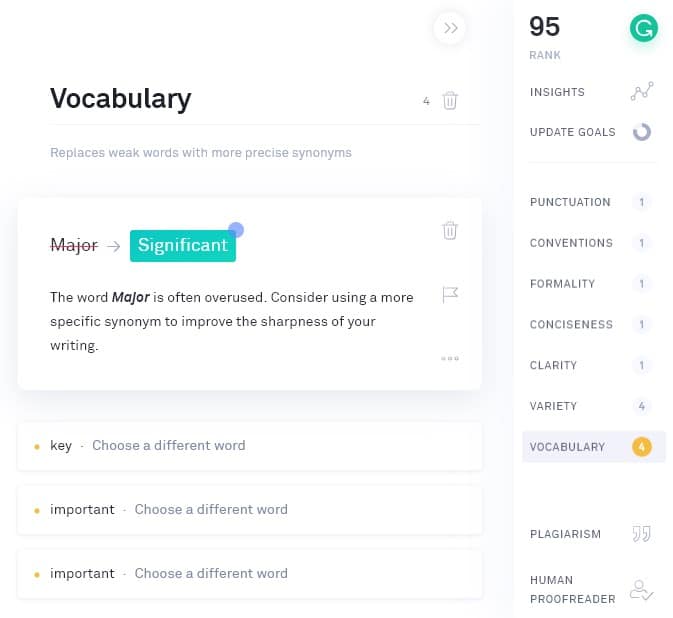
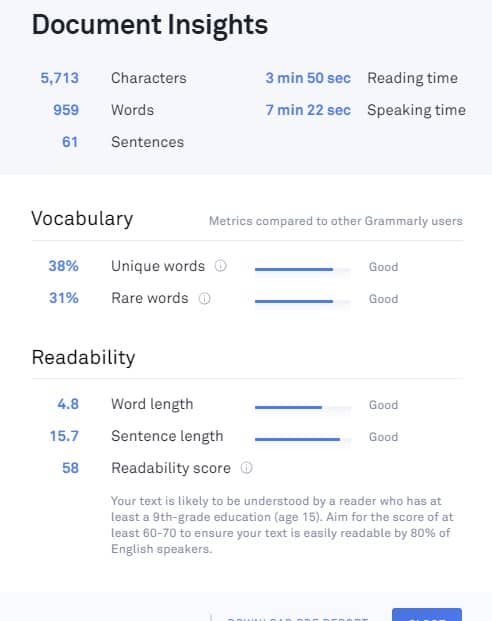
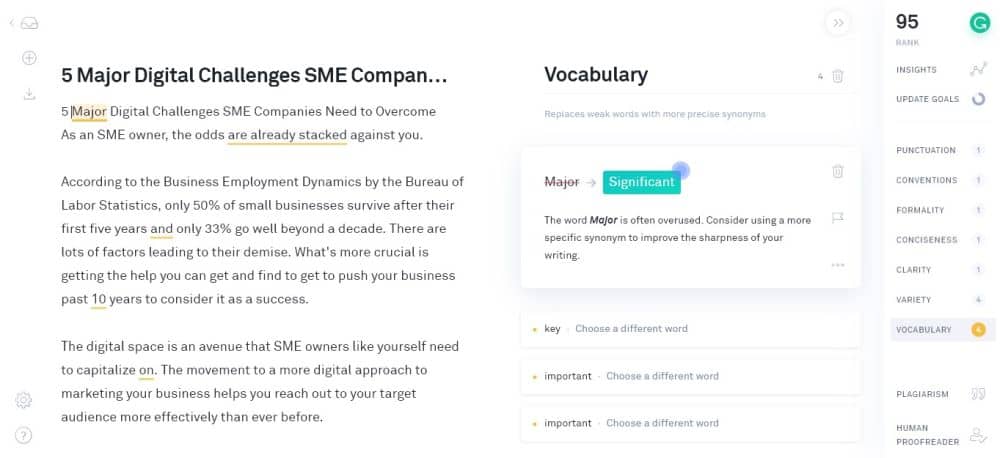
    • Grammarly Premium (affiliate link) – My favorite writing tool. It helps clean up errors in my writing that I didn’t get to check post-edit. It also helps improve my language to eliminate repetitive words and diversify the content. It has a free Chrome extension to help you check fundamental errors. However, I use the Premium version that corrects the article for 250 grammatical and contextual errors.  I reviewed why you should purchase a copy of Grammarly Premium if you’re serious with your freelance writing career. Click here to read it.
    • Webtexttool – Since I strive to provide clients with SEO-friendly content, I make sure to write all of my articles on Webtexttool. It’s like a web-based Yoast SEO that tracks content based on different SEO factors. The tool computes how optimized your content is for your target keywords using an aggregated score. It also measures the content score based on its readability and for its intended audience.
    • Keyword Revealer  (affiliate link)- Finding the right keyword for your content is made easy using Keyword Revealer. Enter the seed keyword to brainstorm keyword ideas. Filter the results according to the monthly search volume, the minimum number of words, and more. You can also analyze each keyword’s difficulty to help you find low-hanging fruit keywords to rank for with your content.
    • Trello – Organizing your projects and progress can be a pain without the right tool. With Trello, you can separate projects according to boards and break each into tasks using cards. You can collaborate with other writers or virtual assistants to help process the projects accordingly.
    • Serpstat  (affiliate link) – While this tool is primarily a full-suite SEO software in the vein of SEMrush, Serpstat helps me analyze the website’s competitors I will be writing for. It helps me find missing keywords that competitors are ranking for and the site isn’t. From here, I field the potential keywords I can write about and choose one to help the website rank for it. For my full review about Serpstat, click here.
    • CoSchedule Headline Analyzer – Come up with the best possible title for the post I plan to write. The tool measures the title’s effectiveness based on different factors and provides an aggregate score. The higher the score, the better the headline.
    • Buzzsumo – This tool lets you search content with the most shares for your chosen keyword. You can then leverage the most shared content by creating a better version of all posts combined. If you want to learn how to use Buzzsumo to its fullest effect (social media outreach, link building, keyword monitoring), click here to read the guide on how I use Buzzsumo.

    Network, network, network!

    Finally, the one thing you will need before launching as a freelancer is some contacts to help you out with connecting you to the right clients. Many freelancers have often started out as bloggers and obtained contacts that way. Consider going down a route such as this to build up your clientele so that you’re not stuck without work when you’ve launched.

    In the digital age, nothing beats having to meet people in the flesh, eye to eye, and make connections from there. You’d think online chat and messenger apps would supplant the power of personal touch. However, the latter remains the best way to build relationships that can help you grow your freelancing career.

    If you want to meet people in your area, head on to Meetup and find groups related to freelance writing or whichever your niche is.

    Meetup

    Find the ones that are active and holds meetups on a regular basis. Find time to attend the events and go out of your way to strike a conversation with people and learn more about it.

    If you’re not very sociable, then you might feel intimidated by attending these meetups. And I agree – as a person who’d rather keep to himself, I’d rather not attend meetups, if I were to be totally honest. However, you have to understand the value of networking with people. Not only can you find people whom to strike new freelancing projects with but you’ll also potentially find partners in your freelance journey.

    I’ll be straight with you – freelancing can be a very lonely world. You just sit in front of your desktop working your ass off for clients day in and out. There will come a time when you simply want to relax and unwind with people who understand what you’re going through.  Therefore, the people you connect and network in these meetups might be the people who will stick out with you ’til the bitter end.

    Acquire leads

    There are people whom you want to connect with but is impossible at the moment because they are from the other side of the world. However, this is where digital tools flourish to help you get in touch with them.

    For bloggers, you may want to approach these people with a little bit of discretion. You can’t just hit that person up on Facebook and expect a reply in a matter of minutes. You need to give him or her a reason to talk to you, especially online, where anonymity rules supreme.

    To help ease your way into a conversation and eventually a professional relationship with these people, you need to learn how to do blogger outreach.

    Blogger Outreach Basics: How to Grow Your Readership 1

    This method is used to tap into influencers and break bread with them even if you are a nobody in your industry. It helps you hack your growth by leveraging the power of influencers to help you increase your site traffic, grow your followers, and others.

    However, for the purpose of growing your freelance writing career, you may want to use blogger outreach to find leads and potential clients for your business!

    A tool that can help you find the best prospects and send them an email is Ninja Outreach (affiliate link).

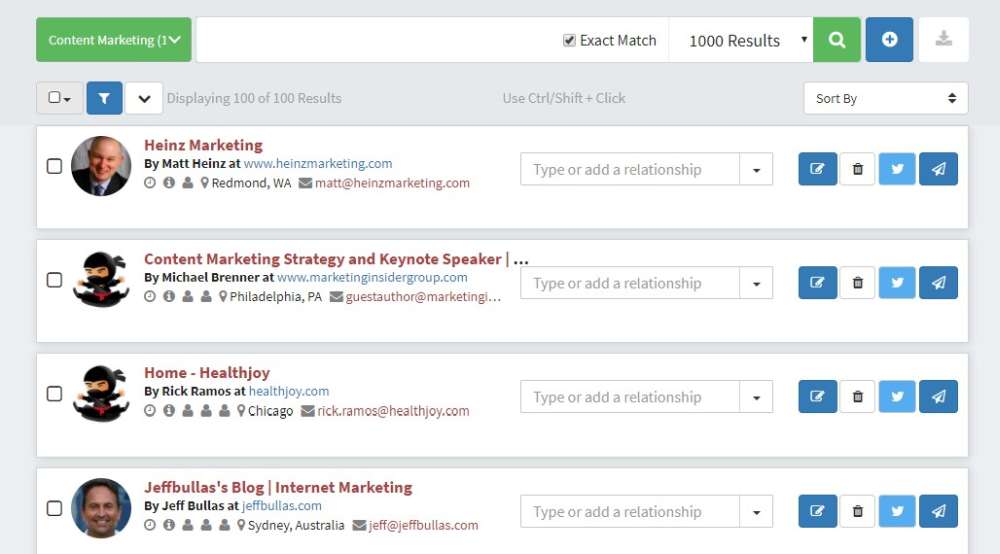
    Upon signing up for an account, go to Search > Find Leads and type the industry or niche you want to write for. For example, if you’re comfortable writing about real estate, then enter “real estate” on the search bar.

    Ninja Outreach find leads

    Click on each of the leads and check their blog section. If they publish posts regularly, then you may want to skip them for now. Target sites that don’t publish blog posts often enough because you can propose your writing services and provide content to them on a regular basis.

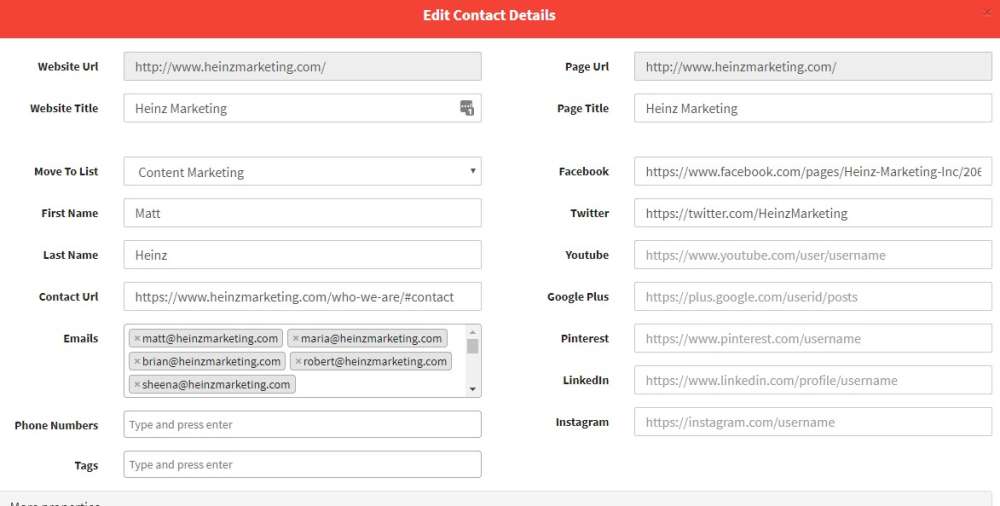
    To add a lead in a list, click on the profile with a plus sign button on the upper right part to add to your list. If you haven’t created one yet, you can do so once the slide in window appears.

    Ninja Outreach add leads to list

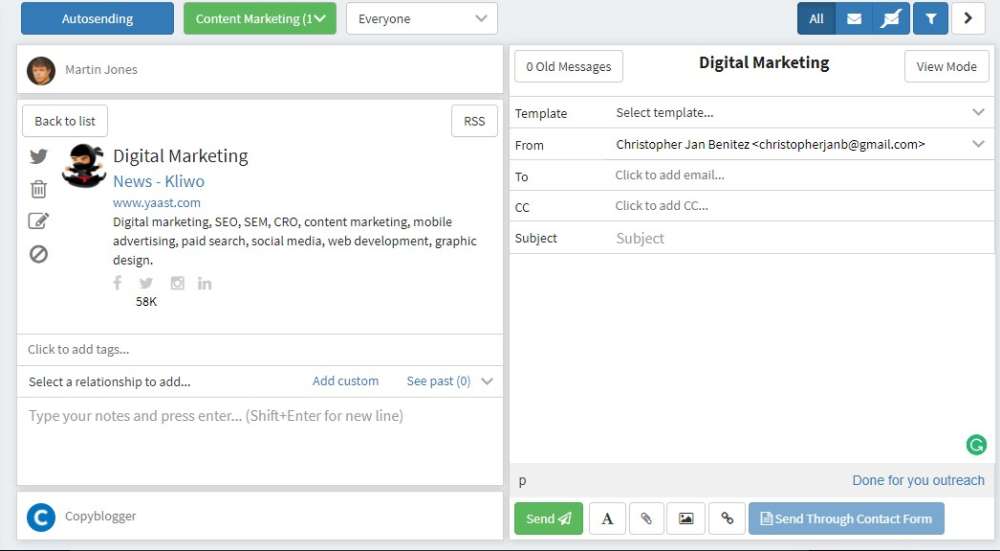
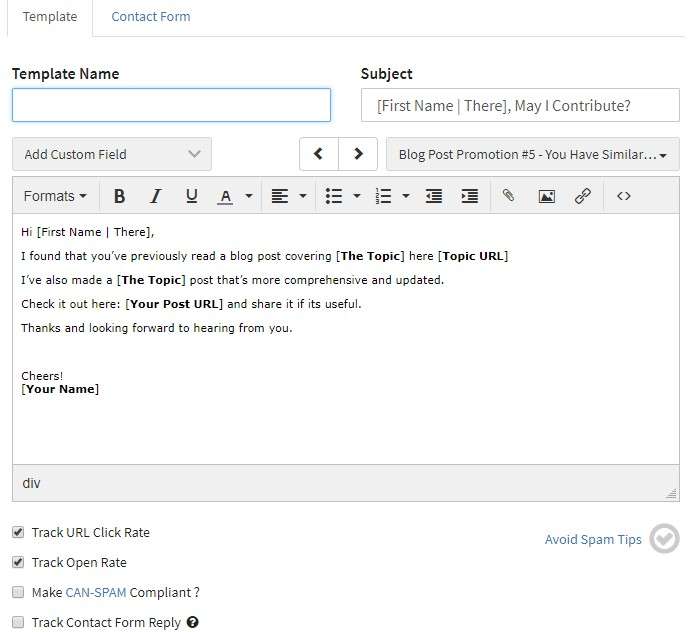
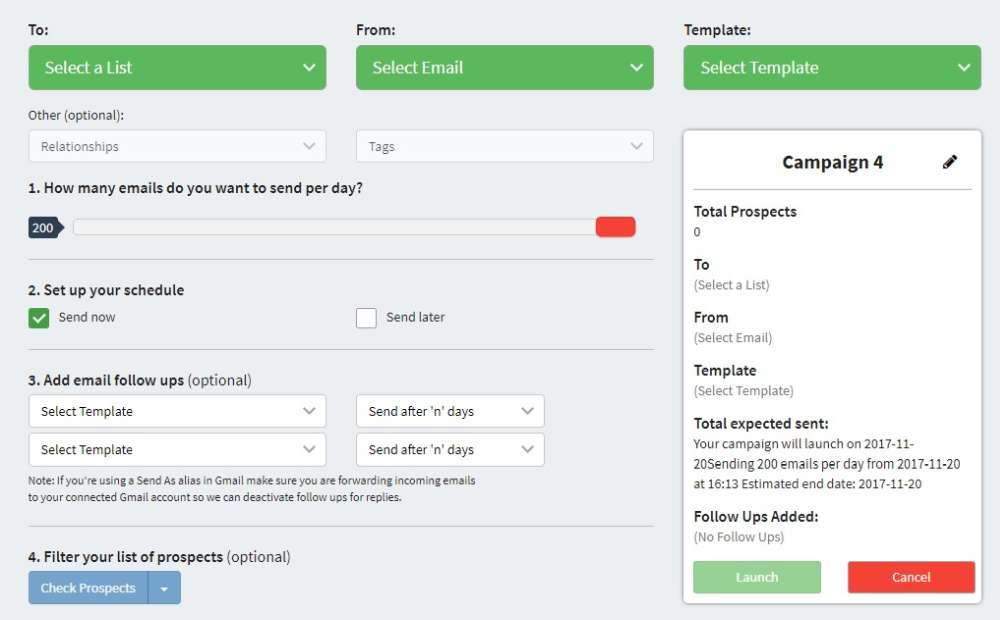
    Once you’re done with your list of leads (ideally at least 100 sites – the more sites to send emails to, the more chances of winning!), go to Outreach > Templates to type one out that you can send to people.

    At this point, you are essentially sending out cold emails to your leads. You don’t have any established relationships with them yet, so there’s a huge chance that your email will be ignored. However, you need to pull out all the stops so your leads will take notice of your email.

    Below are the keys to an effective cold email template:

    • Short – not more than five sentences
    • Straight to the point – mention your offer and why they should take it
    • End the email with a question – encourages lead to take action
    • Create a signature – aside from your name, social media handles, and website URL, showcase links to your best works
    ninja outreach template

    The screenshot above is just an example of how your cold email should read. You can write a better one that speaks about the issues in your industry to help you make a more compelling case for your leads.

    Once you’ve developed your template, it’s time to send them to your list. Ninja Outreach spaces out how you send them so you don’t send all emails at once.

    This blogger outreach method is one of many ways that you can grow your freelance business. You don’t even have to be a writer to use this tool – as long as you’re in need of clients, then Ninja Outreach can help you find potential clients to help build your career.

    BONUS: Build a kick-ass website

    I’m a big proponent of establishing a freelance career outside of online job marketplaces like Upwork. This is not a knock against the platform since I am aware that there are hundreds of freelancers making a living from these sites. However, if you want to take home 100% of the salary without a commission to the middlemen, then you need to take full ownership of your freelancing career.

    If you downloaded the e-book above, I listed down building a blog as a top priority. My blog and website is the biggest reason why I was able to learn my first $1,000 in 2014 as a freelance writer. It is also the reason why I am able to sustain a steady income despite the peril of freelancing clients that come and go at a moment’s notice.

    The best thing about having a blog or a website for your freelance services is that everything your clients need to know about your business is on your site. All your potential clients need to do is visit your site for details about your services and sample works they can browse. You don’t have to create individual proposals for each lead every time!

    Also, your website is searchable on Google if you correctly optimize your site pages for your target keywords. In my website, I have created individual pages for each of my writing services with their corresponding target keywords. Doing so makes it easier for me to target search phrases related to my writing services that people are searching for. This process has helped me acquire leads and clients without actively searching for and reaching out to them!

    If you want to learn how to create a website or blog to take your freelancing career to the next level, below is an infographic that breaks down the process of creating a blog for your site.

    Your Guide to Building a Winning Blog in 2017 (1)

    To help you create a winning website or blog, click here.

    Do you now know what it takes on how to be a successful freelancer?

    Whew, that was a lengthy post!

    I think I’ve covered all the bases when it comes to launching a freelance writing career or a freelancing career in general.

    However, as long as the post is, I think there are still tips and advice that you will have to learn yourself.

    That said, freelancing never gets easier. As you undergo different clients and rake in the income you truly deserve, the pressure increases for you to perform at optimum levels. You will also experience hardships that will make you doubt your decision of going the freelance route instead of the safe one.

    However, if there’s one thing that you should remember from this post, it’s that you have to remain steadfast in your journey and never go astray. It’s easy to lose your way after a streak of terrible clients or having to wait for your payment for months, but the harder road to take always offers the most glory. Freelancing is not for everyone – it’s only for people who want the best out of their careers and lives.

    Therefore, are you built to succeed as a freelancer?

  • How to Write a Good Blog Post that Search Engines and Your Audience Loves

    How to Write a Good Blog Post that Search Engines and Your Audience Loves

    Writing blog posts is never just about the writing process. Quote me on that!

    They are other things you must do before and after writing it to ensure that your audience gets to read it, if you targeted the right audience, that is!

    By I’m getting way ahead of myself. Let’s start from the very beginning, which is what this post will be about:

    • Learn how to research article topics for your new blog.
    • Prepare how you plan to write the blog post.
    • Write the most successful blog post possible (wild that it’s the third topic about how to write a blog post, but there’s a reason for this—read on to find out why)
    • Edit your post before publishing it on your own blog.
    • Promoting your blog post to maximize reach

    These points are simple enough to understand but tricky to execute. Let’s begin with the first:

    Blog Research

    Knowing where to write your blog post enables you to produce the best content.

    And since not all blogs are the same, you need to profile each first to help you better understand the blog. This is important if you’re juggling different blogs you own or work for clients.

    Below are steps you must include in your blog research process.

    Determine the Blog’s Niche

    We can categorize niches into two categories: blogs targeting customers (B2C) and those targeting businesses (B2B).

    You’ll most likely be working on B2B blogs for clients. Examples of these blogs target big companies looking for enterprise solutions.

    Unlike B2B blogs, B2C blogs are geared toward individuals that meet the company’s buyer persona. Niche sites promoting Amazon products are perfect examples of this blog type.

    However, what truly matters is the niche of the blog you’re working on.

    A niche requires specific knowledge from a writer to produce content guaranteed to satisfy their audience. Some niches like finance and medicine have a higher barrier to entry to create good content.

    While they may pay more for their content, they are much more demanding concerning their quality

    Other niches are much easier to write about due to their practical nature.

    For example, while having accreditation as a fitness instructor helps with blogging, you don’t need one. You can draw from your experience as a fitness enthusiast to produce valuable content that resonates with readers.

    If you’re unfamiliar with your client’s blog or site’s niche, you need to brush up on your knowledge of who the brand caters to.

    To do this, use a tool like Ubersuggest that identifies the top-ranking pages of a domain.

    From the site, enter the domain URL and see the other information about the site, such as traffic estimates, keyword opportunities, and others.

    In the example above, the pages driving the most organic website traffic target informational keywords. They are helping customers in the B2C space by covering moving and storage topics.

    From here, you must orient yourself to writing for the B2C space about similar topics as its top-ranking pages.

    At the same time, you’ll know your style and approach when writing your blog post.

    While there are arguably better tools than Ubersuggest, its free account lets you get a snapshot of a website faster than any tool out there.

    Know Its Goals

    A blog is a marketing tool that eases your audience down your marketing funnel using your published content. Whether you use it to inform your audience about a topic or for guest blogging (yes, it still works), writing has a place in your marketing strategy.

    It is part of effective content marketing that leverages content across various platforms (including social media, email, and others) to get them to commit to your call to action.

    Since a sales funnel has various stages, you must produce quality blog posts that align with the stage in the sales funnel the blog is in.

    For some businesses, blogging is in the ToFu (top of the funnel). That means people in this stage aren’t aware that the business exists. Using your blog posts, you educate them about the business by writing helpful information designed to build trust with people.

    Examples of blog post topics in the ToFU are those that ask questions.

    You can find examples of these topics on the Google search engine results pages (SERPs). If you enter a query a generic query (“making coffee,” in this example), you can find a section on the page that lists questions people ask about it:

    google paa

    If you click on one of the questions in this section ( the “People Also Ask” section), it shows you the answer snippet to the question AND two additional questions related to the one you clicked.

    You can use the questions here as topics for your next blog post and for the other articles you’ll be writing!

    Others use blogging at the BoFU (bottom of the funnel). People in this stage know about your products and services but are still deciding whether to purchase them from you. In this case, your blog posts must showcase your products to help them make informed purchasing choices.

    BoFu blog post content teaches its audience how to use the product or service correctly.

    Most businesses utilize blogs to cover both stages in the sales funnel. By creating blog posts that help establish their authority to your client’s audience and inform them how to use your products, you guide them to become blog visitors and, ultimately, customers.

    Hubspot is a brand that has its content marketing funnel down to a tee.

    If you’ve searched for anything related to digital marketing, there’s a big chance you’ve seen one of Hubspot’s posts ranking on top of SERPs.

    While these are ToFu posts ranking on Google, Hubspot has covered the digital marketing topic with posts on search engines.

    And once you’ve clicked on one of their pages, you will see a content upgrade dangling in front of you like a carrot tied to a fishing pole.

    In the example below, the post about target personas features a template that users can download.

    But before you can download the resource, readers must first give Hubspot their names and email addresses.

    While Hubspot uses the information to send you the template securely, it also sends you marketing emails about its products and services.

    While this sophisticated marketing approach may be above your pay grade, for now, it’s essential to understand that the content you’ll write for clients or your blog isn’t just limited to blog posts.

    In some instances, you may be assigned to create these written templates yourself.

    As a blogger, your client may assign you to write blog posts covering different topics. But if clients ask you to brainstorm for topic ideas, knowing the blog’s primary goal as a marketing tool makes determining whether to target ToFu or BoFu topics much easier for you.

    But we’ll cross the bridge when we get there. We’ll discuss the topic and keyword research later once you start writing the blog post.

    Find Its Audience

    We’ve already discussed writing for an audience to get more people to engage with your blog post. And you can only achieve this by knowing them to the fullest extent.

    To do this, you must create a buyer persona, a fictional persona based on your ideal customer. You should be able to develop a persona based on market research and the data you have on your existing customer base.

    Your personal should include the following:

    • Demographics
    • Behavioral patterns
    • Motivations
    • Goals

    You can write a blog with detailed buyer personas that cater directly to their needs.

    For example, take a look at Sharable for Hire’s blog. As a company specializing in employee background checks, they know their customers are businesses looking for a more direct recruitment and hiring process.

    Their blog covers topics from finding the best candidates to retaining them.

    Knowing your audience’s demographics helps you determine how to present your content.

    If you have access to the blog’s Google Analytics, you can access your audience’s demographics. Check where most of your visitors are coming from, what devices and browsers they use, and other information to help build your buyer persona.

    For those using Google Analytics 4, you can click on Reports > Users > Demographics > Demographics overview. It shows you a snapshot of your visitor’s demographics based on location, interests, devices used, and more.

    From here, you can use this information to help you write your posts moving forward. If most of your visitors are from the US, you need to brush up on your knowledge of US culture and language. This way, you can develop a writing style that resonates with them.

    If the blog is new, it probably doesn’t have enough visitors for you to see its demographics. In this case, it’s best to ask the blog owner who they want to target with their blog.

    Find Your Voice

    Your buyer persona will impact your brand voice, the tone, and the style in which you write the blogs that allow you to appeal to your audience.

    You do this in your everyday life when talking to different people. For example, when talking to your grandma, you have a different voice than your friends. Based on the information in your buyer persona, you’ll need to determine whether your voice is:

    • Formal
    • Funny
    • Casual
    • Authoritative

    Essentially, you’ll need to determine if you want to sound like a knowledgeable and helpful friend or an authority.

    However, you should never take on a voice that might seem false. For example, you shouldn’t be formal like another brand. Instead, you can be a standard version of your existing brand. 

    One of the better examples of writers who has a good grasp of their writing skills is Neville Medhora.

    He’s a former copywriter for Appsumo and owns the Copywriting Course.

    Even if you aren’t a member of his course yet, his blog posts give you a taste of his distinct writing voice.

    Case in point, his “How To Become A Life Coach” LinkedIn post:

    The post is quite obnoxious-It could even rub off people the wrong way,

    However, he uses these qualities in his writing to great effect. He’s able to communicate his ideas more effectively to his audience by harnessing his humor and writing voice.

    Overall, the audience wants the blog to be authentic and unique rather than something generic.

    You don’t want to sound just like any other writer out there. So, by drawing from your wealth of experience intertwined with your personality and sincerity, you can cut through the noise and produce content the way you’re meant to.

    Blog Content Research and Planning

    The easiest way to waste time and hard work are to commit to writing a post before you know how valuable it will be.

    Brainstorm for Topics

    If your client provides you with blog topics to write, feel free to skip this post.

    However, I suggest you at least browse through it—you’ll never know if the client wants input on which topics to write about.

    Knowing your blog’s niche lets you narrow the scope of topics to suggest. But the goal here is to provide topics the blog hasn’t covered.

    There are many ways to brainstorm for topics, but below is what I find the most effective.

    To see what these topics are, head on to Google search and type the following:

    site:[blog URL]

    Replace [blog URL] with the blog’s address.

    This search operator will show you published blog posts on the blog indexed by Google.

    From here, visit each page and look for external or outbound links, i.e., links that point away from the site.

    If there are external links on the blog posts, it’s probably because the blog doesn’t have a published article about that topic yet.

    That’s already a potential topic you can suggest to your client!

    You can do this on all the blog’s indexed posts to unearth more blog post ideas.

    The logic of suggesting these topics is that the blog owner can link to this post instead of from a third-party site. This way, the blog gets to keep its link equity, which is what search engines use to determine a site’s authority.

    The more outbound links your blog has, the more “authority” escapes from it, and the less likely it’ll rank for its target keywords.

    Creating content for these topics incentivizes the blog to sustain its link equity for higher rankings on Google.

    Do Keyword Research

    Once you have a batch of topics o write about, you must perform keyword research for every potential post you brainstorm.

    The goal is to maximize your blog post’s visibility on search results. You want to target keywords that most of your audience searches for and have the least competition.

    For this, you’d need a tool to show you a search term’s estimated monthly search volume.

    Personally, the most accessible keyword tool to use for free is Keyword Surfer.

    It’s a Chrome extension created by Surfer SEO to help you identify the search volume of each term on SERP.

    After installing and activating the extension, type the topic on the Google search bar.

    On the search engine results page (SERPs), a sidebar will appear showing you keyword suggestions related to the topic, the search volume of each, and its relevancy.

    From the results, you can also see the estimated volume of traffic the blog domain receives, the number of words on the page, and the number of times the search query was mentioned.

    Based on these factors, you can choose the appropriate keyword to target for your blog content.

    However, you shouldn’t always target keywords with the highest search volume for your content. You also must take into consideration the difficulty of ranking for them.

    Keyword difficulty is a score assigned by premium keyword tools to determine the likelihood of ranking your content on top of search results.

    The lower the score (on a scale of 0-100, 0 being the lowest), the higher your post’s chances of ranking for it.

    This metric isn’t available on free keyword research tools, and those that do offer it have limitations or don’t provide accurate data. So you’ll have to resort to using a paid tool like KWFinder.

    It has a reliable keyword difficulty score that you can factor in when deciding which keyword to target for your blog post’s topic.

    You can also conduct competitive keyword research using the tool. Enter the domain URL of a competitor or a site that covers the same topics as your blog. KWFinder will show you keywords the site is ranking for, which you can use as topics for your upcoming posts.

    But before using these keywords, ensure that your blog hasn’t covered them yet.

    Determine Intent

    Now that you’ve determined the keywords for your blog posts, it’s time to figure out the intent for each.

    Back then, when Brian Dean’s “Skyscraper Technique” was in full force, publishers were writing exhaustive pieces about the topic. They cover the full spectrum of a topic and reach at least 4,000 words each.

    This is what worked then because Google ranked these pages like crazy.

    However, the search engine’s algorithm constantly changes, and it’s decided that intent is more important.

    For example, if people search for “social media tactics,” the assumption here is they want to know the best social media techniques for building an audience on various channels.

    They don’t want to know the history of social media, its different channels, or who the best people to follow on social media are. It’s because these topics are not implicit in the keyword’s intent.

    So, by determining why the user typed in their search query, you can figure out what to write in your blog post to provide them with the necessary information.

    There are three user intents you must know:

    • Navigational – Looking for a specific company or brand website page.
    • Informational – Looking for answers to questions about a site’s topic or niche.
    • Commercial/Transactional – Looking to make a purchase or information that will help them make a purchasing decision.
    keyword intent - how to write a good blog post

    In some cases, the intent is evident in the keyword.

    If the search query begins with any of the four W’s (what, why, when, where) or 1 H (how), its intent is informational.

    But a question query can have a commercial intent if it involves pricing, ex. How much is x, and what is the price of x. Since users want to know the price of a product, there’s a good chance they’re interested in making a purchase.

    So, instead of guessing, you must determine for sure what intent your topic has.

    To help you find the intent of a keyword, go to Google and type the keyword on the search bar. Then see the top pages appearing on search results.

    If most pages answer a question or problem, then the keyword likely has an informational intent.

    But if the results are reviews, alternatives, or comparisons to other products and services (all of which are helping users make a purchasing decision), the keyword has a commercial intent.

    Doing the above process takes time, however. So, a faster way to determine user intent is to use a tool like SEMrush that shows you the intent of a keyword and its related terms.

    While it’s best to manually check for the posts to determine intent, using tools helps expedite the process and improve your writing workflow.

    Write Your Outline

    Outlining is one of the unsung heroes of content writing. You can’t create good content if you don’t have a structure before writing it.

    You’ll find yourself going back and forth between writing and researching and back, which makes the process much longer for you.

    To hasten the process, you must write outlines before creating the content.

    The article should contain the talking points and research materials you must mention. This way, you have everything you need to write the article so you can focus all your energies on it.

    You can do this manually by taking the top-ranking pages and analyzing their h2s. We want to take the most relevant and standard h2 these posts have and include it in ours.

    To help you with this process, use the Detailed SEO Chrome extension. Click on it from your extensions when you’re on the page you want to analyze.

    Do this on all your top-ranking competitors and compare which headers they share the most.

    The goal is to incorporate these headers in your content to make it familiar enough for search engines to rank your page higher than before.

    Pick which h2 and other subheadings work best with your writing piece. Include bullet points for each subheading that you’ll flesh out once you start writing.

    Aside from doing this manually, you can use Contentpace to help you drag and drop subheadings that you want to add to your article.

    It’s a content writing research tool that helps you pull out headers (H1, H2, etc.) of each ranking page.

    From here, you can drag and drop the headlines you wish to include in your article.

    Then add notes on the outline to help you keep tabs on what you’ll write once you start with the article.

    Contentpace also shows you averages of the top-ranking pages for your keyword.

    This helps you write a certain number of words in your article, readability score, and keyword frequency to match those appearing on SERPs’ first page.

    Split your post over three days

    After conducting blog research, you can break down the following tasks into these steps:

    • Research
    • Writing
    • Editing

    You can split these tasks into three days across all the articles you need to write in a period. This is a method I learned about on Buffer’s blog, and it’s served me well ever since.

    Considering that all posts will take at least three days, make up for it by working on three daily posts.

    • Day 1 – research information for the first article, edit the second article and begin writing the third article.
    • Day 2 – Write the first article, research information for the fourth article, and edit the third article.
    • Day 3 – edit the first article, begin writing the fourth article, and research information for the fifth article.

    Writing articles this way allows you to compartmentalize articles into digestible tasks that you can complete in increments.

    Writing takes a different mindset to research; anything you learn will need to sit in your head for a while to be processed to make any decent points.

    That’s why you must research first and get all the information you need to write the content much faster and more efficiently using your skills or various tools.

    I’m not saying that you shouldn’t write anything during research—make notes and record valuable sources you can link back to or quote.

    But don’t attempt to write any of the actual text. If you do, you’ll find yourself flip-flopping between researching and writing, and those three hours will be up before you finish the first draft.

    Similarly, never edit a post while you write it. Again, doing so shatters any flow to your writing to the point where you’ll lose focus and inevitably struggle to keep up the pace.

    By splitting up your writing flow this way, you’re allowing your mind to all three processes to write better and get some distance to edit effectively.

    Predict How Long You’ll Complete Each Task

    Knowing how long to spend on the various parts of writing a great blog post was difficult at first. It’s different for everyone and from post to post.

    In general, however, you want to limit yourself to spending an hour each researching and editing your content.

    This puts more of a concrete limit on how much time you have for a given task, which helps you to focus and make every second count.

    If you know that you only have one hour to research everything you need to know to make your blog post as good as it can be, you’re inherently less likely to stray off on tangents on the off chance that you’ll find an interesting tidbit.

    Writing a blog post varies depending on the topic’s word count and complexity. I see myself spending more than two hours writing a 1,000-word blog post.

    Remember, the goal here isn’t to be as fast as possible. Spending more than two hours (or even less) writing the post is okay.

    It’s to produce good content in short bursts consistently. Having concrete deadlines for each part of the writing process allows you to do that.

    Blog Content Writing

    Now we’re into the writing tips themselves.

    At this point, writing should now be a breeze—you have researched everything to ensure that your piece will have all the information it needs to provide value to readers.

    It’s just a matter of putting everything together in a cohesive, well-thought-out, and well-written piece.

    Here’s an infographic of the things you must keep in mind when writing your blog post:

    15 Dead Simple Tips for Writing Powerful Web Content 1

    Now, let’s discuss each one below:

    Compelling headlines

    The headline is the first thing your audience will see in your post, whether it’s shared on social media or appears on search results.

    Regardless, you want your headlines to be solid and robust enough so that people will be compelled to click on them.

    Below are ways you can do this:

    Make readers interested

    If you want to develop a post title that your audience will want to click on and read, you need to answer the simple question:

    “So what?”

    Consider the following examples as blog titles:

    • Writing Tips for Freelancers
    • 8 Easy Writing Tips that Freelance Ought to Follow
    • 8 Easy Freelance Writing Tips That Will Keep Your Clients Happy

    Which one is the most effective among the three listed above?

    Be descriptive

    The first example is straightforward enough for your audience to know the article.

    But what about writing tips?  What kind of writing tips should I expect from the post? So what?

    If you’re having problems fleshing out details in your content, there are blogging tools that can help you get the job done.

    Emphasize the benefit of reading your article

    The third example is not only descriptive, but it also tells what kind of freelancers the article is for. If you are having trouble retaining your clients, the tips will help you solve this problem.

    You can read the article by clicking here!

    Use intro sections as hook, line, and sinker

    15 Dead Simple Tips for Writing Powerful Web Content 4
    Just like fishing for sport, you need to prepare your best writing techniques to draw readers’ attention to your content.

    Your introductory paragraph is a way to draw your readers to your article. Writing a weak one will force them to stop reading. Therefore, give your readers a reason to stay and read the whole content.

    By beefing up your introduction using any of the suggestions above, you can expect them to be more engaged as they read the rest of your article.

    Use Intro Frameworks

    Taking a cue from this post at Bid4papers, below are ways that you can write an exciting introduction to your article:

    Tip # 5: Use anecdotes. Use a personal story from your experience or historical fact that can help you seamlessly transition to your main idea.

    Tip # 6: Mention statistics. Numbers don’t lie, which makes them perfect examples to establish your argument for your post.

    Tip # 7: Reveal misconceptions. Debunking a myth or a well-known practice will help raise your article’s interest level and inform them what they should do.

    Tip # 8: Set a scene.  Narrate an imaginary scenario related to your main idea that can help envision your points to readers.

    Tip # 9: Include quotations. Using famous lines from popular people or authority figures in your niche can help you communicate your ideas, especially if your readers are big fans of the people you quoted.

    Make it easy to understand your point

    15 Dead Simple Tips for Writing Powerful Web Content 5
    To honestly write effective and powerful web content, take the chore out of reading.

    The Nielsen Norman Group reported that users don’t read content on the web. Instead, they scan for keywords and phrases that grab their attention.

    Instead of bloating your article with more words, you need to…

    Simplify your content so readers will quickly scan the words they are looking for in your articles.

    “How,” you ask? Simple:

    Tip # 10: Use bullet points. These grab the attention of scanners, so they can read the major points even without reading the whole article.

    Tip # 11: Format sections of your content that need emphasis. For example, use bold on proper nouns, subheadings, and italics on basic sentences or phrases.

    Tip # 12: Add visuals. Free stock photos from sites like Pixabay, Pexels, or creating images using Canva or PicMonkey help readers visualize your ideas. Depending on your audience, you may want to add visuals to your blog that enhance and make it more appealing. For example, if your blog is about how to crochet, adding images of each step can add value by showing them how it’s done instead of telling them. 

    Tip # 13: Make your sentences short and sweet. ‘Nuff said.

    Tip # 14: Create a “What You Will Learn from This Post” and “Summary” section. Both will help readers get the gist of the content before reading and fill out the details at the end in case they missed anything.

    Tip # 15: Do not use adjectives and adverbs. Compelling content is about getting your readers engrossed in your writing. Instead of saying something is “really, really good,” do not just say it – make them experience it. Describe the feeling of goodness so readers can relate to it more personally.

    Optimize, Optimize, Optimize!

    We would be remiss if we didn’t discuss search engine optimization (SEO) in content writing.

    In a nutshell, SEO is the process of getting your blog post to rank for its target keyword on organic search.

    The higher the post ranks on search engines, the more clicks it’ll get from search results.

    In the latest data from Advanced Web Ranking’s Google Organic CTR History as of November 2022, the first place receives almost 40% of clicks, while the second and third places receive 15% and 9%, respectively.

    Let’s say that the keyword you’re trying to rank for has an estimated 1,000 search volume, here’s the number of monthly clicks you’ll receive from ranking at the first three spots:

    • #1 – 400 clicks (1,000 * 0.4)
    • #2 – 150 clicks (1,000 * 0.15)
    • #3 – 90 clicks (1,000 * 0.09)

    So, to write content that ranks at the top of SERPs, you must observe the best on-page SEO tactics.

    The two things you can do as a content writer to achieve this are the following:

    • Mention your keyword on the page’s H1, SEO title, and meta description (also known as the three kings of on-page SEO)
    • Use SEO content writing tools to help you understand how optimized your content is based on various factors.

    Regarding the latter, I highly recommend Surfer SEO as your SEO content tool of choice.

    It has a very robust Content Editor that lets you optimize content for multiple keywords (up to 20). It then pulls up natural language processing (NLP) keywords you must mention in your content.

    The goal is to make the score as high as it can be. Anything above 66 shows green, which means it’s optimized enough but feel free to go beyond that number, especially if it makes your content read better.

    Doing so allows you to create blog posts topically relevant to their respective keyword.

    This makes Google’s job of understanding what your content is about much easier, thus increasing your chances of ranking higher for your target queries.

    Another tool you can use is Semrush. It’s not just a content optimization tool–the platform’s an all-encompassing SEO software that can audit your site for technical issues, identify sites to build links on, and more. But for now, Surfer SEO is a good choice if you’re focusing on just your content.

    Blog Post Editing

    It doesn’t matter if you make a spelling mistake. Nobody’s pressuring you to perfect your sentences and structure on your first try. The main thing you need to do once you’ve finished researching is to sit down and write the thing from start to finish.

    Editing an entire document at once can be daunting, especially if you’re on a strict time limit and the post is hefty or about a complex topic. So, instead, split up the editing tasks and take things one chunk at a time.

    Spend five minutes going through the post and checking your spelling, then spend the following checking grammar, and so on.

    Tasks such as improving the structure of the post will take longer, but as long as you keep this editing runs to a single task each, you’ll find them much less daunting, which means you’re less likely to procrastinate.

    However, editing becomes a chore, especially if you don’t know what mistakes you’re making in your content.

    The thing about you being the editor is that even if you checked your content multiple times, you wouldn’t detect the mistakes you’ve made.

    This is because you don’t know they are mistakes in the first place!

    This is why tools like Grammarly are heaven-sent.

    It detects your content for potential errors that you must correct.

    The tool has a Chrome extension, which is perfect if you’re writing straight to the site editor, such as WordPress. It underlines the mistakes you’re making in the article as you write.

    This way, you’re writing and editing the content simultaneously. This makes your manual editing once you’re done writing much more effortless.

    It also has a Google add-on so you can check your other blog posts before sending them over to clients for uploading.

    As an added tip, I’ve also found that using a trackable editing checklist is a fantastic way to boost your efficiency in this part of the writing process.

    Blog Promotions

    After you’ve completed and proofread the blog post, it’s time to promote it to get more traffic to your website.

    After all, the post won’t promote itself!

    Also, you can establish credibility and authority if you successfully promote your content to your target audience.

    Of course, this would depend on how well-written your content is. If you shared unique and insightful ideas in the post that would establish you as an expert in your field, you could position yourself as an industry expert.

    From here, your blog post might generate comments, likes, and shares on social media. This can help you build a community of followers around your blog and increase the chances they will return to it.

    Finally, promoting your blog post can also help improve your search engine rankings, as it can generate backlinks to your blog and increase the number of people who link to your content.

    Again, you can only reap the benefits of your blog promotions strategy if you possess the writing skills for creating an authoritative and well-written piece, all of which we’ve covered above.

    That said, below are ways to help you get started with your content promotions campaign:

    content promotions

    There are also great places where you can share your post online, so try getting your bearings there first.

    How to Write a Good Blog Post: Final Words

    Writing the perfect blog post takes A LOT of work.

    It’s never about simply typing a bunch of words and making them sound good.

    At the heart of writing a great post is understanding what your readers want and optimizing it to make the page appear on top of search results for your target keywords.

    Whether you’re writing for clients or your blog, this how-to post hopefully helps you create better content for your first blog post or even your future posts. This way, you can get more clients, and attract more traffic.

/* ============================================================================= WebMCP tool registration for christopherjanb.com ----------------------------------------------------------------------------- Deploy: WPCode -> + Add Snippet -> Add Your Custom Code (HTML Snippet) Insert Location: Site Wide Footer Conditional Logic: NONE (this script self-gates on the URL path) Prereq: upload webmcp.js to the site root first, so it loads at https://christopherjanb.com/webmcp.js (download from https://github.com/jasonjmcghee/WebMCP) The blue widget only appears on https://christopherjanb.com/mcp/ ============================================================================= */